

Omate Care
Omate Care is made and published by UMEOX Innovations Co., Ltd. AppBrain is an independent app data site and isn't affiliated with UMEOX Innovations Co., Ltd. The app name, icon, screenshots and description belong to UMEOX Innovations Co., Ltd. and are shown as published on the App Store.
AppBrain's verdict
- Last updated
- February 12, 2022
Rankings
App Store top chartsApp Store Rankings for Omate Care
Competitors
Similar apps and more from UMEOX Innovations Co., Ltd.Alternatives to Omate Care






More from UMEOX Innovations Co., Ltd.








Releases
Updates seen on the App Store- Version
- 1.0.2
- Launched
- July 2021
No changelog data
User feedback
Ratings and reviews on the App StoreComments on Omate Care for iOS
We don't have enough comments to show example comments. Please check back later.
Technology
Found in the app by AppBrain- Price
- Free
- App size
- 76.0 MB
- Content rating
- Everyone
Technologies used by Omate Care
About the app and developer
About Omate Care
Omate Care is a lifestyle app developed by UMEOX Innovations Co., Ltd.
User Ratings
The app has no ratings yet.
App Information
Omate Care is freely available from the App Store. The app size is 76.00 MB. The latest version available is 1.0.2. The last update was on February 12, 2022.
Technical Requirements
The app has a content rating of Everyone. The app has been available on the App Store since July 2021.
Developer information for UMEOX Innovations Co., Ltd.
Address:
Store listing
By UMEOX Innovations Co., Ltd., from the App Store



Description by UMEOX Innovations Co., Ltd. Written by the developer, not by AppBrain. Click to read.
Communication: The Omate Care app allows parents to communicate with the O6L Pro kids’ smartwatch through audio messaging and video/voice calling features.
Location: Parents can also use the Omate Care app to locate the device. The O6L Pro transmits position coordinates directly to the built-in map of the Omate Care app.
Safety: The child can long press the red button for 3 seconds to trigger a SOS Alert which will be automatically pushed to the Omate Care app along with location and 30 seconds audio recording.
Easy Setup: Open the Omate Care app, then scan the QR code displayed on the screen of the watch after the network connection.
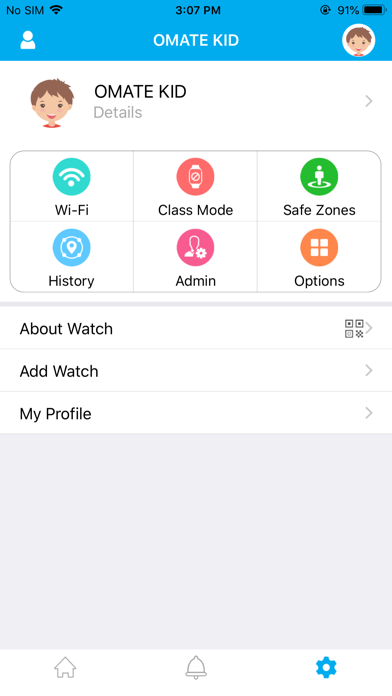
The first registered app user will become the Admin.You can add family members either by letting them scan the QR from your phone’s Omate Care app (Settings / About Watch) or by email from the Omate Care app (Family Member / add email). Note that it must be the same email as the registered app email the family member uses.
From there, you can Video Call / Voice Call / Audio Message / Text Message from the app to the watch.You can also locate the watch by refreshing the map and can track daily steps counter.
The Omate O6L Pro runs with a prepaid 4G LTE data plan for 3 years so all the features of the smartwatch are FREE to use for the child from the O6L Pro watch to the Omate Care app.
To ensure a better and stable service at home, we recommend you to connect the O6L Pro smartwatch to your secure home WiFi by sharing your accurate WiFi hotspot Name and Password via the Omate Care app.
Settings > Wi-Fi > + > Wi-Fi name / Wi-Fi password so the information will be directly pushed to the O6L Pro smartwatch and the device can be connected to the home network.
What sets the Omate O6L Pro apart from other children’s smartwatches is the unlimited free prepaid data services for 3 years and the extra security layer provided by its Virtual SIM private network.
The O6L Pro is a 4G LTE device that brings some of the top-communication features for kids’ safety. The three-year prepaid data plan includes free and unlimited location-based services, video calls, text and audio messaging over 4G LTE.
More details on https://www.omate.com/o6l-pro-user-manual/
Contact: partner@omahome.com