

OmniCut: AI Clothes Changer
OmniCut: AI Clothes Changer is made and published by Yanchen Zhao. AppBrain is an independent app data site and isn't affiliated with Yanchen Zhao. The app name, icon, screenshots and description belong to Yanchen Zhao and are shown as published on the App Store.
AppBrain's verdict
- Rating on App Store
- 5.00
- 5 ratings
- Last updated
- August 26, 2026
It doesn't have enough ratings yet to judge what users think.
Rankings
App Store top chartsApp Store Rankings for OmniCut: AI Clothes Changer
Competitors
Similar apps and more from Yanchen ZhaoAlternatives to OmniCut: AI Clothes Changer


More from Yanchen Zhao


Releases
Updates seen on the App Store- Version
- 1.1
- Launched
- June 2026
No changelog data
User feedback
Ratings and reviews on the App StoreComments on OmniCut: AI Clothes Changer for iOS
We don't have enough comments to show example comments. Please check back later.
Technology
Found in the app by AppBrain- Price
- Free
- App size
- 229.1 MB
- Content rating
- Medium
Technologies used by OmniCut: AI Clothes Changer
About the app and developer
About OmniCut: AI Clothes Changer
OmniCut: AI Clothes Changer is a photo & video app developed by Yanchen Zhao.
User Ratings
OmniCut: AI Clothes Changer is rated 5.00 out of 5 stars. The rating is based on 5 ratings.
App Information
OmniCut: AI Clothes Changer is freely available from the App Store. The app size is 229.07 MB. The latest version available is 1.1. The last update was on August 26, 2026.
Technical Requirements
The app has a content rating of Medium Maturity. The app has been available on the App Store since June 2026.
Developer information for Yanchen Zhao
Address:
Store listing
By Yanchen Zhao, from the App Store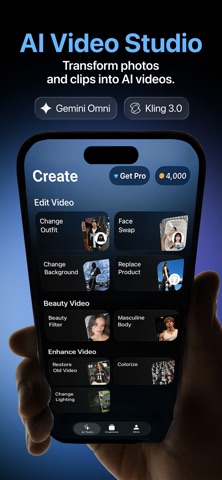
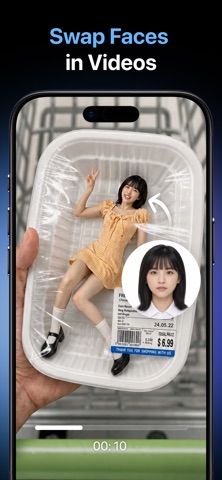
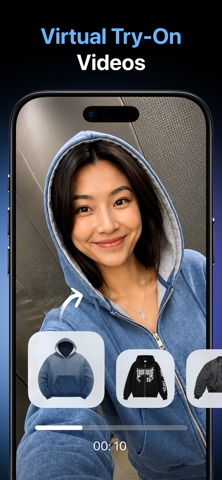


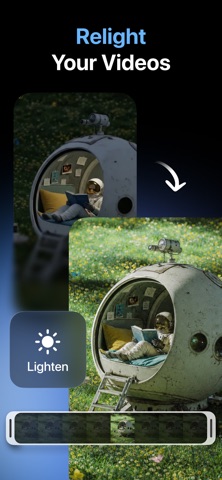

Description by Yanchen Zhao Written by the developer, not by AppBrain. Click to read.
RESTORE & ENHANCE
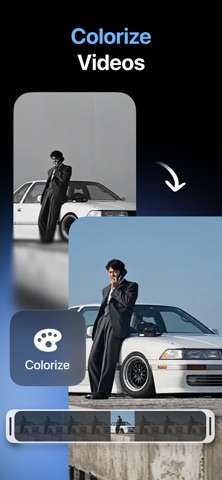
Bring old, blurry, or damaged photos and videos back to life. Unblur soft details, reduce noise, sharpen clarity, and remaster footage so it looks cleaner and more vivid. Turn black-and-white memories into natural color with AI colorize. Relight a scene to brighten, darken, or balance the mood — without reshooting.
TRY NEW LOOKS
Change outfits with a reference photo for virtual try-on style edits. Swap backgrounds for product shots, social posts, or creative clips. Replace products in-frame for e-commerce and ads. Apply a natural beauty filter for a polished, camera-ready finish.
CREATE WITH AI
Pick a photo or short clip, choose a tool, and tap Generate. OmniCut processes your edit in the cloud and saves results to Creations on your device. Review every output before you share.
MADE FOR
• Restoring family photos and old footage
• Cleaning up everyday video quality
• Outfit and background restyles for content
• Product and lifestyle creatives for shops and ads
PRIVACY & CONTROL
Your media stays under your control. Cloud AI processing only starts after you grant permission in the app. You can withdraw AI data sharing anytime in Settings → Your Data. See our Privacy Policy for details.
OmniCut Pro is available as an auto-renewing weekly subscription. Payment is charged to your Apple ID. Manage or cancel anytime in your Apple ID subscription settings. Unused coins do not roll over. Deleting the app does not cancel your subscription.
Terms of Use (EULA): https://www.apple.com/legal/internet-services/itunes/dev/stdeula/
Privacy Policy: https://www.notion.so/Privacy-Policy-Omni-Cut-376acddbe5aa80c68669c6090a9a2636