

OMOTENASHI GUIDE - SoundUD -
OMOTENASHI GUIDE - SoundUD - is made and published by Yamaha Corporation. AppBrain is an independent app data site and isn't affiliated with Yamaha Corporation. The app name, icon, screenshots and description belong to Yamaha Corporation and are shown as published on the App Store.
AppBrain's verdict
Established- Rating on App Store
- 4.00
- 5 ratings
- Last updated
- March 27, 2026
It doesn't have enough ratings yet to judge what users think.
Rankings
App Store top chartsApp Store Rankings for OMOTENASHI GUIDE - SoundUD -
Competitors
Similar apps and more from Yamaha CorporationAlternatives to OMOTENASHI GUIDE - SoundUD -


More from Yamaha Corporation





Also available on Google Play

Releases
Updates seen on the App Store- Version
- 6.0.0
- Launched
- July 2015
No changelog data
User feedback
Ratings and reviews on the App StoreComments on OMOTENASHI GUIDE - SoundUD - for iOS
We don't have enough comments to show example comments. Please check back later.
Technology
Found in the app by AppBrain- Price
- Free
- App size
- 85.8 MB
- Content rating
- Everyone
Technologies used by OMOTENASHI GUIDE - SoundUD -
About the app and developer
About OMOTENASHI GUIDE - SoundUD -
OMOTENASHI GUIDE - SoundUD - is an utilities app developed by Yamaha Corporation.
User Ratings
OMOTENASHI GUIDE - SoundUD - is rated 4.00 out of 5 stars. The rating is based on 5 ratings.
App Information
OMOTENASHI GUIDE - SoundUD - is freely available from the App Store. The app size is 85.84 MB. The latest version available is 6.0.0. The last update was on March 27, 2026.
Technical Requirements
The app has a content rating of Everyone. The app has been available on the App Store since July 2015.
Developer information for Yamaha Corporation
Address:
Frequently asked questions about OMOTENASHI GUIDE - SoundUD -
Is OMOTENASHI GUIDE - SoundUD - free?
Yes. OMOTENASHI GUIDE - SoundUD - is free on the App Store.
Is OMOTENASHI GUIDE - SoundUD - still available?
Yes. OMOTENASHI GUIDE - SoundUD - is on the App Store, and the last update we saw was on March 27, 2026.
How large is OMOTENASHI GUIDE - SoundUD -?
OMOTENASHI GUIDE - SoundUD - is 85.84 MB.
Is OMOTENASHI GUIDE - SoundUD - suitable for children?
App Store rates the content of OMOTENASHI GUIDE - SoundUD - as suitable for everyone.
How do people rate OMOTENASHI GUIDE - SoundUD -?
OMOTENASHI GUIDE - SoundUD - scores 4.00 out of 5 stars, from 5 ratings on the App Store.
Who made OMOTENASHI GUIDE - SoundUD -?
OMOTENASHI GUIDE - SoundUD - was developed by Yamaha Corporation. It is listed in the utilities category on the App Store.
What are the best alternatives to OMOTENASHI GUIDE - SoundUD -?
People looking at OMOTENASHI GUIDE - SoundUD - also look at these utilities apps: Uni-Voice, nanaco 残高チェッカー, れんらくアプリ, Japan NFC Reader, 在留カード等読取アプリケーション.
Store listing
By Yamaha Corporation, from the App Store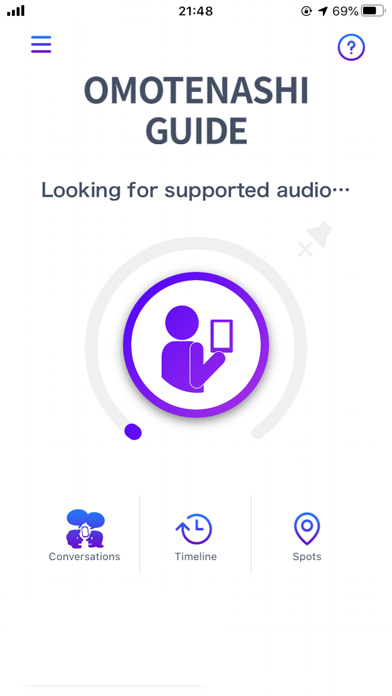
Description by Yamaha Corporation Written by the developer, not by AppBrain. Click to read.
"OMOTENASHI GUIDE" is a service that convertsJapanese announcements into an understandable form and delivers for its users regardless of age, nationality, or disability.
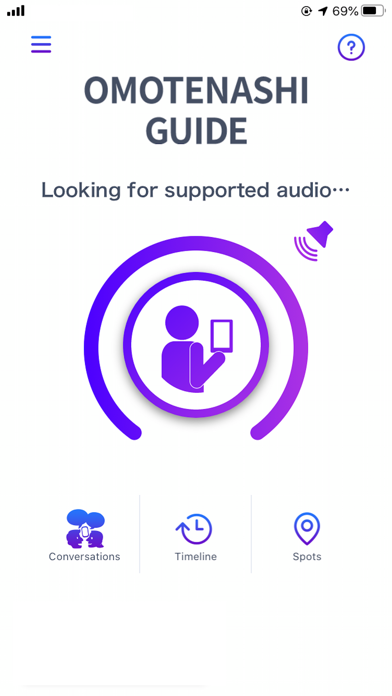
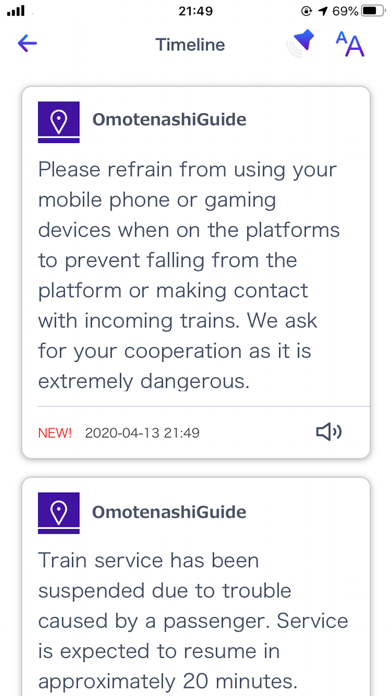
When the app picks up a Japanese announcement compatible with "OMOTENASHI GUIDE", it converts the announcement into text for users that are hard of hearing. For foreign users that don't understand Japanese, the announcement is translated into an appropriate foreign language and is displayed in text format.
[User Instructions]
Step 1: When an announcement is playing and you want to know what it says... Open the app where there is an "OMOTENASHI GUIDE" mark!
Step 2: Just press the center button!
[Notes on Use]
The smartphone's microphone is used when receiving announcements.
If permission to use the microphone is off, it may not be possible to convert the announcement correctly.
A settings prompt will appear the first time you launch the app, but when reconfiguring the settings, please confirm the following.
・Microphone
Settings->Privacy->Microphone->OMOTENASHI->On
・Location Services
Settings->Privacy->Location Services->OMOTENASHI->Always
・Bluetooth
Settings->Bluetooth->On