

OMTech Lab
OMTech Lab is made and published by Rygel Advanced Machines. AppBrain is an independent app data site and isn't affiliated with Rygel Advanced Machines. The app name, icon, screenshots and description belong to Rygel Advanced Machines and are shown as published on the App Store.
AppBrain's verdict
- Rating on App Store
- 1.00
- 1 ratings
- Last updated
- November 25, 2025
It doesn't have enough ratings yet to judge what users think.
Rankings
App Store top chartsApp Store Rankings for OMTech Lab
Competitors
Similar apps and more from Rygel Advanced MachinesAlternatives to OMTech Lab



Releases
Updates seen on the App Store- Version
- 1.0
- Launched
- November 2025
No changelog data
User feedback
Ratings and reviews on the App StoreComments on OMTech Lab for iOS
We don't have enough comments to show example comments. Please check back later.
Technology
Found in the app by AppBrain- Price
- Free
- App size
- 95.9 MB
- Content rating
- Everyone
Technologies used by OMTech Lab
About the app and developer
About OMTech Lab
OMTech Lab is an utilities app developed by Rygel Advanced Machines.
What is the rating of OMTech Lab?
OMTech Lab is rated 1.00 out of 5 stars, based on one rating ratings.
Is OMTech Lab free?
OMTech Lab is free. The app size is 95.89 MB. The latest version available is 1.0. The last update was on November 25, 2025.
What are the requirements for OMTech Lab?
The app has a content rating of Everyone. The app has been available on the App Store since November 2025.
Developer information for Rygel Advanced Machines
Address:
Store listing
By Rygel Advanced Machines, from the App Store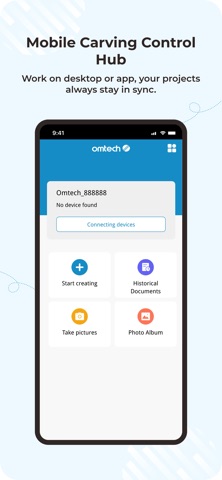


Description by Rygel Advanced Machines Written by the developer, not by AppBrain. Click to read.
Design, Control, and Engrave
1. Connect your Solis Duo via USB or ASK and start engraving anytime, anywhere.
2. Quickly upload patterns and images in various formats (ORZR, STL, OBJ, SVG, DXF, PNG, JPG, BMP, PLT, AI) to create custom designs.
3. Select materials to automatically match dual-light settings (blue for organic materials, infrared for metals) and precisely adjust parameters for desired results.
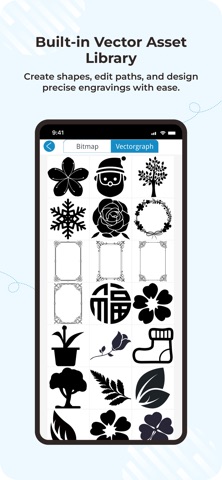
4. Access a wide range collection of shapes, upload local files, and enhance your designs with built-in tools.
5. Easily generate barcodes and QR codes for batch laser marking on diverse materials.
6. Preview your projects in real time and fine-tune position and size, even on curved surfaces.