
One Man Band Live was made and published by Jos Maas. AppBrain is an independent app data site and isn't affiliated with Jos Maas. The app name, icon and description belong to Jos Maas and are shown as last published on the App Store.
AppBrain's verdict
Removed- Rating on App Store
- 3.50
- 10 ratings
- Last updated
- June 21, 2018
- Size
- 2.56 MB
One Man Band Live is no longer on the App Store. It had too few ratings to say what users thought.
User feedback
Ratings and reviews on the App StoreComments on One Man Band Live for iOS
We don't have enough comments to show example comments. Please check back later.
Store listing
By Jos Maas, from the App StoreSimilar apps








Description by Jos Maas Written by the developer, not by AppBrain. Click to read.
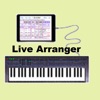
Connect your iPad, iPhone or iPod to your keyboard instrument with the camera connection kit and an USB AB cable or a MIDI interface cable (depending on what your keyboard uses for MIDI). Then start One Man Band and select the Settings button. Choose the MIDI In and MIDI Out port to your keyboard and press Done. Now select the red Presets button and choose one of the style/voice combinations.
When you play a chord on the leftside of your keyboard instrument, the accompaniment will start to play. You can play the melody on the right side of the keyboard, it will have harmonies and instrument layers depending on the chosen voice. Select different style variations (Main, Fill, Intro, Ending) while you play. Switch to different accompaniment styles and melody voices with the buttons on top. Press Record and set the switch on to record MIDI files.
When you don't have a keyboard instrument (yet) or can't make the connection at the moment, then there are options to use the iPad/iPhone/iPod as an accompaniment instrument on its own. Select the soundfont player at Settings/Ports/MidiOut and use the virtual keyboard to play chords and melody.
One Man Band utilises standard style files compatible with the styles used in Yamaha PSR, DGX and Tyros arranger keyboards. There are thousands of these styles available on the internet. When you copy a zip-file with styles to OMB (download, email, icloud), the styles will be placed in a new style folder with the same name as the zip-file.
The panel with 56 buttons is customisable. You can assign a function, voice, preset, chord or note to each of the buttons (except for the button top left) and create submenus with again 56 buttons each. Create your own voices with harmonies and instrument layering.
There is also a free version (One Man Band Lite) in the App Store.
Safety and technology
Found in the app by AppBrain- Price
- $29.99
- App size
- 2.56 MB
- Content rating
- Everyone
Technologies used by One Man Band Live
Releases
Updates seen on the App Store- Version
- 1.2
- Launched
- April 2018
No changelog data
About the app and developer
About One Man Band Live
One Man Band Live was a music app developed by Jos Maas. It was removed from the App Store Jul 19, 2024.
User Ratings
One Man Band Live was rated 3.50 out of 5 stars, based on 10 ratings.
App Information
One Man Band Live cost $29.99. The app size was 2.56 MB. The last available version was 1.2. The last update was on June 21, 2018.
Technical Requirements
The app had a content rating of Everyone. The app had been available on the App Store since April 2018.
Developer information for Jos Maas
Address: