

OneOpen: File Viewer
OneOpen: File Viewer is made and published by Freedom Dimension (shenzhen) Technology Co., Ltd. AppBrain is an independent app data site and isn't affiliated with Freedom Dimension (shenzhen) Technology Co., Ltd. The app name, icon, screenshots and description belong to Freedom Dimension (shenzhen) Technology Co., Ltd and are shown as published on the App Store.
AppBrain's verdict
- Last updated
- October 19, 2026
- Size
- 60.6 MB
User feedback
Ratings and reviews on the App StoreComments on OneOpen: File Viewer for iOS
We don't have enough comments to show example comments. Please check back later.
Store listing
By Freedom Dimension (shenzhen) Technology Co., Ltd, from the App Store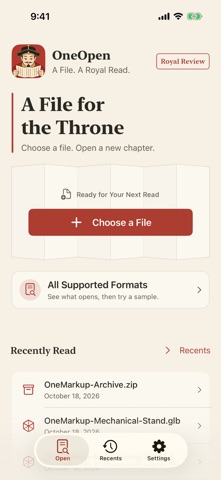


Description by Freedom Dimension (shenzhen) Technology Co., Ltd Written by the developer, not by AppBrain. Click to read.
HTML and Markdown
Preview HTML, HTM and XHTML pages. Read Markdown / MD notes with headings, a table of contents, tables, code fences, task lists, footnotes and reference links. ZIP websites retain local images, styles and relative resources. Markdown in packages can display supported local images. Ordinary HTML allows restricted HTTPS/WSS networking by default, with offline and Safe Preview options. Markdown does not run scripts or load remote images.
CAD drawings and 3D models (Advanced)
• Pan, zoom and toggle layers in supported DWG/DXF 2D model-space drawings.
• Rotate STEP/STP, IGES/IGS, BREP/BRP, STL, OBJ and PLY models, including PLY vertex colors and point clouds.
• ZIP a complete OBJ model folder to load supported MTL materials, PNG/JPEG textures, normals, transparency and groups. A standalone OBJ shows geometry without reading private neighboring files.
• Preview supported static GLB / glTF 2.0 geometry, nodes, basic materials and PNG/JPEG textures. Model ZIPs retain relative resources. JSON and model information have separate views.
• USDZ starts in object view; choose AR when needed.
• Included models and engineering drawings demonstrate supported features.
Everyday viewing is free
Read PDF, Office/iWork, images, audio/video, JSON, XML, YAML, CSV, code and text. PDF supports continuous reading, zoom, search and page controls that hide while scrolling. Edit supported text in an independent working copy.
Archives and EPUB
Browse ZIP, 7Z, RAR, TAR, GZ, BZ2, XZ and supported TAR combinations. Open or share supported entries and save extracted files to Files. ZIP and EPUB remain free; other archive formats require Advanced Access.
EPUB follows the declared chapter order, with a table of contents, previous/next controls, current-chapter search and reading settings. Pages stay offline. A chapter error keeps navigation available. DRM, media overlays, annotations and whole-book search are unsupported.
Email, certificates and information
Decode EML headers, body text, common character encodings and attachment filenames. Open or share readable attachments independently. HTML email becomes text without loading remote content. Decryption, signature verification and TNEF extraction are not provided.
Inspect public CER, DER, CRT and PEM certificate subjects, issuers, validity, algorithms, public keys, usages and SHA-256 fingerprints. Certificates are never installed and device trust is not evaluated.
File Information includes PDF metadata, image/camera properties, media tracks, text encoding/line counts and archive summaries.
Open from other apps
Skippable onboarding uses real iOS screenshots to explain More, Edit and favorite ordering in the share sheet. Revisit it in Settings. Categories, Recents and widgets help you return to files.
Advanced Access and compatibility
An annual membership or a one-time lifetime purchase unlocks the same specialized features. Check format details before purchasing. DWG supports selected 2D model-space content; DXF supports text files. CAD editing, engineering measurement, native SolidWorks and full external references are unsupported. Compressed glTF geometry, skins and active morphs require conversion. Animation is static; advanced materials may be approximate. ZIP complete model folders, or use self-contained GLB for single-file sharing. Encrypted, split-volume and RAR3 solid archives are unsupported. Native previews depend on iOS codecs and variants.
Privacy
No account, ads, analytics or document uploads. Non-HTML previews stay offline. HTML and ZIP websites may run JavaScript and connect over HTTPS/WSS in an isolated environment; offline and Safe Preview modes are available.
Terms: https://oneapps.studio/terms
Privacy: https://oneapps.studio/privacy
Safety and technology
Found in the app by AppBrain- Price
- Free
- App size
- 60.6 MB
- Content rating
- Everyone
Technologies used by OneOpen: File Viewer
Releases
Updates seen on the App Store- Version
- 1.9.1
- Launched
- July 2026
No changelog data
Alternatives
Similar apps and more from Freedom Dimension (shenzhen) Technology Co., LtdAlternatives to OneOpen: File Viewer


Rankings
App Store top chartsApp Store Rankings for OneOpen: File Viewer
About the app and developer
About OneOpen: File Viewer
OneOpen: File Viewer is a productivity app developed by Freedom Dimension (shenzhen) Technology Co., Ltd.
User Ratings
The app has no ratings yet.
App Information
OneOpen: File Viewer is freely available from the App Store. The app size is 60.59 MB. The latest version available is 1.9.1. The last update was on October 19, 2026.
Technical Requirements
The app has a content rating of Everyone. The app has been available on the App Store since July 2026.
Developer information for Freedom Dimension (shenzhen) Technology Co., Ltd
Frequently asked questions about OneOpen: File Viewer
Is OneOpen: File Viewer free?
Yes. OneOpen: File Viewer is free on the App Store.
Is OneOpen: File Viewer still available?
Yes. OneOpen: File Viewer is on the App Store, and the last update we saw was on October 19, 2026.
How large is OneOpen: File Viewer?
OneOpen: File Viewer is 60.59 MB.
Is OneOpen: File Viewer suitable for children?
App Store rates the content of OneOpen: File Viewer as suitable for everyone.
Who made OneOpen: File Viewer?
OneOpen: File Viewer was developed by Freedom Dimension (shenzhen) Technology Co., Ltd. It is listed in the productivity category on the App Store.
What are the best alternatives to OneOpen: File Viewer?
People looking at OneOpen: File Viewer also look at these productivity apps: Bamboo Lite, OpenFile - Preview any File, QuickSheet - Grid Editor, ScanSend: PDF Scanner OCR, 云梦Markdown.