Onevision is an overall app developed by Wireless Xperts Inc.
Download Statistics
User Ratings
The app has no ratings yet.
App Information
Onevision is FREE to download. The APK download size is 96.02 MB. The latest version available is 2.4.93. The last update was on May 31, 2026.
Technical Requirements
The app has a content rating of Everyone. The app has been available on Google Play January 2022.
Description
ONEVISION APP
OneVision will streamline the store and location management process for business managers with the use of Scheduler, Feedback and eLearning.
For admins:
FEEDBACK: view all feedback statistics, store rankings, and customer follow-ups. Manage questions being asked at all locations and tablet permissions. eLEARNING: view total and active users, complete or view training courses, and review employee performance statistics. SCHEDULER: view team schedules, timecards, a list of team members, history of shift changes, and add open shifts. TO-DO: assign tasks to employees
For employees:
eLEARNING: complete training courses and view your performance so far; go back to any courses you don’t understand
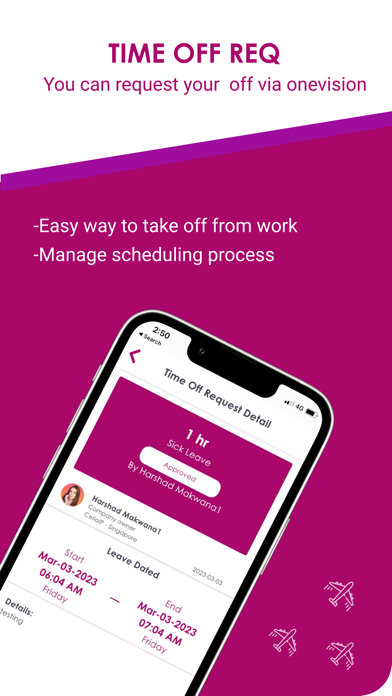
SCHEDULER: view your schedule, timecard, team members, clock-in and clock-out, view earnings based on hours worked, request to trade or cover shifts and request time-off, add-in available hours, and request to cover open shifts. TO-DO: view any tasks that have been assigned to you by a supervisor.
SCORE APP Score is the dedicated app for Feedback. Download on a tablet to collect anonymous customer feedback in-store
TIME-OUT: once the customer has completed the survey, the customer will have a limited time (that you select) to submit the form. This is to avoid unsubmitted forms being left on the screen. CATEGORY SELECTION: choose which questions you want to ask your customers DETAILED FORMS: customers can choose to enter detailed information, where they can enter their contact information if they would like a follow-up, which you can track on the OneVision app. VIEW SUMMARY: customers will be able to see yesterday's and today’s overall average based across all categories and questions as well as separate ones.
“FEEDBACK*” and “ONEVISION SURVEY” APP
Feedback* is the dedicated app for Feedback. Download on a tablet to collect anonymous customer feedback in-store
TIME-OUT: once the customer has completed the survey, the customer will have a limited time (that you select) to submit the form. This is to avoid unsubmitted forms being left on the screen. CATEGORY SELECTION: choose which questions you want to ask your customers DETAILED FORMS: customers can choose to enter detailed information, where they can enter their contact information if they would like a follow-up, which you can track on the OneVision app. VIEW SUMMARY: customers will be able to see yesterday's and today’s overall average based across all categories and questions as well as separate ones.
SCHEDULER APP Scheduler is there to assist you with any and all shift-related matters. Simply use your location-specific pin to log in to the app to get started.
Employees can: Clock-in and clock-out, as well as ‘start’ and ‘finish’ paid and unpaid breaks, where the hours will be synced to payroll Request to trade and cover shifts, or time-off View their history of shift requests and time-off Notify managers of their availability
Admins can: View the timesheets View payroll Track all shift changes, including employee trade/cover/time-off requests Require an automatic snapshot when employees clock-in to ensure the right person is clocking in.
HELPDESK APP Helpdesk is a dedicated app for staff members to get instant industry knowledge about their day-to-day work. It is accessed via your location-specific OneVision pin.
Admins and managers can add information to the Helpdesk database that staff continually need or find helpful, which can then be accessed by staff members via a tablet.
Upload videos, documents and other materials, including how-to videos (e.g. how to make chicken salad, add discounts or coupons, etc.) Upload answers to common customer questions Upload notes and comments that staff need to know, like store procedures
Employees can access this information at any time via the app.
Each subscription will automatically renew 3 days before the expiration date for
the same time period. Subscriptions can be cancelled at any time before the renewal.