

Online Photo Editor & Maker
Online Photo Editor & Maker is made and published by Oleksandr Bilyk Inc. AppBrain is an independent app data site and isn't affiliated with Oleksandr Bilyk Inc. The app name, icon, screenshots and description belong to Oleksandr Bilyk Inc. and are shown as published on the App Store.
AppBrain's verdict
- Rating on App Store
- 4.53
- 40 ratings
- Last updated
- January 22, 2024
It doesn't have enough ratings yet to judge what users think.
Rankings
App Store top chartsApp Store Rankings for Online Photo Editor & Maker
Competitors
Similar apps and more from Oleksandr Bilyk Inc.Alternatives to Online Photo Editor & Maker




More from Oleksandr Bilyk Inc.


Releases
Updates seen on the App Store- Version
- 2.0.1
- Launched
- December 2023
No changelog data
User feedback
Ratings and reviews on the App StoreComments on Online Photo Editor & Maker for iOS
We don't have enough comments to show example comments. Please check back later.
Technology
Found in the app by AppBrain- Price
- Free
- App size
- 17.6 MB
- Content rating
- Everyone
Technologies used by Online Photo Editor & Maker
About the app and developer
About Online Photo Editor & Maker
Online Photo Editor & Maker is a photo & video app developed by Oleksandr Bilyk Inc.
User Ratings
Online Photo Editor & Maker is rated 4.53 out of 5 stars. The rating is based on 40 ratings.
App Information
Online Photo Editor & Maker is freely available from the App Store. The app size is 17.58 MB. The latest version available is 2.0.1. The last update was on January 22, 2024.
Technical Requirements
The app has a content rating of Everyone. The app has been available on the App Store since December 2023.
Developer information for Oleksandr Bilyk Inc.
Address:
Frequently asked questions about Online Photo Editor & Maker
Is Online Photo Editor & Maker free?
Yes. Online Photo Editor & Maker is free on the App Store.
Is Online Photo Editor & Maker still available?
Yes. Online Photo Editor & Maker is on the App Store, and the last update we saw was on January 22, 2024.
How large is Online Photo Editor & Maker?
Online Photo Editor & Maker is 17.58 MB.
Is Online Photo Editor & Maker suitable for children?
App Store rates the content of Online Photo Editor & Maker as suitable for everyone.
How do people rate Online Photo Editor & Maker?
Online Photo Editor & Maker scores 4.53 out of 5 stars, from 40 ratings on the App Store.
Who made Online Photo Editor & Maker?
Online Photo Editor & Maker was developed by Oleksandr Bilyk Inc. It is listed in the photo & video category on the App Store.
What are the best alternatives to Online Photo Editor & Maker?
People looking at Online Photo Editor & Maker also look at these photo & video apps: Superimpose V - Video Editor, 4K edges & backgrounds, Object Remover: Photo Eraser, Reel Templates and Maker, Dual cameras.
Store listing
By Oleksandr Bilyk Inc., from the App Store
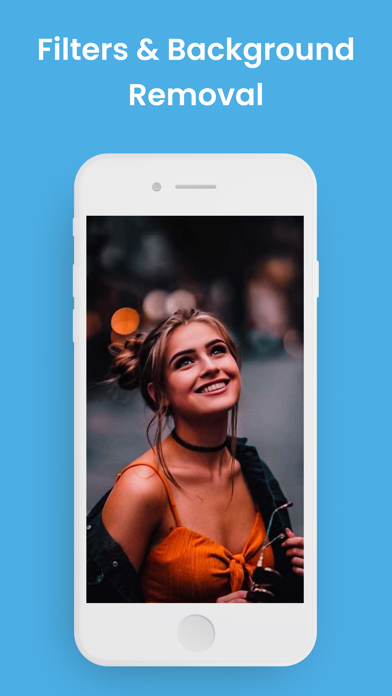


Description by Oleksandr Bilyk Inc. Written by the developer, not by AppBrain. Click to read.
ADVANCED IMAGE EDITOR
- Use the Bevel and Emboss effect 30% faster.
- A new switch for the Vertical Alignment of text layers.
- Use a new experimental layer style: "3D"! It lets you create 3D effects quickly and easily.
- Use a "Content-Aware" option for the Crop tool! Photo Editor fills empty areas with similar content.
- Open, edit and save an advanced vector file (with gradients and SVG filters).
- Grid Warp! Split your image into a grid and apply a different warp to each part.
CYLINDER WARP OPTION
- If your PSD has a smart object with this feature, you can work with that smart object in Photo Editor now.
ONE-TOUCH BACKGROUND REMOVAL
- Remove the background with Select - "Remove BG".
FILTERS TO MAKE YOUR OWN STYLE
- Adjustments: Brightness, Contrast, Levels, Curves, Vibrance, Hue, Saturation.
- Zoom up to pixels.
- Try the Stable Diffusion in Photo Editor. Press Window - More - Stable Diffusion.
- Create hundreds of versions of a mockup with a smart object replaced by each of your files. File - Automate - Generate Mockups.
MAGIC REPLACE TOOL
- Remove complex objects or replace them with new content.
- Use our new Magic Replace tool to "extend" any image.
- Create hundreds of versions of a mockup with a smart object replaced by each of your files. Go to File - Automate - Generate Mockups in the editor.
- Easy to use: there is a "Remove" button for removing anything from the image.
WORK WITH ANY FORMATS, SUCH AS PSD, SVG, JPG, PNG,PSD, WEBP, PDF
- Open, edit and save SVG files in Photo Editor. Update an advanced SVG file (with gradients and SVG filters) easily.
- Export CMYK PSD files now! Press Image - Mode - CMYK, and a saved PSD file will use the CMYK format of pixel color data.
- Export MP4 using File - Export As - MP4! They are up to 20x smaller than GIFs.
- Work with formats, such as png, jpg, psd, webp, pdf, svg, ai, gif, avif, tiff, dds, bmp, mp4, tga, wmf.
Use our PSD templates. We have reached 866 templates from 282 authors, and ONE MILLION usages (exported JPGs / PNGs).
PREMIUM
Upgrade to Photo Editor Premium to access all exclusive features and more precise editing controls without ads.
All documents are stored locally on your device, they are not available to us, nor to third parties.
Premium subscriptions are available to get full access in the app with flexible plans with a 3 days trial period.
This app includes an auto-renewable subscription (Premium Subscription): Premium Subscription provides all features. And you get full access to the app.
Payment will be charged to your Apple account at confirmation of purchase and will automatically renew (at the duration/price selected) unless auto-renew is turned off at least 24 hours before the end of the current period. Account will be charged for renewal within 24-hours prior to the end of the current period. Current subscription may not be cancelled during the active subscription period. You can manage your subscription and/or turn off auto-renewal by visiting your Apple Account Settings after purchase. Also you can tap the "Manage Subscription" menu option in the App Settings. Any unused portion of the free initial period will be forfeited when you purchase a subscription.
Manage Subscription:
https://docs.google.com/document/d/1G9KNe8GkIXjjKXxF8ObT_azlQuBv_p4XoYAOVfVk5yU/edit?usp=sharing
Privacy Policy:
https://docs.google.com/document/d/1W1SpkyLNy1rhCHXVc3uBRrjTp3NYk86iBA8-pahc5gk/edit?usp=sharing
Terms of Use:
https://docs.google.com/document/d/12LfG1NRIEo2SaFWJ0QQpeqtvq0IcDrH6h2dY4N0brXM/edit?usp=sharing