

OpenComic
OpenComic is made and published by Oleguer Llopart Mora. AppBrain is an independent app data site and isn't affiliated with Oleguer Llopart Mora. The app name, icon, screenshots and description belong to Oleguer Llopart Mora and are shown as published on the App Store.
AppBrain's verdict
- Last updated
- October 31, 2025
Rankings
App Store top chartsApp Store Rankings for OpenComic
Competitors
Similar apps and more from Oleguer Llopart MoraMore from Oleguer Llopart Mora

Releases
Updates seen on the App Store- Version
- 1.6.11
- Launched
- December 2023
No changelog data
User feedback
Ratings and reviews on the App StoreComments on OpenComic for iOS
We don't have enough comments to show example comments. Please check back later.
Technology
Found in the app by AppBrain- Price
- $4.99
- App size
- 207.7 MB
- Content rating
- Everyone
Technologies used by OpenComic
About the app and developer
About OpenComic
OpenComic is a books app developed by Oleguer Llopart Mora.
What is the rating of OpenComic?
OpenComic has no ratings yet.
Is OpenComic free?
OpenComic costs $4.99. The app size is 207.65 MB. The latest version available is 1.6.11. The last update was on October 31, 2025.
What are the requirements for OpenComic?
The app has a content rating of Everyone. The app has been available on the App Store since December 2023.
Developer information for Oleguer Llopart Mora
Address:
Store listing
By Oleguer Llopart Mora, from the App Store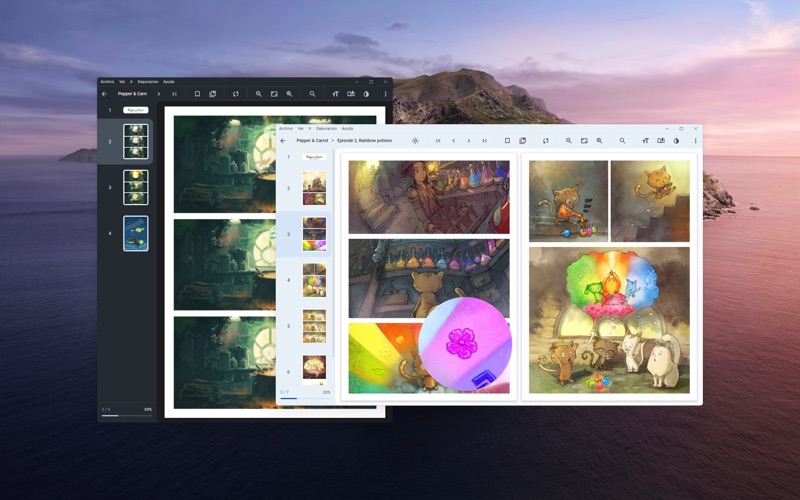


Description by Oleguer Llopart Mora Written by the developer, not by AppBrain. Click to read.
- Support this image formats: JPG, JP2, JXR, JXL, PNG, APNG, AVIF, HEIC, WEBP, GIF, SVG, BMP, ICO
- Support this compressed formats: RAR, ZIP, 7Z, TAR, LZH, ACE, CBR, CBZ, CBA, CB7, CBT
- Support this documents/ebook formats: PDF, EPUB (Alpha)
- Support background music from folder: MP3, M4A, WEBM, WEBA, OGG, OPUS, WAV, FLAC
- Server connection support: smb://, ftp://, ftps://, scp://, sftp://, ssh://, s3://, webdav://, webdavs://
- OPDS support
- Favorite labels
- Custom labels
- Manga read mode
- Webtoon read mode
- Double page view
- Bookmarks and continue reading
- Floating magnifying glass
- Reading in scroll or slide
- Adjust the brightness, saturation, contrast, sepia, negative and invert colors
- Colorize black and white images
- Tracking with sites (AniList and MyAnimeList)
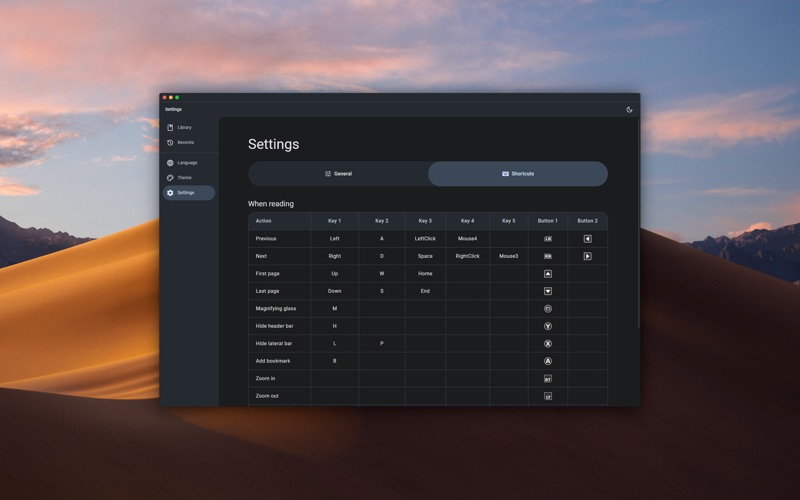
- Gamepad navigation
- Custom shortcuts and tap zones
- Multiple interpolation methods: lanczos3, lanczos2, mitchell, cubic, linear, nearest and others