

Orderry Dashboard is made and published by Orderry. AppBrain is an independent app data site and isn't affiliated with Orderry. The app name, icon, screenshots and description belong to Orderry and are shown as published on the App Store.
AppBrain's verdict
Established- Rating on App Store
- 1.00
- 1 ratings
- Last updated
- July 27, 2026
It doesn't have enough ratings yet to judge what users think.
Rankings
App Store top chartsApp Store Rankings for Orderry Dashboard
Competitors
Similar apps and more from OrderryAlternatives to Orderry Dashboard







More from Orderry


Releases
Updates seen on the App Store- Version
- 3.0.5
- Launched
- May 2021
No changelog data
User feedback
Ratings and reviews on the App StoreComments on Orderry Dashboard for iOS
We don't have enough comments to show example comments. Please check back later.
Technology
Found in the app by AppBrain- Price
- Free
- App size
- 38.8 MB
- Content rating
- Everyone
Technologies used by Orderry Dashboard
About the app and developer
About Orderry Dashboard
Orderry Dashboard is a business app developed by Orderry.
What is the rating of Orderry Dashboard?
Orderry Dashboard is rated 1.00 out of 5 stars, based on one rating ratings.
Is Orderry Dashboard free?
Orderry Dashboard is free. The app size is 38.75 MB. The latest version available is 3.0.5. The last update was on July 27, 2026.
What are the requirements for Orderry Dashboard?
The app has a content rating of Everyone. The app has been available on the App Store since May 2021.
Developer information for Orderry
Address:
Store listing
By Orderry, from the App Store


Description by Orderry Written by the developer, not by AppBrain. Click to read.
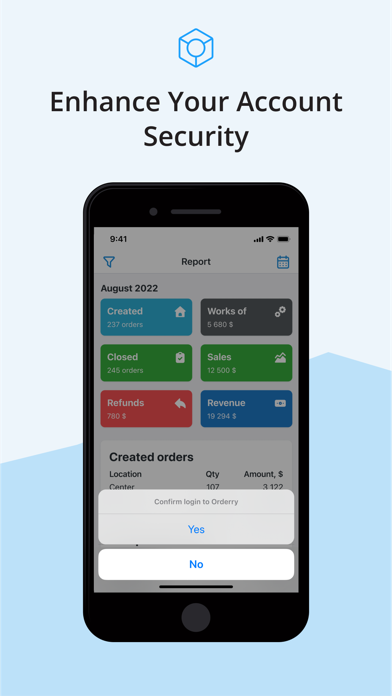
Track key performance metrics of company
App’s Report shows the number of created and closed orders, works performed by each employee, sales and payments. And the most important, it shows company revenue and profit for day, week, month and any custom period. Get insights with your stats every day.
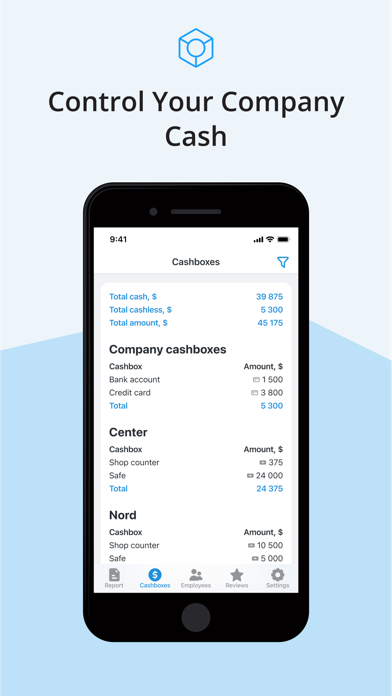
Control your company cash
Check the amount of every cashbox at any time. In the Cashboxes tab you’ll see the current balances of all cashboxes you’ve created in Orderry, total cash and cashless amount and their sum.
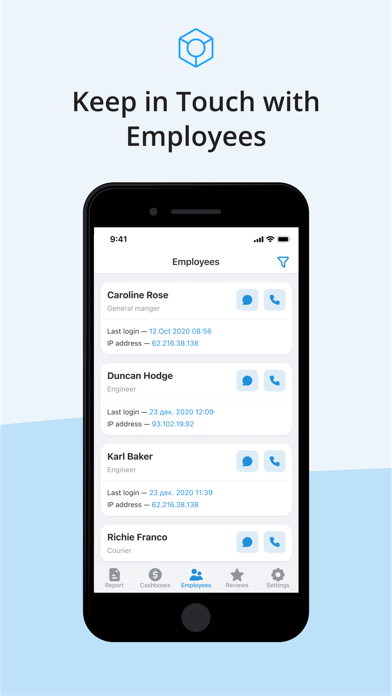
Keep in touch with employees
Have some questions after viewing the Report? Contact your employees in one click. In the Employees tab you’ll have a list of all your staff members with call and message buttons. Also, you can track time and IP address of their last sign-in.
Keep customer feedback in mind
Get feedback from customers on the Reviews tab. Here you can see their score and comments on your service for any period. And if you have questions about any review, click on the order number to open it in the web version of Orderry. Long press the review card to contact the customer or the order manager.