

Oribi Writer is made and published by Oribi AB. AppBrain is an independent app data site and isn't affiliated with Oribi AB. The app name, icon, screenshots and description belong to Oribi AB and are shown as published on the App Store.
AppBrain's verdict
- Last updated
- November 21, 2023
Competitors
Similar apps and more from Oribi ABMore from Oribi AB



Releases
Updates seen on the App Store- Version
- 3.5.3
- Launched
- April 2016
No changelog data
User feedback
Ratings and reviews on the App StoreComments on Oribi Writer for iOS
We don't have enough comments to show example comments. Please check back later.
Technology
Found in the app by AppBrain- Price
- $19.99
- App size
- 90.3 MB
- Content rating
- Everyone
Technologies used by Oribi Writer
About the app and developer
About Oribi Writer
Oribi Writer was an education app developed by Oribi AB. It was removed from the App Store Oct 13, 2024.
User Ratings
The app had no ratings.
App Information
Oribi Writer cost $19.99. The app size was 90.28 MB. The last available version was 3.5.3. The last update was on November 21, 2023.
Technical Requirements
The app had a content rating of Everyone. The app had been available on the App Store since April 2016.
Developer information for Oribi AB
Address:
Store listing
By Oribi AB, from the App StoreSimilar apps






Description by Oribi AB Written by the developer, not by AppBrain. Click to read.
Do you need spelling and language support while writing or after you have finished, or both? Then the Oribi Writer app is the ultimate writing tool for you. It works as a stand-alone word processor, and its spell checker and grammar checker are quite unique. Oribi Writer is specially designed for people with reading and writing difficulties and dyslexia, but it can be useful to anyone who needs a bit of spelling assistance and language support from time to time.
SPELLING SUPPORT
Use Oribi Writer to correct or check:
- serious spelling mistakes like ”citon" (kitten) or ”sositch” (sausage)
- easily confusable words like ”fillings/feelings” or ”meat/meet”
- grammar mistakes like ”The cats is hungry”
- one word wrongly written as two words, like ”boy friend”
- two words wrongly written as one word, like ”Losangeles”
- punctuation and spaces.
LETTER SOUNDING
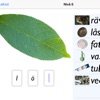
Oribi Writer can sound out individual letters as you write them. This gives you immediate feedback on the letters that you write.
TEXT-TO-SPEECH
Oribi Writer can use the synthetic voice included in iOS to read out words or sentences as you write them and/or read out the entire text afterwards. This will often allow you to hear the writing mistakes that you may have made. The settings include:
- read out selected text
- read out from the cursor onwards
- read out each word after it is finished
- read out each sentence after it is finished
- have the cursor move through the text as it is being read out
- adjust the reading pace
- on/off.
DICTIONARY
Oribi Writer has a new English-English dictionary built in.
EASILY ADJUSTED TO EACH USER’S NEEDS
Personal settings enable you to:
- add your own words to the wordlists
- decide whether Oribi Writer should warn you about certain easily confusable words or not
- use a large wordlist or a small one.
KEYBOARD FORMATTING
Oribi Writer offers several formatting options:
- font
- font size
- bold, italic, underline
- text alignment (flush left, flush right, justified, centred).
SHARING TEXTS
Texts in Oribi Writer can be shared to other apps, including Mail, Notes, Message, Twitter and Facebook. It is also possible to copy a text, print it, save it to Dropbox, etc.
DOCUMENT MANAGEMENT
Under ‘Documents’, you can create documents directly under ‘On my iPad’. It is also possible to create subfolders and place documents directly in them. This may come in handy if you need to structure your documents or if several people use the same iPad.