Set your light. Do your makeup. Take the shot.
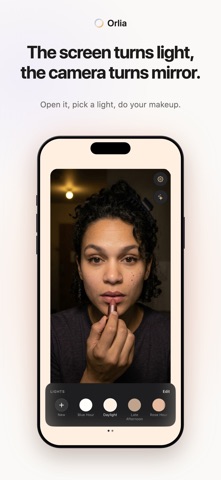
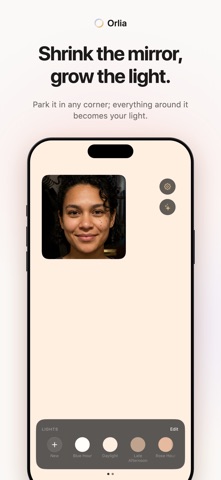
Orlia turns your phone into a lighted mirror: your camera in the middle, twelve shades of light around it. Bad light ruins good makeup, so you start with the light — warm it until your skin looks like your skin — then pick up the brush. No ads, no account, four lights free.
A dark bedroom before you go out. A parked car ten minutes before dinner. A hotel bathroom with one yellow bulb on a wedding morning. You can finally see the lash line you are drawing. Nothing to carry, nothing to charge; your phone is already in your bag. While Orlia is open, the screen turns itself up to full brightness and stays awake until you are done.
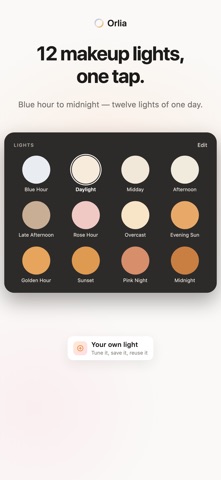
FIRST THE LIGHT: TWELVE SHADES, 2400K TO 6500K
Blue Hour, Daylight, Midday, Afternoon, Late Afternoon, Rose Hour, Overcast, Evening Sun, Golden Hour, Sunset, Pink Night, Midnight — ordered like the day they are named for. They are lights, not filters: nothing is added to your face. Pick the light of the room you are going into, nudge the warmth degree by degree until your skin is neither orange nor grey, then save the light you found — up to twelve of your own. Hide the ones you never reach for, drag them into your own order, bring them back from Settings anytime.
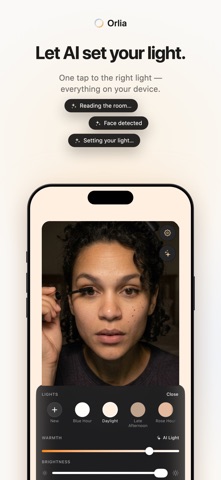
OR ONE TAP: AI LIGHT SETS IT
Orlia measures how dark the room is and how your face is exposed, then sets brightness and warmth for you. Don't like it? One tap to undo. It all happens on your iPhone; nothing is sent anywhere.
THEN YOUR MAKEUP, WITH BOTH HANDS FREE
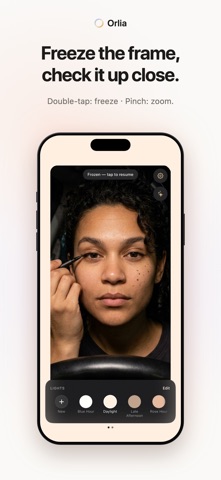
Drag the mirror, resize it, park it low so the light falls from above — everything around it stays lit. Double-tap and the frame freezes: check a lash line, a brow, the back of your head without holding a pose. Pinch to get close for liner and lashes.
THEN THE PHOTO
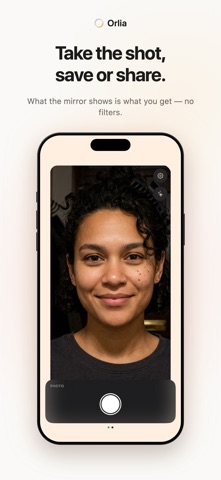
Swipe sideways on the mirror and press the shutter. What the mirror shows is what you get: no filters, no smoothing. Retake, save or share. No gallery inside the app; the photo reaches your Photos only if you save it. Free.
NO ADS. NOT ONE.
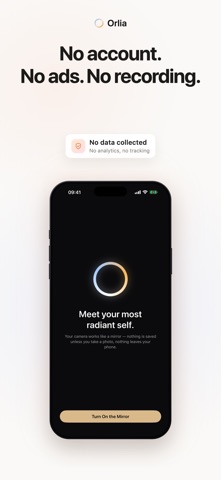
No full-screen video before you are allowed to see your own face. No account, no sign-up, no analytics, no trackers, no third-party SDKs. Nothing is saved unless you take a photo and save it yourself, and your image never leaves your iPhone.
FREE, AND PRO IF YOU WANT IT
Free forever: four lights, the mirror, brightness, three mirror sizes, freeze, zoom and all of photo mode.
Pro: all twelve lights, AI Light, fine warmth control, your own saved lights, the mirror anywhere on screen, every light added later, and alternate app icons.
Subscribe monthly or yearly; the yearly plan starts with a 3-day free trial. Or skip subscriptions: Pro Lifetime, pay once, keep it.
Set your light, do your makeup, take the shot — and meet yourself at your most radiant.
Orlia Pro is an auto-renewing subscription. Payment is charged to your Apple Account at confirmation of purchase. The subscription renews automatically unless auto-renew is turned off at least 24 hours before the end of the current period. Manage or cancel it in Settings › your name › Subscriptions. Any unused part of a free trial is forfeited when a subscription is purchased. Pro Lifetime is a one-time purchase; it never renews.
Terms of Use: https://orlia.app/terms
Privacy Policy: https://orlia.app/privacy
Show more
Show less