

Otamatone Studio
Otamatone Studio is made and published by CUBE Co., Ltd. AppBrain is an independent app data site and isn't affiliated with CUBE Co., Ltd. The app name, icon, screenshots and description belong to CUBE Co., Ltd. and are shown as published on the App Store.
AppBrain's verdict
Established- Rating on App Store
- 3.92
- 50 ratings
- Last updated
- April 10, 2023
It doesn't have enough ratings yet to judge what users think.
Rankings
App Store top chartsApp Store Rankings for Otamatone Studio
Competitors
Similar apps and more from CUBE Co., Ltd.Alternatives to Otamatone Studio




Releases
Updates seen on the App Store- Version
- 1.1.1
- Launched
- November 2019
No changelog data
User feedback
Ratings and reviews on the App StoreComments on Otamatone Studio for iOS
We don't have enough comments to show example comments. Please check back later.
Technology
Found in the app by AppBrain- Price
- Free
- App size
- 89.3 MB
- Content rating
- Everyone
Technologies used by Otamatone Studio
About the app and developer
About Otamatone Studio
Otamatone Studio is a music app developed by CUBE Co., Ltd.
User Ratings
Otamatone Studio is rated 3.92 out of 5 stars. The rating is based on 50 ratings.
App Information
Otamatone Studio is freely available from the App Store. The app size is 89.34 MB. The latest version available is 1.1.1. The last update was on April 10, 2023.
Technical Requirements
The app has a content rating of Everyone. The app has been available on the App Store since November 2019.
Developer information for CUBE Co., Ltd.
Address:
Frequently asked questions about Otamatone Studio
Is Otamatone Studio free?
Yes. Otamatone Studio is free on the App Store.
Is Otamatone Studio still available?
Yes. Otamatone Studio is on the App Store, and the last update we saw was on April 10, 2023.
How large is Otamatone Studio?
Otamatone Studio is 89.34 MB.
Is Otamatone Studio suitable for children?
App Store rates the content of Otamatone Studio as suitable for everyone.
How do people rate Otamatone Studio?
Otamatone Studio scores 3.92 out of 5 stars, from 50 ratings on the App Store.
Who made Otamatone Studio?
Otamatone Studio was developed by CUBE Co., Ltd. It is listed in the music category on the App Store.
What are the best alternatives to Otamatone Studio?
People looking at Otamatone Studio also look at these music apps: Meow Music - Cat, Harp Real, MIDITrail, Keylimba, Voice Synth Modular.
Store listing
By CUBE Co., Ltd., from the App Store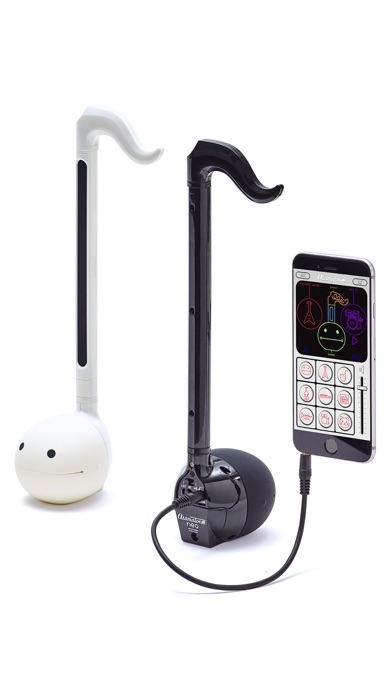


Description by CUBE Co., Ltd. Written by the developer, not by AppBrain. Click to read.
-About the app
Connect your Otamatone Techno or Otamatone neo to your iPhone or iPad, start Otamatone Studio and play your Otamatone with the sound of various instruments or jam along to built-in rhythms.
We got rid of all the complexities of most available synthesizer simulations and created an app that even beginners will master. It’s really simple!
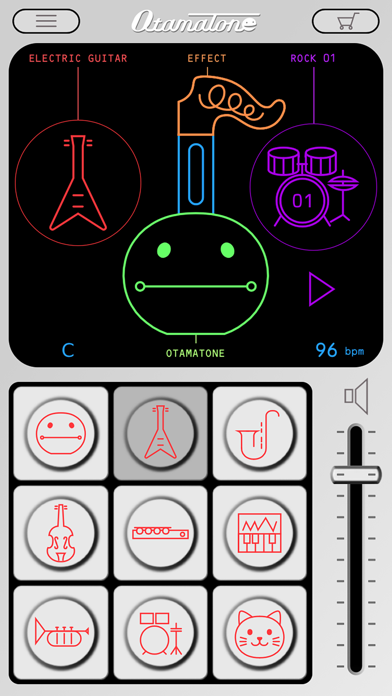
Access all functions via a cute graphical interface that feels like your Otamatone called over a few friends for a basement jam.
-Supported models
・Otamatone neo
・Otamatone Techno
Caution-
You will download a free version of the app. The complete set of features can be unlocked via in-app purchase.
-Main features
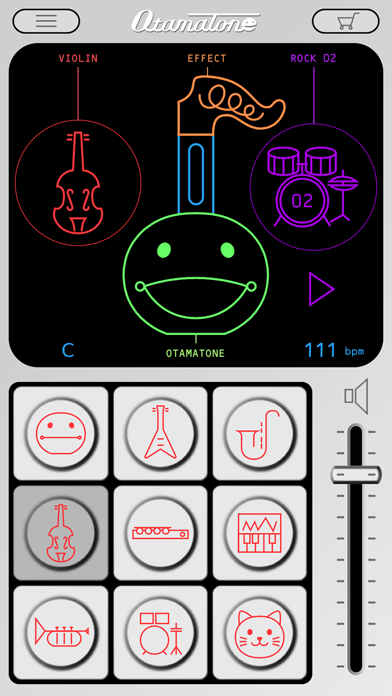
●Different sounds
Play your Otamatone with the sound of various instruments. Gather your friends and form a band!
・Instruments(Free Version)
Otamatone / Electric Guitar / Alto Sax
・Instruments (Full Version)
Otamatone / Electric Guitar / Alto Sax
Violin / Flute / Synthesizer
Trumpet / Drums / Cat
Display method
Tap the instrument icon on the right side of the main screen.
●Different scales
With scales your performance will always sound spot on. Play like a pro without all the practicing!
・Scales(Free Version)
Otamatone / 12 Tone / Minor Blues
・Scales (Full Version)
Otamatone / 12 Tone / Minor Blues
Minor / Major / Major Blues
Whole Tone / Pentatonic / Japan
Display method
Tap the face of the Otamatone on the main screen.
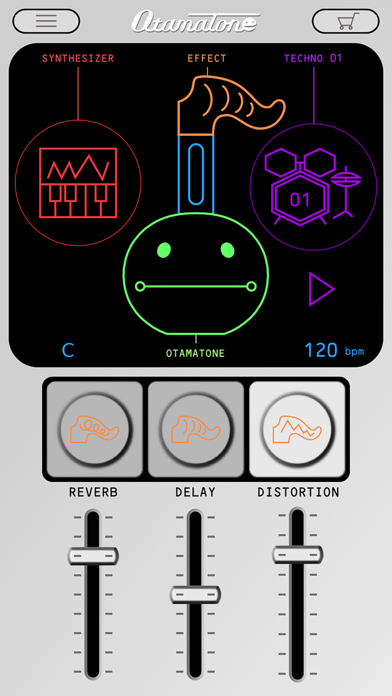
●Effects
You can alter your Otamatone’s sound with 3 kinds of effects. Push your performance to new heights!
・Reverb
Ever wanted to sound like performing in a concert hall or a bathroom? Look no further! (Reverb is the only effect in the free version.)
・Delay
Adds an echo to your sound.
・Distortion
The trademark of any rock song. Sound like an electric guitar.
Display method
Tap the tail of the Otamatone on the main screen.
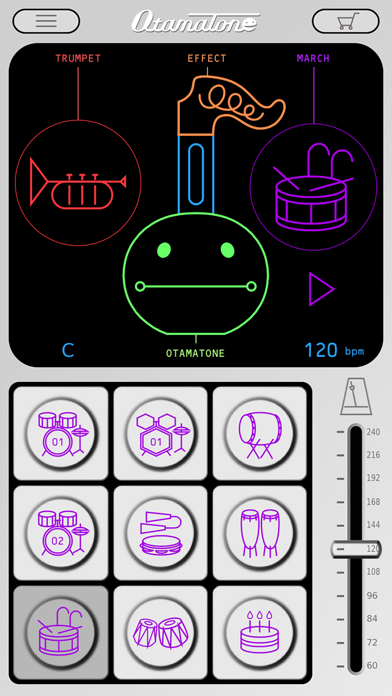
●Built-in rhythms
You can choose between different rhythms to play along to. Be your own personal band!
・Rhythms (Free Version)
Rock01 / Techno01 / Japan
・Rhythms (Full Version)
Rock01 / Techno01 / Japan
Rock02 / Samba / Salsa
March / India / Happy Birthday
Happy Birthday is a band arrangement. Surprise someone special to you by playing along to this tune on his/her birthday and you will certainly leave an impression!
Display method
Tap the rhythm icon on the main screen.
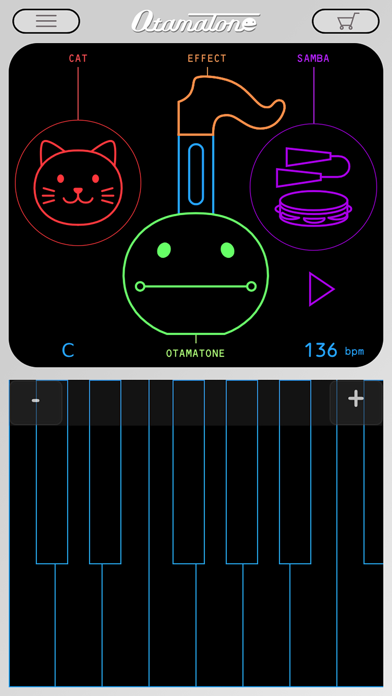
●Virtual keyboard
No Otamatone at hand? Display the virtual keyboard and play with Otamatone Studio nevertheless.
Even better
The Otamatone on the main screen will move its mouth during your performance. It doesn’t get much cuter than that!
Display method
Tap the stem of the Otamatone on the main screen. Hold your smartphone sideways to improve playability.
・・・・・・・・・・・・・・・・・・・・・・・・・・・・・・・・・・・・・・・・・・・・・・・・・・・・・・・・・・・・・・・・・・・・・・・・・・・・・
●Further instructions
Further instructions can be found on the Otamatone website. Check it out!
www.otamatone.jp/otstudio/en
(C)MAYWA DENKI
Produced by CUBE Co., Ltd.
Powered by sonosaurus.com