

OUTLANDER PHEV Remote Ctrl
OUTLANDER PHEV Remote Ctrl is made and published by Mitsubishi Motors Corporation. AppBrain is an independent app data site and isn't affiliated with Mitsubishi Motors Corporation. The app name, icon, screenshots and description belong to Mitsubishi Motors Corporation and are shown as published on the App Store.
AppBrain's verdict
Established- Rating on App Store
- 1.52
- 85 ratings
- Last updated
- November 27, 2025
It doesn't have enough ratings yet to judge what users think.
Rankings
App Store top chartsApp Store Rankings for OUTLANDER PHEV Remote Ctrl
Competitors
Similar apps and more from Mitsubishi Motors CorporationAlternatives to OUTLANDER PHEV Remote Ctrl




More from Mitsubishi Motors Corporation


Releases
Updates seen on the App Store- Version
- 3.1.6
- Launched
- October 2016
No changelog data
User feedback
Ratings and reviews on the App StoreComments on OUTLANDER PHEV Remote Ctrl for iOS
We don't have enough comments to show example comments. Please check back later.
Technology
Found in the app by AppBrain- Price
- Free
- App size
- 117.5 MB
- Content rating
- Everyone
Technologies used by OUTLANDER PHEV Remote Ctrl
About the app and developer
About OUTLANDER PHEV Remote Ctrl
OUTLANDER PHEV Remote Ctrl is a lifestyle app developed by Mitsubishi Motors Corporation.
User Ratings
OUTLANDER PHEV Remote Ctrl is rated 1.52 out of 5 stars. The rating is based on 85 ratings.
App Information
OUTLANDER PHEV Remote Ctrl is freely available from the App Store. The app size is 117.49 MB. The latest version available is 3.1.6. The last update was on November 27, 2025.
Technical Requirements
The app has a content rating of Everyone. The app has been available on the App Store since October 2016.
Developer information for Mitsubishi Motors Corporation
Address:
Frequently asked questions about OUTLANDER PHEV Remote Ctrl
Is OUTLANDER PHEV Remote Ctrl free?
Yes. OUTLANDER PHEV Remote Ctrl is free on the App Store.
Is OUTLANDER PHEV Remote Ctrl still available?
Yes. OUTLANDER PHEV Remote Ctrl is on the App Store, and the last update we saw was on November 27, 2025.
How large is OUTLANDER PHEV Remote Ctrl?
OUTLANDER PHEV Remote Ctrl is 117.49 MB.
Is OUTLANDER PHEV Remote Ctrl suitable for children?
App Store rates the content of OUTLANDER PHEV Remote Ctrl as suitable for everyone.
How do people rate OUTLANDER PHEV Remote Ctrl?
OUTLANDER PHEV Remote Ctrl scores 1.52 out of 5 stars, from 85 ratings on the App Store.
Who made OUTLANDER PHEV Remote Ctrl?
OUTLANDER PHEV Remote Ctrl was developed by Mitsubishi Motors Corporation. It is listed in the lifestyle category on the App Store.
What are the best alternatives to OUTLANDER PHEV Remote Ctrl?
People looking at OUTLANDER PHEV Remote Ctrl also look at these lifestyle apps: MyCar Controls, Weiser Premis Smart Lock, MyStart Plus, CE Smart, Ísland.is - Stafrænt Ísland.
Store listing
By Mitsubishi Motors Corporation, from the App Store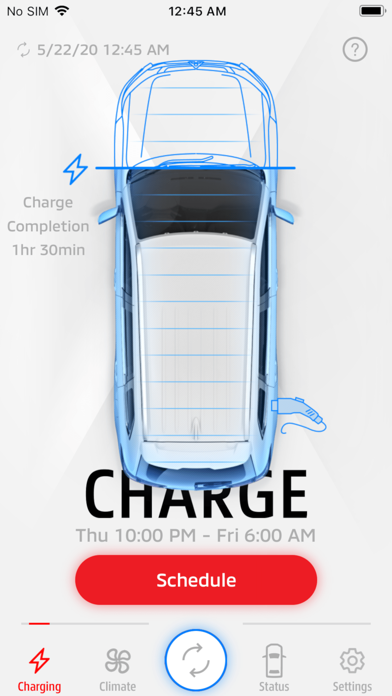

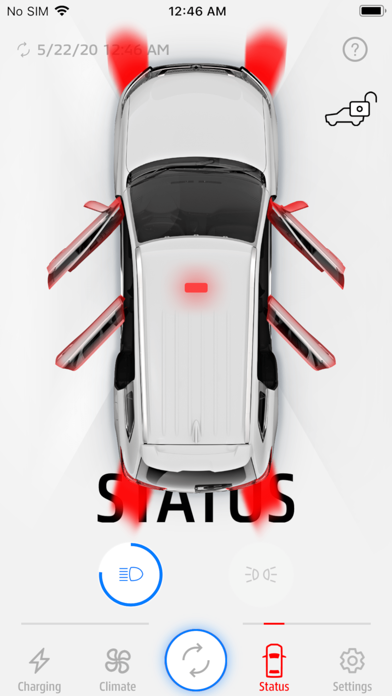
Description by Mitsubishi Motors Corporation Written by the developer, not by AppBrain. Click to read.
When you connect to your PHEV’s wireless LAN, you can:
- Charge your vehicle on a timer or on demand
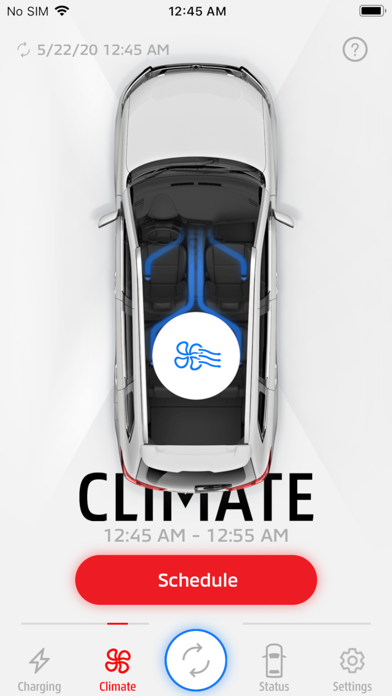
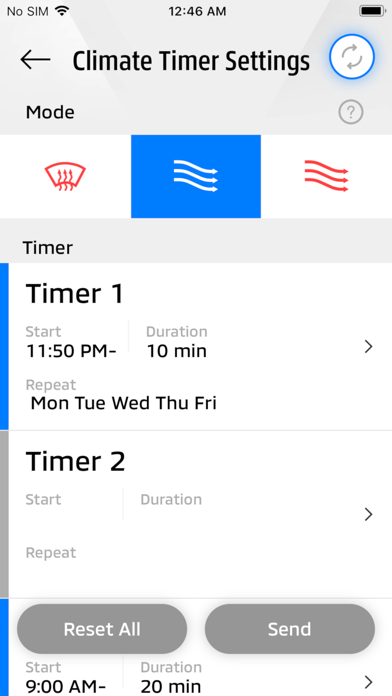
- Heat or cool your car before your drive
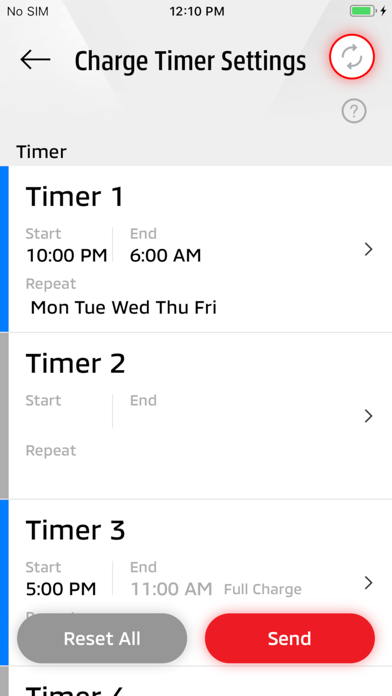
- Set timers to ensure your PHEV charges completely and avoid peak rate hours
- Turn on your headlights or parking lights to help locate your vehicle
- Check your vehicle status
The MITSUBISHI Remote Control lets you view all vehicle settings in an intuitive dashboard. Manage timer settings for charging and climate control, monitor battery status and performance, and set customized weekly schedules to reflect your lifestyle, directly from your connected device.
Please note: Your Outlander PHEV communicates with this app exclusively via Wireless LAN, not by cellular technology. Wireless LAN communication can be hindered by distance, radio waves, or physical barriers.
MITSUBISHI Remote Control is a renewed and unified experience combining and replacing the prior “OUTLANDER PHEV”, “OUTLANDER PHEV I” applications. This app is intended to provide the same functionality (and more) in an improved user interface.
For users of the earlier applications:
- “OUTLANDER PHEV” : If you are using this app, you may need to contact the nearest Authorized Mitsubishi Dealership to implement the service campaign of the security upgrade.
- “OUTLANDER PHEV I” : Please download this new MITSUBISHI Remote Control app and re-register.
For Troubleshooting and our FAQ, please visit our MITSUBISHI Remote Control website here: https://www.mitsubishi-motors.com/en/products/outlander_phev/app/remote/jizen.html