

Outliner : Ideas & Lists
Outliner : Ideas & Lists is made and published by hirokazu murabe. AppBrain is an independent app data site and isn't affiliated with hirokazu murabe. The app name, icon, screenshots and description belong to hirokazu murabe and are shown as published on the App Store.
AppBrain's verdict
Established- Rating on App Store
- 3.50
- 4 ratings
- Last updated
- October 29, 2026
It doesn't have enough ratings yet to judge what users think.
Rankings
App Store top chartsApp Store Rankings for Outliner : Ideas & Lists
Competitors
Similar apps and more from hirokazu murabeAlternatives to Outliner : Ideas & Lists




More from hirokazu murabe


Releases
Updates seen on the App Store- Version
- 26.1
- Launched
- January 2016
No changelog data
User feedback
Ratings and reviews on the App StoreComments on Outliner : Ideas & Lists for iOS
We don't have enough comments to show example comments. Please check back later.
Technology
Found in the app by AppBrain- Price
- Free
- App size
- 4.42 MB
- Content rating
- Everyone
Technologies used by Outliner : Ideas & Lists
About the app and developer
About Outliner : Ideas & Lists
Outliner : Ideas & Lists is a productivity app developed by hirokazu murabe.
What is the rating of Outliner : Ideas & Lists?
Outliner : Ideas & Lists is rated 3.50 out of 5 stars, based on 4 ratings.
Is Outliner : Ideas & Lists free?
Outliner : Ideas & Lists is free. The app size is 4.42 MB. The latest version available is 26.1. The last update was on October 29, 2026.
What are the requirements for Outliner : Ideas & Lists?
The app has a content rating of Everyone. The app has been available on the App Store since January 2016.
Developer information for hirokazu murabe
Address:
Store listing
By hirokazu murabe, from the App Store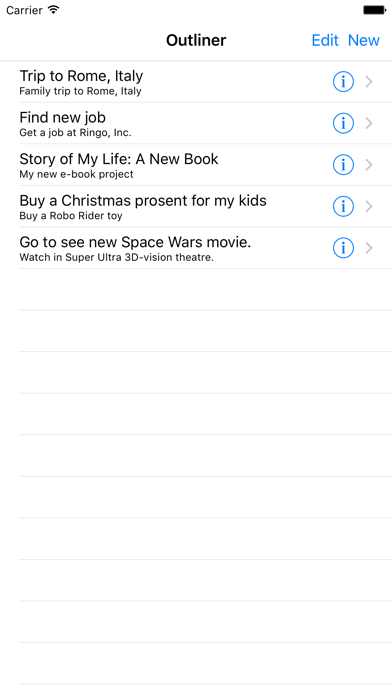

Description by hirokazu murabe Written by the developer, not by AppBrain. Click to read.
Outline is a simple outliner and hierarchical note-taking app that helps you organize ideas, notes, and information into flexible nested lists.
KEY FEATURES
• Nested Notes: Structure your ideas with parent and child items.
• Drag and Drop: Easily rearrange items and change their hierarchy.
• Multiple Documents: Keep notes, plans, and projects organized separately.
• Simple Editing: Add, edit, and delete items with ease.
• Auto Save: Your changes are saved automatically.
• User Guide: Learn the basics with the built-in manual.
PERFECT FOR
• Organizing ideas and brainstorming
• Taking work or study notes
• Planning projects and tasks
• Structuring writing and outlines
• Keeping information clear and organized
Start with a simple list, then build a structure that makes sense to you. Move ideas around, group related thoughts, and turn scattered notes into clear outlines.
A simple way to think, plan, and organize.