

OWC Copy That Mobile
OWC Copy That Mobile is made and published by OWC. AppBrain is an independent app data site and isn't affiliated with OWC. The app name, icon, screenshots and description belong to OWC and are shown as published on the App Store.
AppBrain's verdict
Established- Rating on App Store
- 2.97
- 31 ratings
- Last updated
- November 15, 2023
It doesn't have enough ratings yet to judge what users think.
Rankings
App Store top chartsApp Store Rankings for OWC Copy That Mobile
Competitors
Similar apps and more from OWCAlternatives to OWC Copy That Mobile


More from OWC



Releases
Updates seen on the App Store- Version
- 1.3.3
- Launched
- December 2020
No changelog data
User feedback
Ratings and reviews on the App StoreComments on OWC Copy That Mobile for iOS
We don't have enough comments to show example comments. Please check back later.
Technology
Found in the app by AppBrain- Price
- Free
- App size
- 6.61 MB
- Content rating
- Everyone
Technologies used by OWC Copy That Mobile
About the app and developer
About OWC Copy That Mobile
OWC Copy That Mobile is a photo & video app developed by OWC.
What is the rating of OWC Copy That Mobile?
OWC Copy That Mobile is rated 2.97 out of 5 stars, based on 31 ratings.
Is OWC Copy That Mobile free?
OWC Copy That Mobile is free. The app size is 6.61 MB. The latest version available is 1.3.3. The last update was on November 15, 2023.
What are the requirements for OWC Copy That Mobile?
The app has a content rating of Everyone. The app has been available on the App Store since December 2020.
Developer information for OWC
Address:
Frequently asked questions about OWC Copy That Mobile
Is OWC Copy That Mobile free?
Yes. OWC Copy That Mobile is free on the App Store.
Is OWC Copy That Mobile still available?
Yes. OWC Copy That Mobile is on the App Store, and the last update we saw was on November 15, 2023.
How large is OWC Copy That Mobile?
OWC Copy That Mobile is 6.61 MB.
Is OWC Copy That Mobile suitable for children?
App Store rates the content of OWC Copy That Mobile as suitable for everyone.
How do people rate OWC Copy That Mobile?
OWC Copy That Mobile scores 2.97 out of 5 stars, from 31 ratings on the App Store.
Who made OWC Copy That Mobile?
OWC Copy That Mobile was developed by OWC. It is listed in the photo & video category on the App Store.
What are the best alternatives to OWC Copy That Mobile?
People looking at OWC Copy That Mobile also look at these photo & video apps: ON1 Photo RAW for Mobile, Even Longer, Obscura — Pro Camera, Fjorden Camera, Spectre Camera.
Store listing
By OWC, from the App Store

Description by OWC Written by the developer, not by AppBrain. Click to read.
Choose. Copy. Create.
The process is simple: Connect your iPhone or iPad to an external drive. Select the photo or video you want to copy and how you want to copy it. Then just click the “Copy That” button and you’re done.
Why use Copy That Mobile?
• More room: transferring photos and videos to an external drive frees up space on devices, enabling space for additional apps and OS upgrades
• Extends use life: great for limited storage space on older iOS devices
• Effortless sharing: external drives make it much easier to share files with desktops, laptops, and other users
• Copy Anywhere: transfer files to almost any destination, including attached external storage and even network shares
• Duplicate with ease: once data is copied to external storage, data duplication and backups are easier and faster
Smart, Safe, Fast.
Copy That Mobile includes smart copy functions that streamline the copy process. You can exclude screenshots and selfies and decide what you want to do with existing files. Copy That Mobile puts you in control of your data. These settings are sticky: Once they are set, they become your default settings until you change them. This makes it a breeze to copy files in batches whenever you need.
In-app purchases give additional copy features including:
* Verified copies to make sure your files are safe
* Option to remove original files from your device after the copy is complete.
* Option to filter media to be copied by date
* Options to customize folder organization on the destination disk
How it works:
1. Copy what? Select the photos and video you want to copy.
2. Copy where? Pick your copy destination.
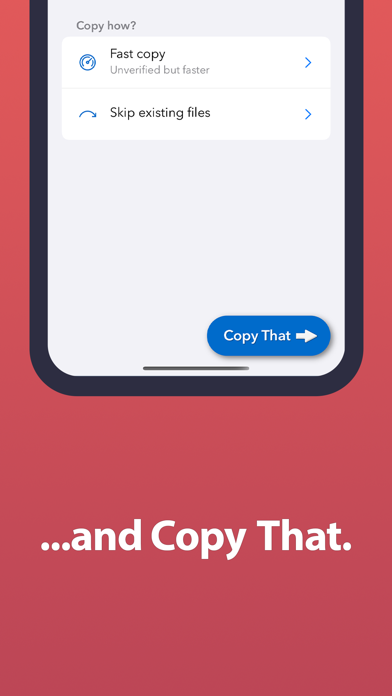
3. Copy how? Choose specific copy options.
4. Press the big, blue “Copy That!” button to start the copy.
You no longer have to click and click to copy photos and videos. Copy That Mobile makes the process quick and easy.
Need to check the speed of your external drives on your mobile device? Check out OWC Drive Speed!
Note: Most external disks will require a separate power supply, although basic thumb drives often work directly.
* If you have an iPhone or iPad with a USB-C port, you can connect directly to external storage with the appropriate cable.
* If your iPhone or iPad has a Lightning port, you’ll need a Lightning-to-USB adapter. Some disks will need a Lightning-to-USB adapter with an additional Lightning port to provide extra power. See owccopythat.com for more information.