

OwlOCR is made and published by JonLuca De Caro. AppBrain is an independent app data site and isn't affiliated with JonLuca De Caro. The app name, icon, screenshots and description belong to JonLuca De Caro and are shown as published on the App Store.
AppBrain's verdict
- Last updated
- October 26, 2026
Rankings
App Store top chartsApp Store Rankings for OwlOCR
Competitors
Similar apps and more from JonLuca De CaroMore from JonLuca De Caro


Releases
Updates seen on the App Store- Version
- 7.23.1
- Launched
- August 2023
No changelog data
User feedback
Ratings and reviews on the App StoreComments on OwlOCR for iOS
We don't have enough comments to show example comments. Please check back later.
Technology
Found in the app by AppBrain- Price
- Free
- App size
- 199.4 MB
- Content rating
- Everyone
Technologies used by OwlOCR
About the app and developer
About OwlOCR
OwlOCR is a productivity app developed by JonLuca De Caro.
User Ratings
The app has no ratings yet.
App Information
OwlOCR is freely available from the App Store. The app size is 199.38 MB. The latest version available is 7.23.1. The last update was on October 26, 2026.
Technical Requirements
The app has a content rating of Everyone. The app has been available on the App Store since August 2023.
Developer information for JonLuca De Caro
Address:
Frequently asked questions about OwlOCR
Is OwlOCR free?
Yes. OwlOCR is free on the App Store.
Is OwlOCR still available?
Yes. OwlOCR is on the App Store, and the last update we saw was on October 26, 2026.
How large is OwlOCR?
OwlOCR is 199.38 MB.
Is OwlOCR suitable for children?
App Store rates the content of OwlOCR as suitable for everyone.
Who made OwlOCR?
OwlOCR was developed by JonLuca De Caro. It is listed in the productivity category on the App Store.
Store listing
By JonLuca De Caro, from the App Store


Description by JonLuca De Caro Written by the developer, not by AppBrain. Click to read.
OwlOCR 7 adds optional local AI OCR for the tough cases: messy screenshots, low-quality scans, dense layouts, and documents where Apple's built-in OCR needs another pass. Apple Vision remains available for fast on-device OCR with text boxes and searchable PDF export, while OCR AI runs a downloaded model on your Mac and returns clean page text.
Text recognition runs on-device. Your documents are not sent to an online AI service by OwlOCR.
Features:
- Grab any screen area and copy recognized text to the clipboard
- Open images and PDFs for page-by-page text recognition
- Automatically detect and rotate sideways or upside-down pages
- Export searchable PDFs with an invisible OCR text layer
- Use OCR AI locally for harder screenshots, scans, and layouts
- Scan barcodes and QR codes, then open links automatically
- Create searchable PDFs, text files, or clipboard text from Finder Quick Actions
- Capture multiple screenshots in one workflow
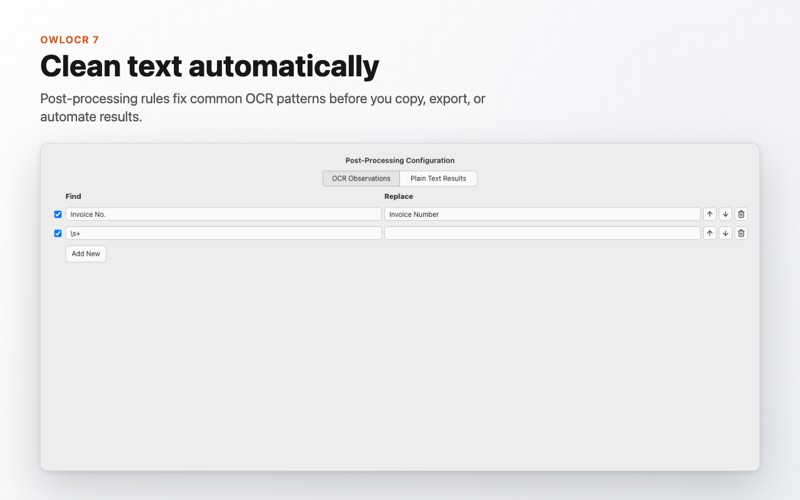
- Apply custom OCR words and post-processing rules
- Integrate OCR into automation with the OwlOCR command line tool
- Choose menu bar or Dock app behavior
- Dark Mode support and configurable keyboard shortcuts
Pro features include batch OCR for multipage PDFs and multiple documents, Finder Quick Actions on multiple files, higher multi-screenshot limits, post-processing rules, command line integrations, and OCR AI.
Privacy Policy - https://owlocr.com/privacypolicy
Terms of Use - https://www.apple.com/legal/internet-services/itunes/dev/stdeula/