

Pagio: Bookworm's Diary
Pagio: Bookworm's Diary is made and published by Dmytro Lytvynenko. AppBrain is an independent app data site and isn't affiliated with Dmytro Lytvynenko. The app name, icon, screenshots and description belong to Dmytro Lytvynenko and are shown as published on the App Store.
AppBrain's verdict
- Rating on App Store
- 5.00
- 1 ratings
- Last updated
- September 28, 2026
It doesn't have enough ratings yet to judge what users think.
Rankings
App Store top chartsApp Store Rankings for Pagio: Bookworm's Diary
Competitors
Similar apps and more from Dmytro LytvynenkoAlternatives to Pagio: Bookworm's Diary


Releases
Updates seen on the App Store- Version
- 1.6.0
- Launched
- March 2026
No changelog data
User feedback
Ratings and reviews on the App StoreComments on Pagio: Bookworm's Diary for iOS
We don't have enough comments to show example comments. Please check back later.
Technology
Found in the app by AppBrain- Price
- Free
- App size
- 72.0 MB
- Content rating
- Everyone
Technologies used by Pagio: Bookworm's Diary
About the app and developer
About Pagio: Bookworm's Diary
Pagio: Bookworm's Diary is a lifestyle app developed by Dmytro Lytvynenko.
User Ratings
Pagio: Bookworm's Diary is rated 5.00 out of 5 stars. The rating is based on one rating ratings.
App Information
Pagio: Bookworm's Diary is freely available from the App Store. The app size is 72.02 MB. The latest version available is 1.6.0. The last update was on September 28, 2026.
Technical Requirements
The app has a content rating of Everyone. The app has been available on the App Store since March 2026.
Developer information for Dmytro Lytvynenko
Address:
Store listing
By Dmytro Lytvynenko, from the App Store






Description by Dmytro Lytvynenko Written by the developer, not by AppBrain. Click to read.
LIBRARY
Keep everything in one place. Books you want to read, books you're reading now, books you've finished, and the ones you set aside or came back to for a second time. Browse by author, genre, tag, or publisher when you'd rather start from a name than a cover.
UP NEXT
Line up what you're reading next and keep it in the order you actually mean. Add books from anywhere in the app, reorder the queue whenever your mood changes, and the one on top waits for you on Home. Can't choose? Tap Surprise Me and Pagio picks one of your unread books for you.
SHELVES, COLLECTIONS & SERIES
Organize your library however fits. Build custom shelves for whatever matters to you. Favorites, comfort rereads, gifts, beach reads. Put a book on as many shelves as you like. Group books into ordered collections like a reading challenge or your top ten of the year, and nest them when you want more structure. And bring every book in a series together, from the first volume to the seventh, so a long story stays in one place.
IMPORT
Already have a reading history? Bring it along. Import your books from Kindle, Goodreads, Bookshelf, or any CSV file. Pagio does its best to match everything up, so getting started feels like magic.
READING SESSIONS
Time every session and see how long you spend with each book. Jot a note without leaving the session, switch to night mode for reading in bed, and check your progress and streak before you save. Follow your current session and page progress from the Lock Screen, the Dynamic Island, or your Apple Watch with Live Activities.
WIDGETS
Keep your reading on the Home Screen and the Lock Screen. The book you're in the middle of, with buttons to start or pause a session without opening the app. Your goal and the pace it needs. Your streak and the week behind it. A month of reading as a calendar, for your whole library or for a single book. Each widget can follow whichever book or goal you choose.
GOALS
Set gentle reading targets in books, hours, days, or pages, and stay motivated as you move toward them. Add a quiet reminder if you'd like a nudge, or leave it off.
QUOTES AND NOTES
Save the passages that moved you and the thoughts they started, with the page they came from. Everything you've marked lives together in your library, ready to scroll, favorite, or share as a card.
CHARACTERS
Keep track of who's who in every book, with a name, a role, a photo, and a line or two about them. Point your quotes and notes at a character, and everything about them gathers on their own page.
STATISTICS
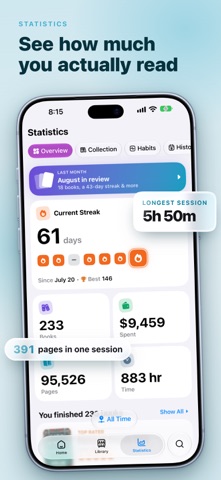
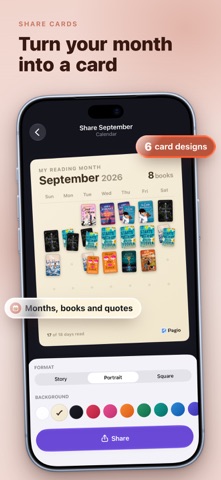
See where you stand, then dig in. Four sections cover your overview, your collection by genre, publisher, format, language and rating, the habits behind when and how long you read, and a history with a day-by-day calendar and your all-time records. Scope any of it to a month or a year, and turn a month you're proud of, or a book you've just finished, into artwork worth sharing.
SEARCH
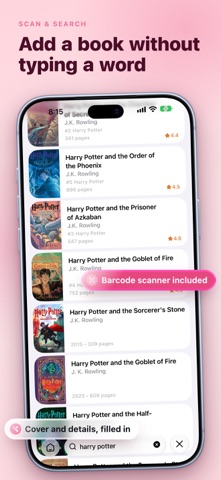
Discover millions of books. Search by title, author, or ISBN, or point your camera at a barcode, and add them to your library in a tap.
SYNC
Keep everything up to date across all your devices with secure iCloud sync. Your data stays yours.
OFFLINE
Add time, update progress, and browse your library anywhere, even without an internet connection.
Pagio works on iPhone and iPad. It's for readers who value clarity, consistency, and a deeper connection with their books. Download Pagio and rediscover the joy of reading.
Terms of Use: https://pagio.cc/terms
Privacy Policy: https://pagio.cc/privacy