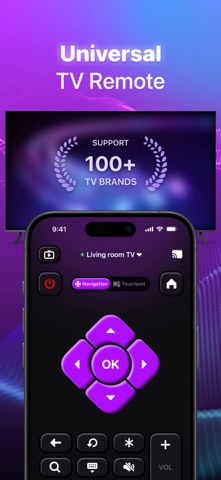
Pano Smart TV Remote Control is an overall app developed by AI Health Selfcare, Inc..
Download Statistics
User Ratings
Pano Smart TV Remote Control is rated 4.65 out of 5 stars. The rating is based on 290 ratings.
App Information
Pano Smart TV Remote Control is FREE to download. The APK download size is 150.18 MB. The latest version available is 1.8.0. The last update was on August 7, 2026.
Technical Requirements
The app has a content rating of High Maturity. The app has been available on Google Play June 2024.
Description
Take command of your Smart TV effortlessly with our TV Remote app, right on your smartphone. Designed with a user-friendly interface, it’s compatible with a wide range of TV brands. Seamlessly connect your device to your TV over WIFI and gain comprehensive control over TV functions like volume, channels, input sources, and more, all from your mobile device. Whether you're streaming movies, gaming, or just chilling out, this app simplifies managing your TV from any location. Experience a new way to control your TV.
Effortlessly enhance your viewing experience by wirelessly linking your phone to TV: cast photos and videos from your phone to smart TV, transforming your compact screen into a vibrant, larger-than-life display; mirror your entire screen seamlessly for gaming, presentations, or enhanced browsing on a larger display; stream web videos directly via advanced web casting tools, enjoying high-quality playback for a cinematic experience in your living room—perfect for sharing personal media or web content.
Key Features ● Universal Remote for Smart TVs: Use your iPhone or iPad to operate nearly any Smart TV. This app is compatible with numerous Smart TV models. ● Screen Mirroring for Smart TVs: Directly stream all the content from your phone to your TV. Enjoy your content on the big screen with seamless screen mirroring. ●Web Browser: Stream online content from the web effortlessly using web casting tools, supporting open and casting multiple browser tabs. Enjoy high-quality playback straight on TV. ● Channel Management for Smart TVs: Flexibly manage your channels. Easily add new ones, toggle between channels, and access favorites with a single click. ● Effortless Search: Swiftly locate your favorite shows and movies with a virtual keyboard. Just type to explore channels. ● Automatic Device Recognition: The Smart TV remote app identifies compatible devices on your WiFi network automatically, ensuring a quick and easy setup. ● 24/7 Support: Offer timely and professional help and support.
Compatible with the remote functions of major TV systems. If your TV system is one of the above systems but the brand is other, don't worry, we can also adapt it. At the same time, it is compatible with the Casting function of many TVs.
Disclaimer: This app is not affiliated with or endorsed by any specific TV brands.
How to use: ● Step 1: Make sure your phone and powered-on Smart TV are on the same Wi-Fi network. ● Step 2: Enable local network access permission. iOS system must allow this permission to discover your TV. ● Step 3:Tap the Connect icon at the top right. ● Step 4: Select and pair your Smart TV from the list displayed on your phone screen. ● Step 5: You are ready to use. Try out every feature of our app!
For complete access to all Cast to TV Universal TV Remote features, you will need to subscribe to Premium. For Smart TVs / Devices, the only setting required is to connect your phone as well as your Smart TV / Device to the same Wifi network.
Upgrade to Premium to remove ads and unlock all features: ● iTunes account will be charged upon purchase confirmation (or at the end of the free trial period offered). ● Subscriptions will be automatically renewed until turned off at least 24 hours before the end of the current cycle. ● Accounts will be charged for renewals up to 24 hours before the end of the current period, with the renewal price determined. ● Users can modify subscriptions and turn off auto-renewal by heading to the user's account settings after purchasing. Privacy Policy: https://ultra-tvremote.web.app/PrivacyPolicy.html Terms of Use: https://ultra-tvremote.web.app/Termsofuse.html
Each subscription will automatically renew 3 days before the expiration date for
the same time period. Subscriptions can be cancelled at any time before the renewal.