




AppBrain's verdict
- Last updated
- November 17, 2026
- Size
- 13.4 MB
User feedback
Ratings and reviews on the App StoreComments on Paper Maker – 2027 Planner PDF for iOS
We don't have enough comments to show example comments. Please check back later.
Store listing
By JIHOON KIM, from the App StoreDescription by JIHOON KIM Written by the developer, not by AppBrain. Click to read.
2027 PLANNER (NEW)
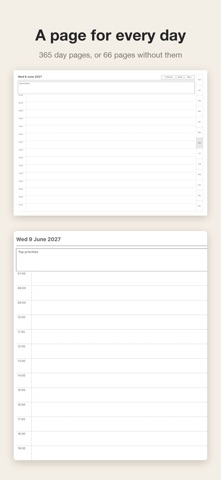
• 1 yearly page, 12 monthly, 53 weekly and 365 daily pages: 431 pages in one go, or 66 without the daily pages.
• Every page has side tabs for the year and each month. Tap a month on the yearly page or a week number on a monthly page to jump there. With daily pages, tap a date to open that day.
• Weekly pages have previous and next week buttons; daily pages have previous and next day.
• Writing areas carry no links. Only the date row and header respond to a tap.
• A4, A5, Letter, iPad (4:3) and iPad Pro 11, portrait or landscape. You pick the first day of the week and the ink color.
• Holidays can be marked for Korea or Japan.
Paper Maker makes the paper. You choose the size, the margins, the grid and the header, watch it redraw as you adjust, and export a high-resolution PDF you can write on in any note app that opens a PDF. Label sheets print straight from the app.
WHAT YOU CAN BUILD
• Ruled, dotted and square grid pages, with spacing and line weight you set
• Cornell note pages with a cue column and summary band
• Weekly spreads and monthly calendars that are correct for a real month — leap years and your own first day of the week included
• Daily time-blocked pages
• Any page size: A4, A5, Letter, or your own custom dimensions
LABELS (NEW)
• Address labels, name stickers and file labels, printed at true size from the app
• Pick a Letter sheet layout (5160, 5163, 5167), or type in the label size, count and margins in mm for any other sheet
• Print one alignment test, then nudge until it lines up. The nudge is saved per printer and used only when the app prints (a shared PDF is never shifted)
• Skip the labels you already used on a half-used sheet
• The same text on every label, or a pasted list, one entry per label (up to 4 lines each)
PRESETS
Save a preset, come back to it later, adjust one number, export again.
PRIVACY
Everything is computed and drawn on your device. There is no account and no server. We collect nothing. The app sends no data out on its own; sharing a PDF or printing happens only when you do it.
No subscription. No advertising. No analytics. No tracking. Pay once.
Safety and technology
Found in the app by AppBrain- Price
- $0.29
- App size
- 13.4 MB
- Content rating
- Everyone
Technologies used by Paper Maker – 2027 Planner PDF
Releases
Updates seen on the App Store- Version
- 1.6.3
- Launched
- August 2026
No changelog data
Alternatives
Similar apps and more from JIHOON KIMMore from JIHOON KIM


Rankings
App Store top chartsApp Store Rankings for Paper Maker – 2027 Planner PDF
About the app and developer
About Paper Maker – 2027 Planner PDF
Paper Maker – 2027 Planner PDF is a productivity app developed by JIHOON KIM.
User Ratings
The app has no ratings yet.
App Information
Paper Maker – 2027 Planner PDF costs $0.29. The app size is 13.44 MB. The latest version available is 1.6.3. The last update was on November 17, 2026.
Technical Requirements
The app has a content rating of Everyone. The app has been available on the App Store since August 2026.
Paper Maker – 2027 Planner PDF is made and published by JIHOON KIM. AppBrain is an independent app data site and isn't affiliated with JIHOON KIM. The app name, icon, screenshots and description belong to JIHOON KIM and are shown as published on the App Store.
Developer information for JIHOON KIM
Address: