

Paraspeech Voice Keyboard
Paraspeech Voice Keyboard is made and published by Burlis Management GmbH. AppBrain is an independent app data site and isn't affiliated with Burlis Management GmbH. The app name, icon, screenshots and description belong to Burlis Management GmbH and are shown as published on the App Store.
AppBrain's verdict
- Last updated
- July 1, 2026
Rankings
App Store top chartsApp Store Rankings for Paraspeech Voice Keyboard
Competitors
Similar apps and more from Burlis Management GmbHAlternatives to Paraspeech Voice Keyboard


Releases
Updates seen on the App Store- Version
- 1.0.4
- Launched
- April 2026
No changelog data
User feedback
Ratings and reviews on the App StoreComments on Paraspeech Voice Keyboard for iOS
We don't have enough comments to show example comments. Please check back later.
Technology
Found in the app by AppBrain- Price
- Free
- App size
- 45.0 MB
- Content rating
- Everyone
Technologies used by Paraspeech Voice Keyboard
About the app and developer
About Paraspeech Voice Keyboard
Paraspeech Voice Keyboard is a productivity app developed by Burlis Management GmbH.
User Ratings
The app has no ratings yet.
App Information
Paraspeech Voice Keyboard is freely available from the App Store. The app size is 44.97 MB. The latest version available is 1.0.4. The last update was on July 1, 2026.
Technical Requirements
The app has a content rating of Everyone. The app has been available on the App Store since April 2026.
Developer information for Burlis Management GmbH
Address:
Frequently asked questions about Paraspeech Voice Keyboard
Is Paraspeech Voice Keyboard free?
Yes. Paraspeech Voice Keyboard is free on the App Store.
Is Paraspeech Voice Keyboard still available?
Yes. Paraspeech Voice Keyboard is on the App Store, and the last update we saw was on July 1, 2026.
How large is Paraspeech Voice Keyboard?
Paraspeech Voice Keyboard is 44.97 MB.
Is Paraspeech Voice Keyboard suitable for children?
App Store rates the content of Paraspeech Voice Keyboard as suitable for everyone.
Who made Paraspeech Voice Keyboard?
Paraspeech Voice Keyboard was developed by Burlis Management GmbH. It is listed in the productivity category on the App Store.
What are the best alternatives to Paraspeech Voice Keyboard?
People looking at Paraspeech Voice Keyboard also look at these productivity apps: InStock: Smart Pantry Tracker, PDF Mobile Document Creator, pi pulse, WalkWrite, Dove by Canary Mail.
Store listing
By Burlis Management GmbH, from the App Store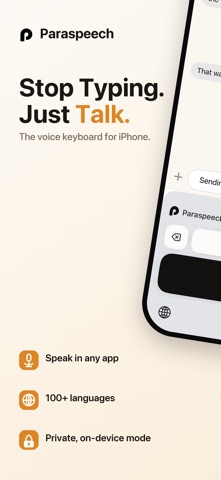


Description by Burlis Management GmbH Written by the developer, not by AppBrain. Click to read.
Paraspeech is a custom voice keyboard that replaces tapping with talking. Whether you're firing off emails, capturing notes, or messaging in any app, Paraspeech transcribes your speech in real time — right from your keyboard, no app-switching required.
WHY PARASPEECH?
• Works everywhere - install once, dictate in Messages, Mail, Slack, WhatsApp, Notes, and every other app on your iPhone
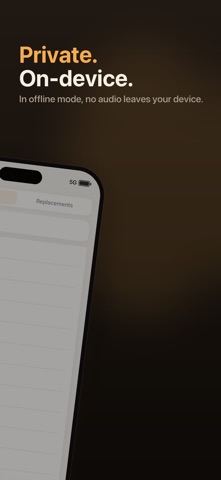
• On-device & private - local transcription mode keeps all audio and transcripts on your device; nothing is sent to the cloud
• Instant, accurate transcription - speak naturally and watch text appear in real time
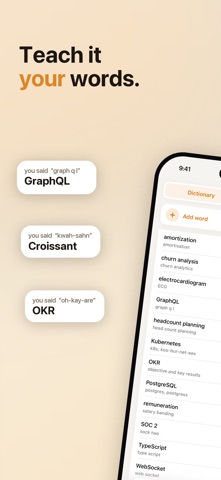
• Custom Dictionary - add names, technical terms, and jargon so Paraspeech always gets them right
• Word Replacements - set up shortcuts that auto-expand into full phrases as you dictate
• Cloud option available - sign in to access cloud-backed features like AI rewriting when you want more power
• Mac companion included - continue dictating on your Mac with the same privacy and even more workflow tools
BUILT FOR YOUR FLOW
Stop breaking your train of thought to peck at a tiny keyboard. Paraspeech keeps you writing - in emails, quick notes, long messages - at the speed of speech. Local models mean no internet connection is required for on-device dictation, so your words stay yours.
Customize your experience with a personal dictionary and word replacement rules so Paraspeech understands your world: client names, medical terms, product names, abbreviations - whatever you need.
PRIVACY BY DESIGN
When using local transcription mode, no audio or transcripts ever leave your iPhone. Your voice stays on your device, period. We do have cloud processing if you value rewriting or want even better transcription quality.
GET STARTED IN SECONDS
Install Paraspeech, add it as a keyboard in Settings, and start speaking. It's that simple.
Terms: https://paraspeech.com/terms
Privacy: https://paraspeech.com/privacy