

Password Manager Finger Print Lock for iPhone Safe
Password Manager Finger Print Lock for iPhone Safe is made and published by 妙英 张. AppBrain is an independent app data site and isn't affiliated with 妙英 张. The app name, icon, screenshots and description belong to 妙英 张 and are shown as published on the App Store.
AppBrain's verdict
Established- Rating on App Store
- 3.90
- 796 ratings
- Last updated
- September 6, 2016
- Size
- 33.8 MB
Users are divided: 3.9 stars from 796 ratings.
User feedback
Ratings and reviews on the App StoreComments on Password Manager Finger Print Lock for iPhone Safe for iOS
We don't have enough comments to show example comments. Please check back later.
Store listing
By 妙英 张, from the App Store


Description by 妙英 张 Written by the developer, not by AppBrain. Click to read.
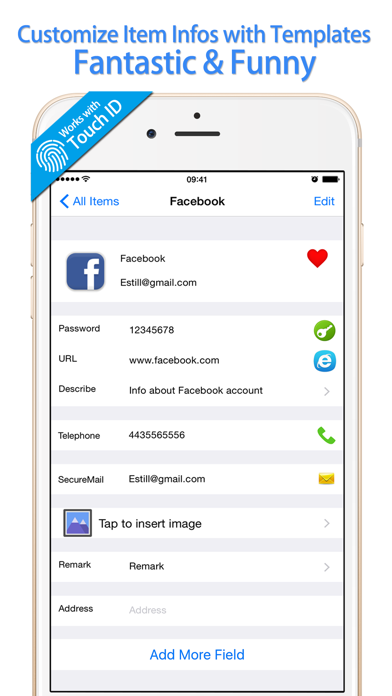
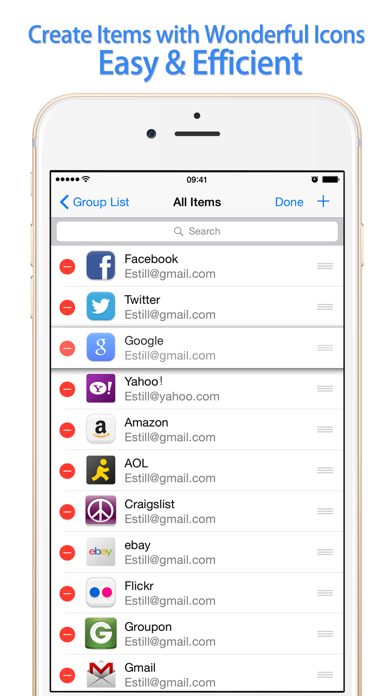
Passwords is a wonderful app that helps you remember passwords and any other account information easily. You could keep user names, passwords, notes, images and remarks in Passwords. Passwords is very safe for storing your account infos!
************************************************
Passwords had been reviewed strictly by Apple, all data in this app are stored in user’s devices. Nobody including developers can take user’s info.
Please feel free to use Passwords!
************************************************
———SECURITY———
- With one master password, only you have the access to your data.
- All data are stored in your device, you can backup to PC & Dropbox, no one except you could read it.
- Use Touch ID is available to log in to Passwords with your fingerprint on iOS 8 and above!
- Self-destruct feature could wipe all data if you lose your phone and someone reach the maximum failed login attempts!
———KEY FEATURES———
- Store credit cards, bank accounts, IDs, passports, drivers license and more!
- Auto-login to your accounts using our Safari extension
- Easily copy/paste passwords to all your apps
- Keep notes, images and any other sensitive information safe with password lock
- Auto-fill username and password using our Built-in Browser or our Safari extension
- Customize all fields by yourself!
- Helpful Hide List: keep your most private accounts info securely, you could make the Hide List visible or invisible!
- Easy to backup and restore data via iTunes, Wifi and Dropbox
Get Passwords for FREE now!
>>Feedback
If you love this app, please leave us your sincere rates. Your rates and reviews are the motivation to let us perfect our apps!
If you have advices to tell us or if you found some functions not good in our app, please feel free to contact us via the following email. Please do not write them directly in App Store because we cannot reply to you in App Store.
We would very happy to answer any question in your email!
Email: estill_hill@hotmail.com
Safety and technology
Found in the app by AppBrain- Price
- Free
- App size
- 33.8 MB
- Content rating
- Everyone
Technologies used by Password Manager Finger Print Lock for iPhone Safe
Releases
Updates seen on the App Store- Version
- 3.1
- Launched
- November 2014
No changelog data
Alternatives
Similar apps and more from 妙英 张Alternatives to Password Manager Finger Print Lock for iPhone Safe





More from 妙英 张








Rankings
App Store top chartsApp Store Rankings for Password Manager Finger Print Lock for iPhone Safe
About the app and developer
About Password Manager Finger Print Lock for iPhone Safe
Password Manager Finger Print Lock for iPhone Safe is a lifestyle app developed by 妙英 张.
What is the rating of Password Manager Finger Print Lock for iPhone Safe?
Password Manager Finger Print Lock for iPhone Safe is rated 3.90 out of 5 stars, based on 800 ratings.
Is Password Manager Finger Print Lock for iPhone Safe free?
Password Manager Finger Print Lock for iPhone Safe is free. The app size is 33.84 MB. The latest version available is 3.1. The last update was on September 6, 2016.
What are the requirements for Password Manager Finger Print Lock for iPhone Safe?
The app has a content rating of Everyone. The app has been available on the App Store since November 2014.
Developer information for 妙英 张
Address:
Frequently asked questions about Password Manager Finger Print Lock for iPhone Safe
Is Password Manager Finger Print Lock for iPhone Safe free?
Yes. Password Manager Finger Print Lock for iPhone Safe is free on the App Store.
Is Password Manager Finger Print Lock for iPhone Safe still available?
Yes. Password Manager Finger Print Lock for iPhone Safe is on the App Store, and the last update we saw was on September 6, 2016.
How large is Password Manager Finger Print Lock for iPhone Safe?
Password Manager Finger Print Lock for iPhone Safe is 33.84 MB.
Is Password Manager Finger Print Lock for iPhone Safe suitable for children?
App Store rates the content of Password Manager Finger Print Lock for iPhone Safe as suitable for everyone.
How do people rate Password Manager Finger Print Lock for iPhone Safe?
Password Manager Finger Print Lock for iPhone Safe scores 3.90 out of 5 stars, from 796 ratings on the App Store.
Who made Password Manager Finger Print Lock for iPhone Safe?
Password Manager Finger Print Lock for iPhone Safe was developed by 妙英 张. It is listed in the lifestyle category on the App Store.
What are the best alternatives to Password Manager Finger Print Lock for iPhone Safe?
People looking at Password Manager Finger Print Lock for iPhone Safe also look at these lifestyle apps: DTMP - Don't Touch My Phone, Safe Notes is a secure notepad, Diary with lock, Pic Safe - Private Photo Vault, Islamic Dua - Audios & Prayers.