

PauseBox
PauseBox is made and published by Britt Espinosa. AppBrain is an independent app data site and isn't affiliated with Britt Espinosa. The app name, icon, screenshots and description belong to Britt Espinosa and are shown as published on the App Store.
AppBrain's verdict
- Rating on App Store
- 4.90
- 41 ratings
- Last updated
- June 2, 2026
It doesn't have enough ratings yet to judge what users think.
Rankings
App Store top chartsApp Store Rankings for PauseBox
Competitors
Similar apps and more from Britt EspinosaAlternatives to PauseBox


Releases
Updates seen on the App Store- Version
- 3.1
- Launched
- September 2025
No changelog data
User feedback
Ratings and reviews on the App StoreComments on PauseBox for iOS
We don't have enough comments to show example comments. Please check back later.
Technology
Found in the app by AppBrain- Price
- Free
- App size
- 90.5 MB
- Content rating
- Everyone
Technologies used by PauseBox
About the app and developer
About PauseBox
PauseBox is a productivity app developed by Britt Espinosa.
User Ratings
PauseBox is rated 4.90 out of 5 stars. The rating is based on 41 ratings.
App Information
PauseBox is freely available from the App Store. The app size is 90.49 MB. The latest version available is 3.1. The last update was on June 2, 2026.
Technical Requirements
The app has a content rating of Everyone. The app has been available on the App Store since September 2025.
Developer information for Britt Espinosa
Address:
Store listing
By Britt Espinosa, from the App Store
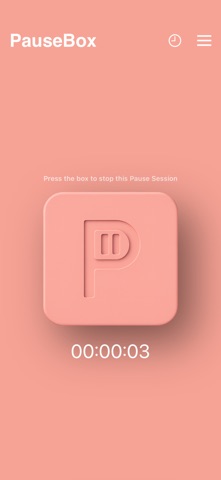

Description by Britt Espinosa Written by the developer, not by AppBrain. Click to read.
1. Select the apps you want to block
Open the PauseApp and choose which apps to block, or select the few you want to keep. Create custom Pause Groups like Work, Study, or Family Time, each with its own app rules, schedules, or timers to fit your day.PauseBox creates a physical block between you and distractions. Here's how it works:
2. Tap your phone on PauseBox to block selected apps
After selecting a Pause Group, tap your phone on the PauseBox to start blocking apps. Your focus session begins right away. Not nearby? Use “Pause without tap” in the app to start remotely.
3. Put distance between you and the PauseBox
Place your PauseBox out of reach to create intentional separation.
As a physical barrier to digital distractions, it makes unblocking a conscious choice and helps break the habit loop.