

PDF Compress - Reduce PDF Size
PDF Compress - Reduce PDF Size is made and published by Shivang Mishra. AppBrain is an independent app data site and isn't affiliated with Shivang Mishra. The app name, icon, screenshots and description belong to Shivang Mishra and are shown as published on the App Store.
AppBrain's verdict
- Rating on App Store
- 3.00
- 2 ratings
- Last updated
- December 23, 2024
- Size
- 4.93 MB
It doesn't have enough ratings yet to judge what users think.
User feedback
Ratings and reviews on the App StoreComments on PDF Compress - Reduce PDF Size for iOS
We don't have enough comments to show example comments. Please check back later.
Store listing
By Shivang Mishra, from the App Store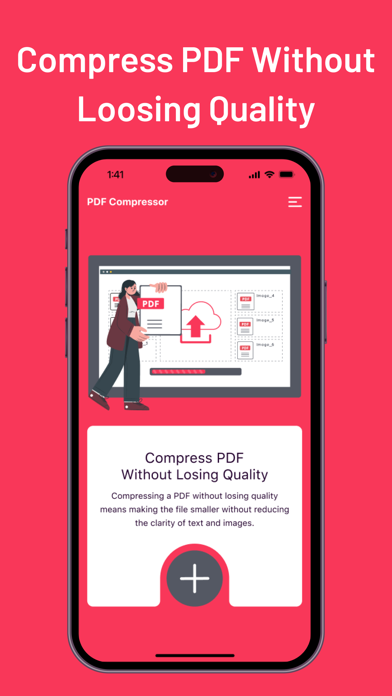
Description by Shivang Mishra Written by the developer, not by AppBrain. Click to read.
PDF Compress is your ultimate tool for compressing PDF documents directly on your iPhone or iPad. Effortlessly reduce the size of your PDF files while maintaining excellent quality. Whether you're looking to save storage space, speed up email attachments, or optimize document sharing, PDF Compress offers a seamless solution. Choose from multiple compression levels to tailor the file size reduction to your needs. Ideal for professionals, students, and anyone who deals with PDFs regularly.
Key Features
Compress PDF Files Without Compromising Quality: Reduce the size of your PDFs while maintaining clarity and readability. Perfect for minimizing storage usage and improving document handling.
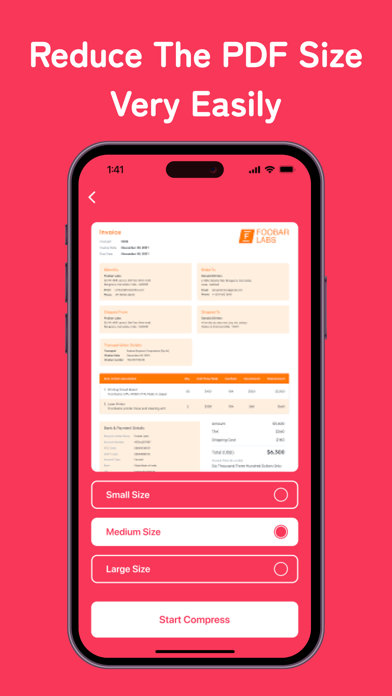
Select from Small, Medium, or Large Compression Options: Choose the compression level that best fits your needs. Whether you need a slight reduction or significant size savings, we have the option for you.
Easy-to-Use Interface for Quick Compression: Our user-friendly design makes it simple to compress files with just a few taps. No technical knowledge is required.
Perfect for Saving Space and Improving File Sharing Efficiency: Compressed PDFs take up less space and are easier to share via email or other platforms.
Additional Benefits
Preview Compressed PDFs Before Saving or Sharing: Ensure the quality and size meet your expectations before finalizing your documents.
Secure and Privacy-Focused: No online uploads or data sharing. All compression is done locally on your device, keeping your information safe and secure.
Seamlessly Integrates with iOS Files App for Easy Management: Access and manage your compressed PDFs directly within the iOS Files app.
Why Choose PDF Compress?
Efficient PDF Management: PDF Compress makes it easy to handle large PDF files, ensuring they are optimized for storage and sharing.
Ideal for Various Use Cases: Whether you are a professional dealing with business documents, a student managing study materials, or anyone who frequently works with PDFs, this app is designed to meet your needs.
Regular Updates: We continuously improve our app to ensure it meets your expectations and stays ahead of your needs. Expect regular updates with new features and enhancements.
Dedicated Support: Our support team is always ready to assist you with any questions or issues. Experience prompt and helpful customer service whenever you need it.
How to Use PDF Compress
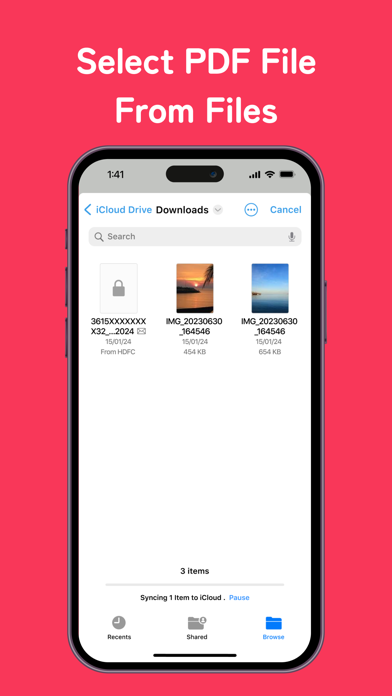
Import: Open PDF Compress and import the PDF document you want to compress. You can easily select files from your device or iCloud.
Select Compression Level: Choose from small, medium, or large compression options based on your requirements.
Compress: Tap the compress button and let the app do the rest. Preview the compressed file to ensure it meets your needs.
Save or Share: Once satisfied, save the compressed PDF to your device or share it via email, messaging apps, or any other preferred method.
Download PDF Compress Now!
Experience the convenience of managing PDFs efficiently on your iOS device. Save storage space, optimize document sharing, and enjoy a user-friendly interface designed for quick and effective compression. Download PDF Compress now and take control of your PDF files with ease!
Safety and technology
Found in the app by AppBrain- Price
- Free
- App size
- 4.93 MB
- Content rating
- Everyone
Technologies used by PDF Compress - Reduce PDF Size
Releases
Updates seen on the App Store- Version
- 4.3
- Launched
- June 2024
No changelog data
Alternatives
Similar apps and more from Shivang MishraAlternatives to PDF Compress - Reduce PDF Size




 PDFMaker: JPG to PDF converter


More from Shivang Mishra




Rankings
App Store top chartsApp Store Rankings for PDF Compress - Reduce PDF Size
About the app and developer
About PDF Compress - Reduce PDF Size
PDF Compress - Reduce PDF Size is a productivity app developed by Shivang Mishra.
User Ratings
PDF Compress - Reduce PDF Size is rated 3.00 out of 5 stars. The rating is based on 2 ratings.
App Information
PDF Compress - Reduce PDF Size is freely available from the App Store. The app size is 4.93 MB. The latest version available is 4.3. The last update was on December 23, 2024.
Technical Requirements
The app has a content rating of Everyone. The app has been available on the App Store since June 2024.
Developer information for Shivang Mishra
Address:
Frequently asked questions about PDF Compress - Reduce PDF Size
Is PDF Compress - Reduce PDF Size free?
Yes. PDF Compress - Reduce PDF Size is free on the App Store.
Is PDF Compress - Reduce PDF Size still available?
Yes. PDF Compress - Reduce PDF Size is on the App Store, and the last update we saw was on December 23, 2024.
How large is PDF Compress - Reduce PDF Size?
PDF Compress - Reduce PDF Size is 4.93 MB.
Is PDF Compress - Reduce PDF Size suitable for children?
App Store rates the content of PDF Compress - Reduce PDF Size as suitable for everyone.
How do people rate PDF Compress - Reduce PDF Size?
PDF Compress - Reduce PDF Size scores 3.00 out of 5 stars, from 2 ratings on the App Store.
Who made PDF Compress - Reduce PDF Size?
PDF Compress - Reduce PDF Size was developed by Shivang Mishra. It is listed in the productivity category on the App Store.
What are the best alternatives to PDF Compress - Reduce PDF Size?
People looking at PDF Compress - Reduce PDF Size also look at these productivity apps: BlueStylus, Summarize - Text Summary, FSharing - Files, File Manager, Graph Generator, PDFMaker: JPG to PDF converter.