

PDF Converter — Docx to PDF
PDF Converter — Docx to PDF is made and published by Muhammad Qasim Wali. AppBrain is an independent app data site and isn't affiliated with Muhammad Qasim Wali. The app name, icon, screenshots and description belong to Muhammad Qasim Wali and are shown as published on the App Store.
AppBrain's verdict
- Rating on App Store
- 1.00
- 1 ratings
- Last updated
- April 29, 2026
- Size
- 8.88 MB
It doesn't have enough ratings yet to judge what users think.
User feedback
Ratings and reviews on the App StoreComments on PDF Converter — Docx to PDF for iOS
We don't have enough comments to show example comments. Please check back later.
Store listing
By Muhammad Qasim Wali, from the App Store


Description by Muhammad Qasim Wali Written by the developer, not by AppBrain. Click to read.
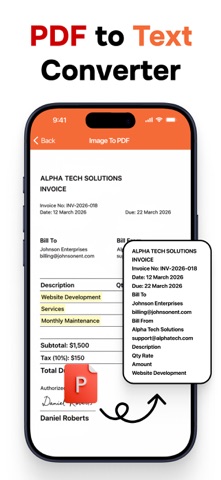
PDF Converter is your ultimate all-in-one solution to manage, convert, and edit PDF files with ease. Designed with a clean and intuitive interface, it allows you to handle all your PDF tasks in one place, saving you time and effort. Whether you are a student, professional, or casual user, PDF Converter offers powerful features to cover every aspect of your document management workflow.
Key Features:
Convert From PDF
– PDF to Word: Instantly turn PDFs into fully editable Microsoft Word documents.
– PDF to Excel: Extract tables and data with perfect formatting into Excel spreadsheets.
– PDF to PowerPoint (PPT): Transform your files into editable presentations.
– PDF to Images: Export to PNG, JPG, TIFF, SVG, and EPS with high clarity.
– PDF to Text & HTML: Get plain text or structured HTML versions for editing and publishing.
– PDF to EPUB & XML: Optimize for e-readers or structured data needs.
– PDF to RTF (Rich Text): Preserve formatting in lightweight editable files.
Convert To PDF
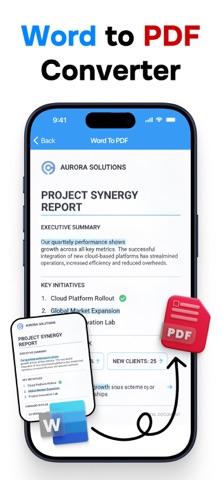
– Word, Excel, PPT to PDF: Securely convert Microsoft Office documents into universal PDFs.
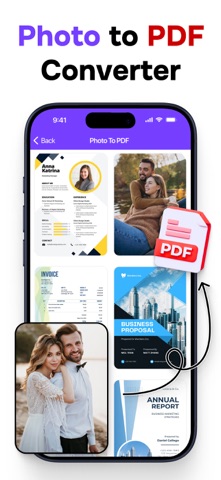
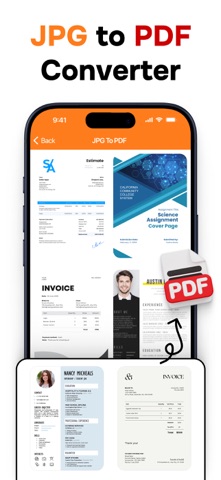
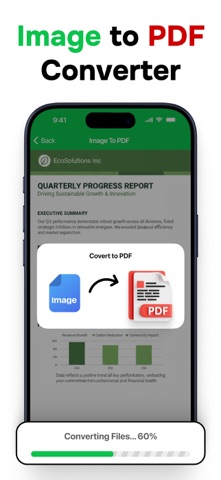
– Image to PDF: Combine JPG, PNG, TIFF, SVG, HEIC, or WebP into high-quality PDFs.
– TXT & RTF to PDF: Quickly turn text into formatted PDF documents.
– HTML to PDF: Save entire web pages for offline use or archiving.
– CSV & EPS to PDF: Convert special file types seamlessly.
– EPUB to PDF: Preserve your eBooks in shareable PDF format.
PDF Tools
– Lock & Unlock PDF: Add or remove password protection with one click.
– Merge PDF: Combine multiple files into one organized document.
– Compress PDF: Reduce file size while maintaining quality, perfect for email or uploads.
– Zip PDF: Export compressed files for easier sharing.
– Rotate & Delete Pages: Adjust or clean up your documents effortlessly.
– Extract Pages: Save selected pages as new standalone PDFs.
– Watermark: Protect your documents with custom text or logos.
– Organize Pages: Reorder, add, or remove pages as needed.
– Add Page Numbers: Insert automatic numbering for long documents.
– Sign PDF: Add your signature securely, no need for printing.
With PDF Converter, you don’t just manage documents — you simplify your workflow. Upgrade to Pro anytime for unlimited conversions and extra features, but even the free version gives you a strong set of tools.
Finally, one app that does it all.
Privacy Policy:
https://sites.google.com/view/muhammadqasimwali/privacy-policy
Terms and Conditions:
https://sites.google.com/view/muhammadqasimwali/terms-of-use
End-User License Agreement(EULA):
https://sites.google.com/view/muhammadqasimwali/eula
Safety and technology
Found in the app by AppBrain- Price
- Free
- App size
- 8.88 MB
- Content rating
- Everyone
Technologies used by PDF Converter — Docx to PDF
Releases
Updates seen on the App Store- Version
- 1.7
- Launched
- October 2025
No changelog data
Alternatives
Similar apps and more from Muhammad Qasim WaliAlternatives to PDF Converter — Docx to PDF


More from Muhammad Qasim Wali


Rankings
App Store top chartsApp Store Rankings for PDF Converter — Docx to PDF
About the app and developer
About PDF Converter — Docx to PDF
PDF Converter — Docx to PDF is a productivity app developed by Muhammad Qasim Wali.
User Ratings
PDF Converter — Docx to PDF is rated 1.00 out of 5 stars. The rating is based on one rating ratings.
App Information
PDF Converter — Docx to PDF is freely available from the App Store. The app size is 8.88 MB. The latest version available is 1.7. The last update was on April 29, 2026.
Technical Requirements
The app has a content rating of Everyone. The app has been available on the App Store since October 2025.
Developer information for Muhammad Qasim Wali
Address:
Frequently asked questions about PDF Converter — Docx to PDF
Is PDF Converter — Docx to PDF free?
Yes. PDF Converter — Docx to PDF is free on the App Store.
Is PDF Converter — Docx to PDF still available?
Yes. PDF Converter — Docx to PDF is on the App Store, and the last update we saw was on April 29, 2026.
How large is PDF Converter — Docx to PDF?
PDF Converter — Docx to PDF is 8.88 MB.
Is PDF Converter — Docx to PDF suitable for children?
App Store rates the content of PDF Converter — Docx to PDF as suitable for everyone.
How do people rate PDF Converter — Docx to PDF?
PDF Converter — Docx to PDF has one rating of 1.00 stars on the App Store.
Who made PDF Converter — Docx to PDF?
PDF Converter — Docx to PDF was developed by Muhammad Qasim Wali. It is listed in the productivity category on the App Store.
What are the best alternatives to PDF Converter — Docx to PDF?
People looking at PDF Converter — Docx to PDF also look at these productivity apps: AI Chatbot: Ask Bot Assistant, AI Homework Helper: Quiz Maker, AI Chatbot Chat Assistant, Word to Excel Converter, ByPassAI: BypassGPT.