

PDF Converter Pro
PDF Converter Pro is made and published by Shenzhen Wondershare Software Co., Ltd. AppBrain is an independent app data site and isn't affiliated with Shenzhen Wondershare Software Co., Ltd. The app name, icon, screenshots and description belong to Shenzhen Wondershare Software Co., Ltd and are shown as published on the App Store.
AppBrain's verdict
- Last updated
- October 29, 2016
Rankings
App Store top chartsApp Store Rankings for PDF Converter Pro
Competitors
Similar apps and more from Shenzhen Wondershare Software Co., LtdMore from Shenzhen Wondershare Software Co., Ltd





Releases
Updates seen on the App Store- Version
- 5.1.0
- Launched
- August 2011
No changelog data
User feedback
Ratings and reviews on the App StoreComments on PDF Converter Pro for iOS
We don't have enough comments to show example comments. Please check back later.
Technology
Found in the app by AppBrain- Price
- $39.99
- App size
- 458.7 MB
- Content rating
- Everyone
Technologies used by PDF Converter Pro
About the app and developer
About PDF Converter Pro
PDF Converter Pro is a productivity app developed by Shenzhen Wondershare Software Co., Ltd.
User Ratings
The app has no ratings yet.
App Information
PDF Converter Pro costs $39.99. The app size is 458.73 MB. The latest version available is 5.1.0. The last update was on October 29, 2016.
Technical Requirements
The app has a content rating of Everyone. The app has been available on the App Store since August 2011.
Developer information for Shenzhen Wondershare Software Co., Ltd
Frequently asked questions about PDF Converter Pro
Is PDF Converter Pro free?
No. PDF Converter Pro costs $39.99 on the App Store.
Is PDF Converter Pro still available?
Yes. PDF Converter Pro is on the App Store, and the last update we saw was on October 29, 2016.
How large is PDF Converter Pro?
PDF Converter Pro is 458.73 MB.
Is PDF Converter Pro suitable for children?
App Store rates the content of PDF Converter Pro as suitable for everyone.
Who made PDF Converter Pro?
PDF Converter Pro was developed by Shenzhen Wondershare Software Co., Ltd. It is listed in the productivity category on the App Store.
Store listing
By Shenzhen Wondershare Software Co., Ltd, from the App Store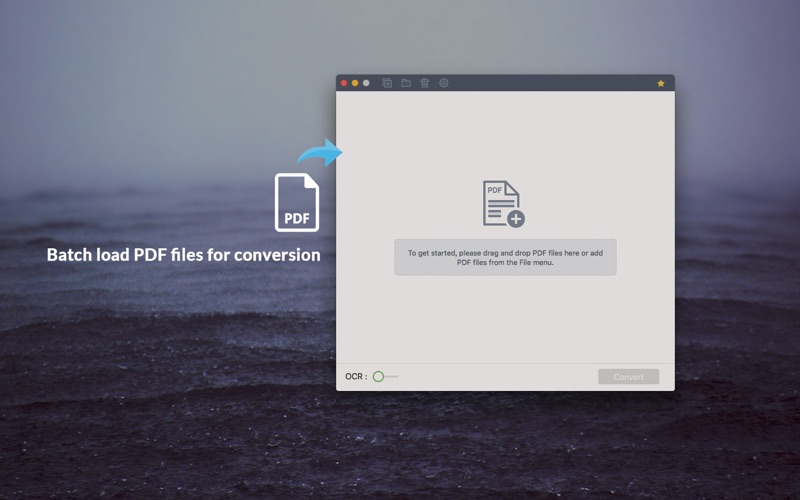
Description by Shenzhen Wondershare Software Co., Ltd Written by the developer, not by AppBrain. Click to read.
Why Choose Wondershare PDF Converter Pro?
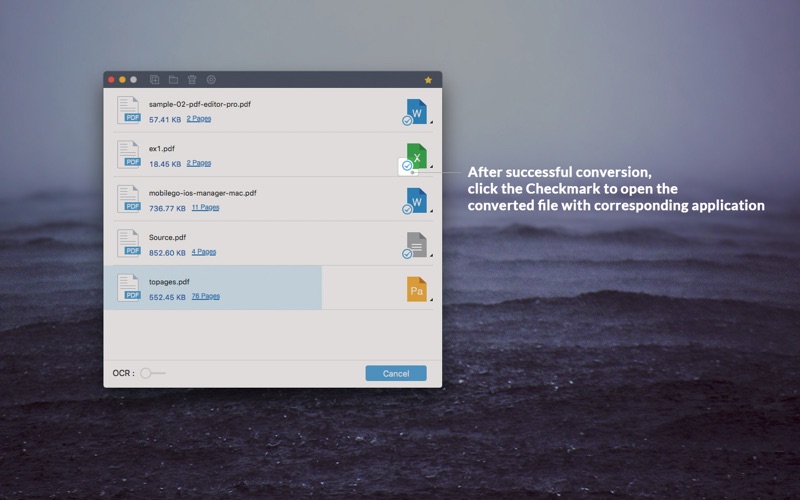
Wondershare PDF Converter Pro is a user-friendly and powerful tool that helps you convert PDF to Word (doc), Excel, PPT, EPUB, HTML, Text and Image. Scanned PDF conversion is also supported! Best assistant at your business, school assignments, reference materials or any occasion you need.
Key Features:
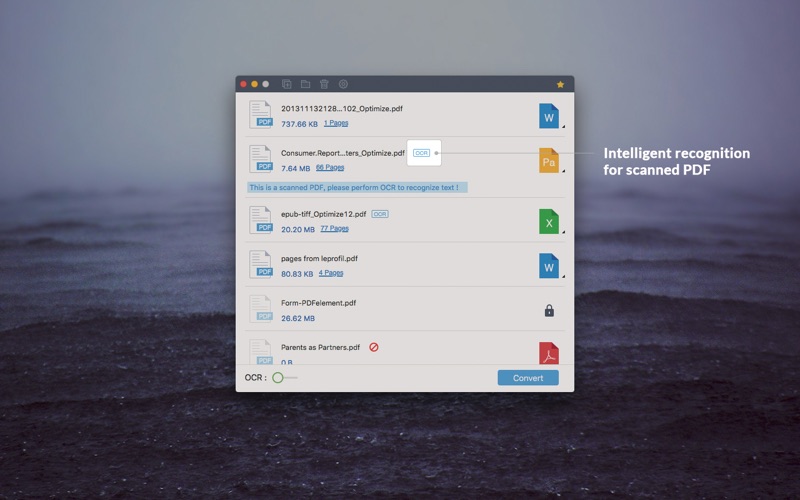
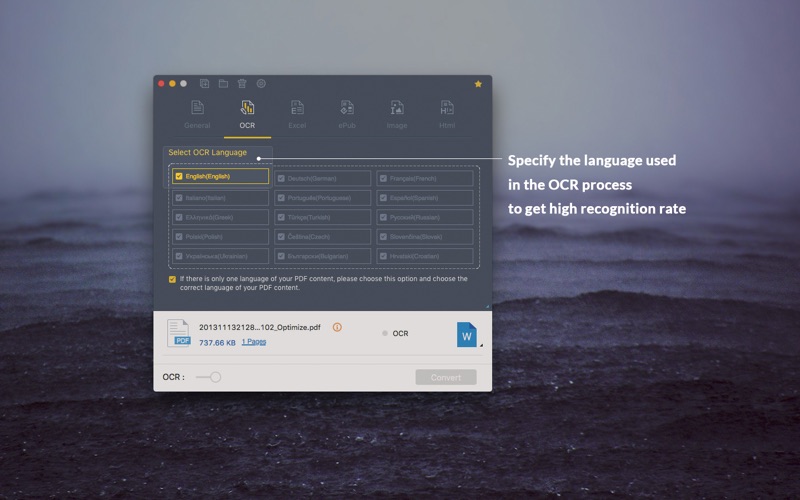
√ Advanced OCR: for scanned PDF Conversion
• Built-in OCR technology allows you to convert image-based PDFs into digitized text-based formats with extremely high accuracy. This makes the text in the output Word, Excel, and other file formats editable.
√ Support Conversion Formats
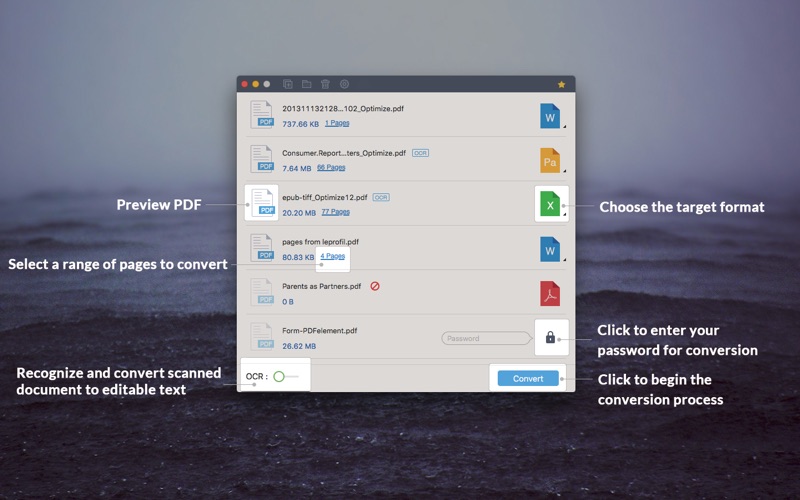
• Word/Excel/PPT/EPUB/HTML/Text/Rich Text/Image (jpg, gif, png, bmp, and tiff).
• The Pro version also allows Mac users to convert PDFs to iWork Pages documents.
√ High-speed Conversion
• Converting a 60-page PDF ONLY takes ONE minute!
√ Great Preservation
• It allows you to keep text, images, graphics with original presentation layout, fonts, and embedded images/charts/graphs.
√ Batch and Partial Conversion
• Batch processing option supports up to 50 conversions at a time.
• Partial conversion mode gives users the most flexibility as it converts documents page by page.
√ Password-Protected PDF Files Conversion
• You can convert PDF files from being copied, edited or printed to multiply file formats with password-protected prompts. However, if the file is restricted from being opened, you are still required to enter the authorized password for the conversion to start.
√ Yes, it works with OS X 10.6.6 or later!
-----------------------------------------------------------------------------------------
Need additional options for PDF conversion and editing? More 'Wondershare' great tools are available on the Mac App Store:
• PDFelement 6—A comprehensive PDF tools which can not only edit native and scanned PDF text/images, remove watermark, split/merge PDF files, insert/extract/delete PDF pages, but also convert PDF to Word, PPT, Excel, HTML or EPUB files.
• PDF to Word—A professional ‘PDF to Word’ converter which can convert PDF to Word documents quickly and keeps the original texts, images, layouts, hyperlinks, tables, and graphics with high accuracy. Now it’s on sale.
-----------------------------------------------------------------------------------------
Need HELP? Please contact us and we will feedback to you ASAP.
Support: http://support.wondershare.com(preferred)
Facebook: https://www.facebook.com/wondershare
support: pdfelement@wondershare.com
If you love this app, do not hesitate to leave a review.