

PDF Converter: Sign & Edit
PDF Converter: Sign & Edit is made and published by Ihor Bernard. AppBrain is an independent app data site and isn't affiliated with Ihor Bernard. The app name, icon, screenshots and description belong to Ihor Bernard and are shown as published on the App Store.
AppBrain's verdict
- Last updated
- October 14, 2026
Rankings
App Store top chartsApp Store Rankings for PDF Converter: Sign & Edit
Competitors
Similar apps and more from Ihor BernardAlternatives to PDF Converter: Sign & Edit





Releases
Updates seen on the App Store- Version
- 3.8
- Launched
- January 2026
No changelog data
User feedback
Ratings and reviews on the App StoreComments on PDF Converter: Sign & Edit for iOS
We don't have enough comments to show example comments. Please check back later.
Technology
Found in the app by AppBrain- Price
- Free
- App size
- 15.9 MB
- Content rating
- Everyone
Technologies used by PDF Converter: Sign & Edit
About the app and developer
About PDF Converter: Sign & Edit
PDF Converter: Sign & Edit is a productivity app developed by Ihor Bernard.
User Ratings
The app has no ratings yet.
App Information
PDF Converter: Sign & Edit is freely available from the App Store. The app size is 15.89 MB. The latest version available is 3.8. The last update was on October 14, 2026.
Technical Requirements
The app has a content rating of Everyone. The app has been available on the App Store since January 2026.
Developer information for Ihor Bernard
Address:
Store listing
By Ihor Bernard, from the App Store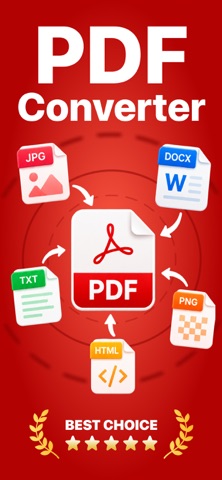

Description by Ihor Bernard Written by the developer, not by AppBrain. Click to read.
Create, view, and organise PDF documents right on your device. Our app offers a convenient way to get started with files and unlocks professional features for those who need more.
Get started for free:
View PDFs in a user-friendly interface.
Organise documents in folders and lists.
Use basic tools to explore the app's capabilities.
Want more? Get full access to all professional features!
Unlock unlimited possibilities with a full version or subscription:
Convert Word, Excel, PowerPoint documents, images (JPG, PNG), and web pages into clean PDFs.
Merge multiple documents and images into a single, neat PDF.
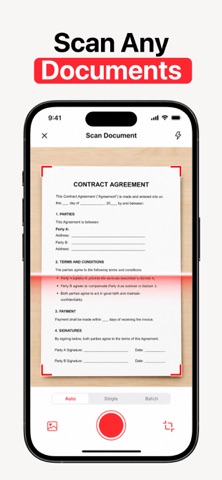
Scan papers, receipts, and notes with your camera and instantly turn them into high-quality digital PDFs.
Edit PDFs: add, delete, and rearrange pages, sharpen text, and add watermarks.
Manage files without limits: rename, move, and export to your preferred formats.
PDF Converter is your reliable assistant for working with documents at home, in the office, or on the go. Try the basic features for free, then decide if you need the full power of a professional tool.
Privacy Policy: https://doc-hosting.flycricket.io/pdf-converter-word-to-pdf-privacy-policy/b0dd9f13-082b-4f06-a35f-3d7086b4c5fd/privacy
Terms of Use: https://doc-hosting.flycricket.io/pdf-converter-word-to-pdf-terms-of-use/0a905c01-873c-4043-a75b-2f358dbe07d2/terms