

PDF Doc Scanner: Scan Cloud
PDF Doc Scanner: Scan Cloud is made and published by Share Tech. AppBrain is an independent app data site and isn't affiliated with Share Tech. The app name, icon, screenshots and description belong to Share Tech and are shown as published on the App Store.
AppBrain's verdict
EstablishedPoorly rated- Rating on App Store
- 2.90
- 238 ratings
- Last updated
- May 28, 2022
Users are critical: 2.9 stars from 238 ratings.
Rankings
App Store top chartsApp Store Rankings for PDF Doc Scanner: Scan Cloud
Competitors
Similar apps and more from Share TechAlternatives to PDF Doc Scanner: Scan Cloud







More from Share Tech

Releases
Updates seen on the App Store- Version
- 2.1
- Launched
- April 2020
No changelog data
User feedback
Ratings and reviews on the App StoreComments on PDF Doc Scanner: Scan Cloud for iOS
We don't have enough comments to show example comments. Please check back later.
Technology
Found in the app by AppBrain- Price
- Free
- App size
- 62.0 MB
- Content rating
- Everyone
Technologies used by PDF Doc Scanner: Scan Cloud
About the app and developer
About PDF Doc Scanner: Scan Cloud
PDF Doc Scanner: Scan Cloud is an utilities app developed by Share Tech.
User Ratings
PDF Doc Scanner: Scan Cloud is rated 2.90 out of 5 stars. The rating is based on 240 ratings.
App Information
PDF Doc Scanner: Scan Cloud is freely available from the App Store. The app size is 61.95 MB. The latest version available is 2.1. The last update was on May 28, 2022.
Technical Requirements
The app has a content rating of Everyone. The app has been available on the App Store since April 2020.
Developer information for Share Tech
Address:
Store listing
By Share Tech, from the App Store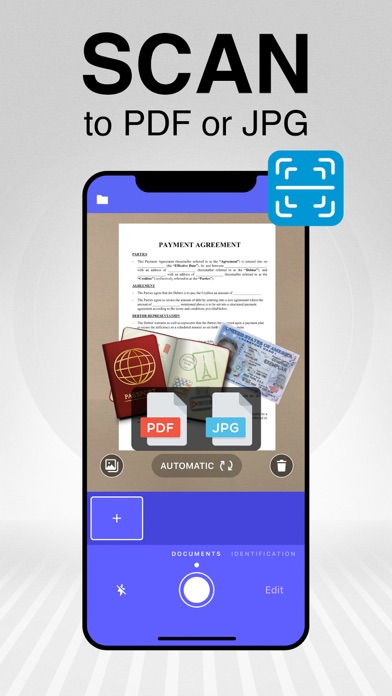




Description by Share Tech Written by the developer, not by AppBrain. Click to read.
Scan Cloud will be an integral part of your daily life. Scan anything you want, including invoices, documents, notepapers, fax pages, even books. Save your scanned files as PDF in multiple pages or JPG.
Here are some of the great skills of Scan Cloud:
- Scan, print, save and manage your documents easily and quickly!
- Get high resolution scanned documents in PDF or JPG format.
- Scan Cloud is a mobile scanning app that will turn your iOS device into a useful scanner.
- Automatic shutter and border detection for any scannable object.
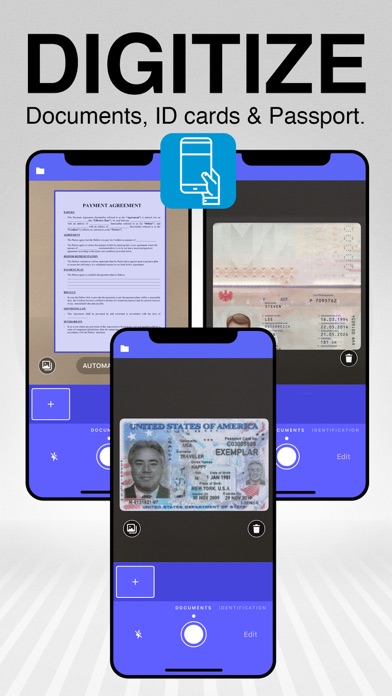
- Use your phone camera as a scanner to scan your bills, notes, whiteboard meeting notes, business cards, certificates, etc.
- Optimize your scanned documents without losing quality.
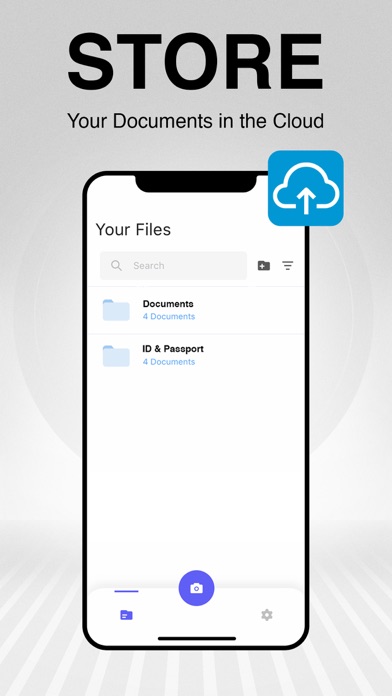
- Group your documents into files and store them in the cloud.
- Protect your documents with a PIN or Face ID and keep them secure!
- Add your signature and sign documents.
- Convert your scanned files into greyscale, black & white or color.
- Share your documents as PDF or image via email.
Explore Scan Cloud Premium:
- Unlimited storage space on our secure server!
- Unlimited editing option.
- Lock your documents with a PIN code!
We are offering in-app purchases and a 7-day free trial for the premium version of Scan Cloud! You can purchase a weekly subscription for a short-term trial. We recommend you to purchase a yearly subscription to enjoy the privileges of Scan Cloud Premium more. The cost will be charged to your iTunes account and it will vary from country to country. You will be able to see the fee amount before completing the purchase. Subscriptions with in-app purchases will be renewed according to the renewal scheme of the selected payment plan. To terminate automatic subscription renewal, you must deselect the automatic subscription renewal option at most 24 hours before your subscription expires. You can cancel your automatic subscription renewal at any time from your iTunes account settings. Where applicable, the privileges granted during the free trial period that have not been used will lose their validity at the time the user purchases a subscription of the related publication.
Privacy Policy: http://scancloudapp.com/ScanCloud-Privacy-Policy.pdf
Terms & Conditions: http://scancloudapp.com/ScanCloudTermsOfUse.pdf