
PDF Document Scanner: Scan App
PDF Document Scanner: Scan App is made and published by Chili Marketing Ltd. AppBrain is an independent app data site and isn't affiliated with Chili Marketing Ltd. The app name, icon, screenshots and description belong to Chili Marketing Ltd and are shown as published on the App Store.
AppBrain's verdict
Established- Rating on App Store
- 4.75
- 16 ratings
- Last updated
- November 3, 2021
- Size
- 71.9 MB
It doesn't have enough ratings yet to judge what users think.
User feedback
Ratings and reviews on the App StoreComments on PDF Document Scanner: Scan App for iOS
We don't have enough comments to show example comments. Please check back later.
Store listing
By Chili Marketing Ltd, from the App Store




Description by Chili Marketing Ltd Written by the developer, not by AppBrain. Click to read.
- Turn your iPhone & iPad into a FREE & HIGH-QUALITY Mobile Scanner
- Quick, Easy & Professional: Create PDFs, Sign & OCR
- Share within minutes by email or cloud
- High-Quality Mobile Scanner with automatic text recognition (OCR)
- Easy convert to PDF, sign
- Strong privacy & 24/7 customer service
- FREE for limited time only
- Get it Now while it is FREE!
EASY SCAN ANY TYPE OF DOCUMENTS INTO PDF
QUICKLY CONVERT TO PDF, SIGN, OCR, SHARE AND MUCH MORE ...
**** Trusted by 1000s of small businesses *****
HIGH-QUALITY OCR TECHNOLOGY
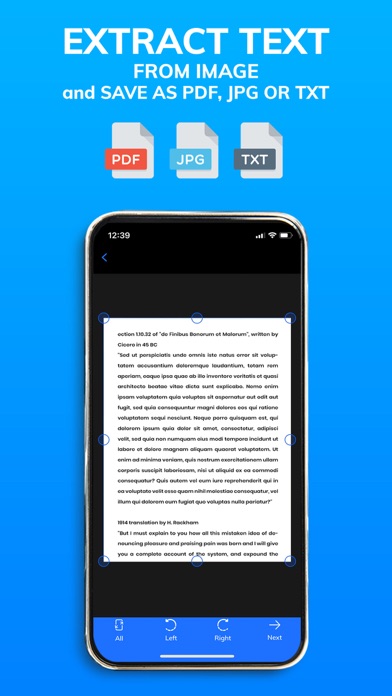
Automatically recognize & extract text inside scanned documents & photos
QUICK, EASY AND 100% PROFESSIONAL
A MUST-HAVE FOR BUSINESS OWNERS AND STUDENTS
The PDF Document Scanner & PDF Converter is a must-have iPhone app for
- Small business owners like realtors, lawyers, managers & accountants
- Home office and Remote work
- Homeschooling
- Students and more ...
EASY SCAN ANY TYPE OF DOCUMENTS INTO PDF
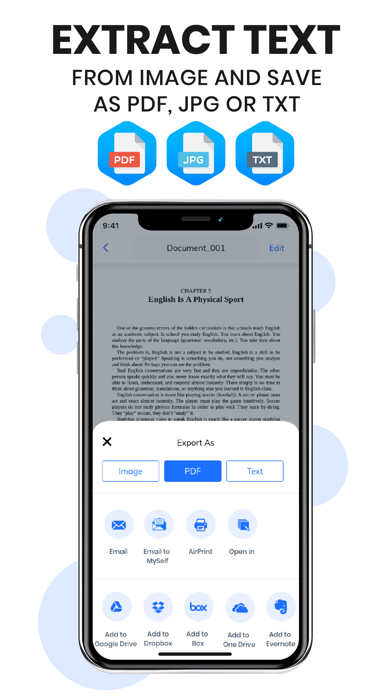
Easy scan any type of documents into clear & sharp PDFs & email within minutes in PDF, Image or Text format
EASY PDF CONVERTER
Convert and create PDF from various documents
SAVE TIME AND MONEY
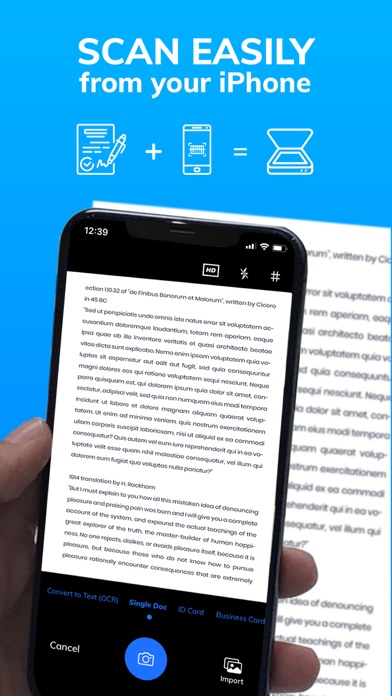
How to scan documents to PDF on iPhone?
Point camera to document, take a shot, follow the interactive tips
FEATURE-RICH MOBILE SCANNER APP FOR IPHONE
- Clear & sharp High-quality PDFs and images
- Scan any documents like passport, ID card, bill, invoice, receipt, book, business card, word text documents, form, etc.
- PDF signer: Sign PDFs directly on your iPhone
- Share to all major clouds like Google Drive,Dropbox,Box,Evernote,Microsoft OneDrive
- Share to common messengers like WhatsApp,Facebook Messenger,WeChat,QQ Mobile,Telegram,Snapchat,Viber,LINE,IMO,Discord,KakaoTalk
- Easy send per email
- Automatic cropping
- Premium color adjustment
- High-quality OCR: Easy extract Text from Photos and document scan
- Multiple pages into one PDF
- Business cards: Turbo scan as pictures and save instantly to contacts
- Quality QR code scanner and ID scanner
- Portable scanner for images and paper documentation
- Really easy to use
YOUR BENEFITS:
- High quality portable scanning
- Easily increase business productivity with the best PDF scanning app
- Ready to use ID card scanner, business card scanner, passport scanner, photo image scanner, receipt scanner and book scanner
- Mobile QR code reader
- E-sign documents on the go: signing documents is fast, easy and highly secure. Signature by hand or extract from Photo or Camera
- Professional genius scan app for iPhone
- Fast & Free iOS PDF creator: make PDF format from any paper document
- Create PDF with watermark
- Clean scannable quality
- PDF editor
- A must have tiny camera scanner for Home Office, Students and Remote Work
Get it Now while it is FREE!
UNLIMITED ACCESS MEMBERSHIP SUBSCRIPTION
– You can subscribe for unlimited access to all features within the app
– Subscriptions are billed weekly, monthly, quarterly or annually at the rate selected depending on the subscription plan
– Payment will be charged to iTunes Account at confirmation of purchase
– Subscription automatically renews unless auto-renew is turned off at least 24 hours before the end of the current period
– The account will be charged for renewal within 24 hours prior to the end of the current period at the then-current price
- Subscriptions may be managed by the user and auto-renewal may be turned off and cancelled by going to your Account settings after purchase
- Any unused portion of a free trial period, if offered, will be forfeited when the user purchases a subscription
Privacy Policy & Terms of Use: www.pdfdocumentscannerapp.com
Not happy with our service?
We are sorry that you are not happy with our service.
Can we help? If you have any complaints or questions, please let us know, we will do our best to solve your issue as soon as possible.
Here you will find further help, FAQ and a form to contact us directly
www.pdfdocumentscannerapp.com
Safety and technology
Found in the app by AppBrain- Price
- Free
- App size
- 71.9 MB
- Content rating
- Everyone
Technologies used by PDF Document Scanner: Scan App
Releases
Updates seen on the App Store- Version
- 1.3.1
- Launched
- December 2020
No changelog data
Alternatives
Similar apps and more from Chili Marketing LtdAlternatives to PDF Document Scanner: Scan App







Rankings
App Store top chartsApp Store Rankings for PDF Document Scanner: Scan App
About the app and developer
About PDF Document Scanner: Scan App
PDF Document Scanner: Scan App is a productivity app developed by Chili Marketing Ltd.
User Ratings
PDF Document Scanner: Scan App is rated 4.75 out of 5 stars. The rating is based on 16 ratings.
App Information
PDF Document Scanner: Scan App is freely available from the App Store. The app size is 71.92 MB. The latest version available is 1.3.1. The last update was on November 3, 2021.
Technical Requirements
The app has a content rating of Everyone. The app has been available on the App Store since December 2020.
Developer information for Chili Marketing Ltd
Address:
Frequently asked questions about PDF Document Scanner: Scan App
Is PDF Document Scanner: Scan App free?
Yes. PDF Document Scanner: Scan App is free on the App Store.
Is PDF Document Scanner: Scan App still available?
Yes. PDF Document Scanner: Scan App is on the App Store, and the last update we saw was on November 3, 2021.
How large is PDF Document Scanner: Scan App?
PDF Document Scanner: Scan App is 71.92 MB.
Is PDF Document Scanner: Scan App suitable for children?
App Store rates the content of PDF Document Scanner: Scan App as suitable for everyone.
How do people rate PDF Document Scanner: Scan App?
PDF Document Scanner: Scan App scores 4.75 out of 5 stars, from 16 ratings on the App Store.
Who made PDF Document Scanner: Scan App?
PDF Document Scanner: Scan App was developed by Chili Marketing Ltd. It is listed in the productivity category on the App Store.
What are the best alternatives to PDF Document Scanner: Scan App?
People looking at PDF Document Scanner: Scan App also look at these productivity apps: Clear Task List, Moonlight: Sleep & Sounds, Memo Sticky Notes + Widget, VPN Hotspot Browser & More, Voice Memos Recorder.