

PDF Documents Scanner: Scan
PDF Documents Scanner: Scan is made and published by Yauheni Chyruk. AppBrain is an independent app data site and isn't affiliated with Yauheni Chyruk. The app name, icon, screenshots and description belong to Yauheni Chyruk and are shown as published on the App Store.
AppBrain's verdict
- Last updated
- September 8, 2026
- Size
- 11.6 MB
User feedback
Ratings and reviews on the App StoreComments on PDF Documents Scanner: Scan for iOS
We don't have enough comments to show example comments. Please check back later.
Store listing
By Yauheni Chyruk, from the App Store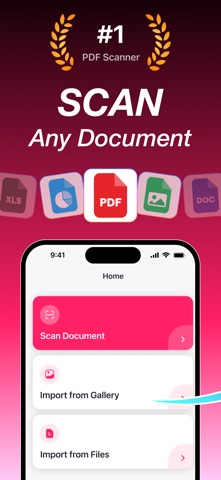


Description by Yauheni Chyruk Written by the developer, not by AppBrain. Click to read.
PDF Documents Scanner uses Apple's VisionKit to detect document edges, capture, and convert to PDF — all on your device. No cloud uploads, no accounts, no data leaks.
WHAT'S FREE
• One complete document every week — scan it, convert it, save it, view it, share it
• Auto edge detection on every scan
• All filters: original, enhanced, grayscale, black & white
• Rotate and reorder pages
• No watermarks on your PDF
PREMIUM (subscription required)
• Unlimited documents — scan and save as many as you want
• Extract text from any scan and copy it
• Import from Photos
• Import from Files
Your free document each week is a real, finished PDF. No watermark, no expiry, no locked preview. The Home screen always shows how many free scans you have left before you start.
SMART DOCUMENT SCANNING
Auto-detect document edges and capture in one tap. Built with Apple's VisionKit for crisp, accurate scans every time.
SMART FILTERS
Auto-enhance every scan with enhanced, grayscale, and black & white filters. Sharper, cleaner pages with no manual tweaking.
ROTATE & PERFECT
Fix page orientation with a single tap. Get exactly the document you need.
EXTRACT TEXT — Premium
Open any saved document and tap Copy Text. The app reads the page and gives you the words back, ready to paste into an email, a note, or a search box. Recognition runs entirely on your iPhone — your documents are never uploaded.
ORGANIZED LIBRARY
Every document you save is organized and easy to find. Tap any document to view, share, or export.
SHARE EVERYWHERE
Send PDFs via Mail, Messages, AirDrop, or Files — anywhere iOS supports sharing.
IMPORT FROM ANYWHERE — Premium
Turn existing photos or files into PDFs. Import from Photos or Files in seconds.
PRIVATE BY DESIGN
Most scanner apps upload your documents to their servers. PDF Documents Scanner processes everything on-device — edge detection and text recognition both run on your iPhone. Your receipts, contracts, and IDs stay where they belong.
Download PDF Documents Scanner and turn your iPhone into a private pocket scanner today.
Terms of Use: https://www.apple.com/legal/internet-services/itunes/dev/stdeula/
Privacy Policy: https://docs.google.com/document/d/e/2PACX-1vQHCNI-JA4AUXOFM21Xnhp58kJkSFvC3nr9zvBY77JKTdiwFICBvKw4r6OHzbdw2AlpeY-0ENuc9lVj/pub
Safety and technology
Found in the app by AppBrain- Price
- Free
- App size
- 11.6 MB
- Content rating
- Low
Technologies used by PDF Documents Scanner: Scan
Releases
Updates seen on the App Store- Version
- 1.2
- Launched
- June 2026
No changelog data
Alternatives
Similar apps and more from Yauheni ChyrukAlternatives to PDF Documents Scanner: Scan


More from Yauheni Chyruk


Rankings
App Store top chartsApp Store Rankings for PDF Documents Scanner: Scan
About the app and developer
About PDF Documents Scanner: Scan
PDF Documents Scanner: Scan is a business app developed by Yauheni Chyruk.
What is the rating of PDF Documents Scanner: Scan?
PDF Documents Scanner: Scan has no ratings yet.
Is PDF Documents Scanner: Scan free?
PDF Documents Scanner: Scan is free. The app size is 11.58 MB. The latest version available is 1.2. The last update was on September 8, 2026.
What are the requirements for PDF Documents Scanner: Scan?
The app has a content rating of Low Maturity. The app has been available on the App Store since June 2026.
Developer information for Yauheni Chyruk
Address:
Frequently asked questions about PDF Documents Scanner: Scan
Is PDF Documents Scanner: Scan free?
Yes. PDF Documents Scanner: Scan is free on the App Store.
Is PDF Documents Scanner: Scan still available?
Yes. PDF Documents Scanner: Scan is on the App Store, and the last update we saw was on September 8, 2026.
How large is PDF Documents Scanner: Scan?
PDF Documents Scanner: Scan is 11.58 MB.
Is PDF Documents Scanner: Scan suitable for children?
App Store gives PDF Documents Scanner: Scan a low maturity rating, so it is meant for older children and up.
Who made PDF Documents Scanner: Scan?
PDF Documents Scanner: Scan was developed by Yauheni Chyruk. It is listed in the business category on the App Store.
What are the best alternatives to PDF Documents Scanner: Scan?
People looking at PDF Documents Scanner: Scan also look at these business apps: SnapScan: PDF Scanner & OCR, PDF Scanner - PaperSnap, ScanKit - PDF Document Scanner, PDF Converter: Scan Docs, NovaPDF: PDF Scanner & Editor.