PDF Lock: Unlock & Protect is an utilities app developed by Nikunj Gondaliya.
What is the rating of PDF Lock: Unlock & Protect?
PDF Lock: Unlock & Protect has no ratings yet.
Is PDF Lock: Unlock & Protect free?
PDF Lock: Unlock & Protect is free. The app size is 16.94 MB. The latest version available is 1.1.0. The last update was on August 25, 2026.
What are the requirements for PDF Lock: Unlock & Protect?
The app has a content rating of Everyone. The app has been available on the App Store since July 2026.
Description by Nikunj Gondaliya(from the App Store)
Forgot the password on an important PDF? Need to secure a document before sharing? PDF Lock: Unlock & Protect makes it simple — unlock or password-protect any PDF right on your iPhone or iPad, in just a few taps.
Your files never leave your device. Everything is processed locally using Apple's built-in PDF engine. No uploads. No cloud. No account required. No ads. Just fast, private PDF security whenever you need it.
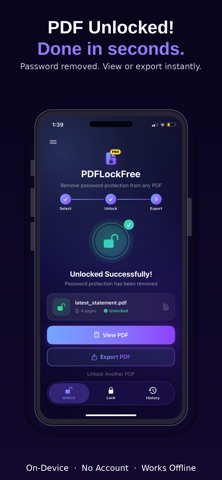
UNLOCK PDFs IN SECONDS Remove password protection from any PDF and get back to reading, editing, or sharing. Enter the current password, and your unlocked file is ready to export — to Files, Mail, WhatsApp, or any app you use.
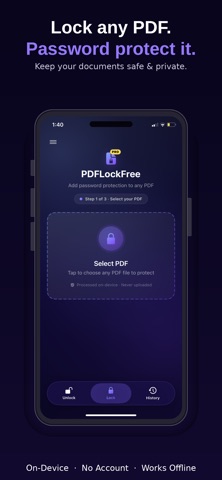
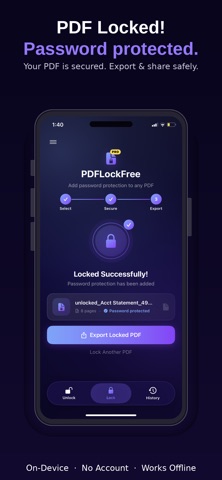
LOCK PDFs WITH A PASSWORD Keep sensitive documents safe before you send them. Add strong password protection to any PDF so only the right people can open it. (PDF Lock is included with PDF Lock: Unlock & Protect Pro.)
BUILT-IN PDF VIEWER Preview your unlocked or locked PDF inside the app before you export. Scroll through every page with a clean, full-screen viewer — no extra apps needed.
EASY EXPORT & SHARE Save processed PDFs to the Files app or share them instantly with the native iOS share sheet. Your workflow stays simple and familiar.
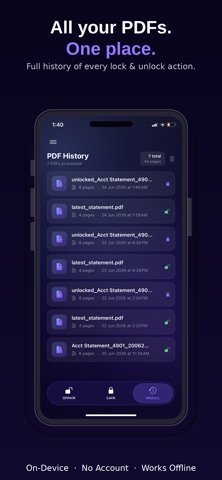
PDF HISTORY Revisit your recently processed files without hunting through folders. Open past PDFs directly from your history list and pick up where you left off.
HOW IT WORKS 1. Select a PDF from Files, Mail, or any app 2. Unlock it (enter the password) or lock it (set a new one) 3. Preview, export, or share — done
PRIVACY YOU CAN TRUST * 100% on-device processing — files are never sent to a server * No account or sign-up required * No ads, ever * Your passwords and documents stay on your device
FREE TO START Get 2 free PDF unlocks every day — no credit card, no commitment. Perfect for occasional use.
UPGRADE TO PRO Go unlimited with PDF Lock: Unlock & Protect Pro: * Unlimited PDF unlocks — no daily limits * Lock PDFs with password protection * Extended PDF history (last 20 files) * Priority support
Download PDF Lock: Unlock & Protect today and take control of your PDF security — privately, quickly, and right from your pocket. Subscription automatically renews unless cancelled at least 24 hours before the end of the current period. Manage or cancel anytime in your App Store account settings.
Terms of Use (EULA): https://www.apple.com/legal/internet-services/itunes/dev/stdeula/
Each subscription will automatically renew 3 days before the expiration date for
the same time period. Subscriptions can be cancelled at any time before the renewal.