

PDF Maker: Scan & Edit
PDF Maker: Scan & Edit is made and published by Jay Lakhani. AppBrain is an independent app data site and isn't affiliated with Jay Lakhani. The app name, icon, screenshots and description belong to Jay Lakhani and are shown as published on the App Store.
AppBrain's verdict
- Rating on App Store
- 4.81
- 48 ratings
- Last updated
- July 28, 2026
- Size
- 33.0 MB
It doesn't have enough ratings yet to judge what users think.
User feedback
Ratings and reviews on the App StoreComments on PDF Maker: Scan & Edit for iOS
We don't have enough comments to show example comments. Please check back later.
Store listing
By Jay Lakhani, from the App Store




Description by Jay Lakhani Written by the developer, not by AppBrain. Click to read.
Whether you’re creating PDFs from photos, editing important documents, scanning IDs, using OCR text recognition, or organizing files, this app gives you everything you need to manage PDFs efficiently — all in one place.
## Edit & Customize PDFs
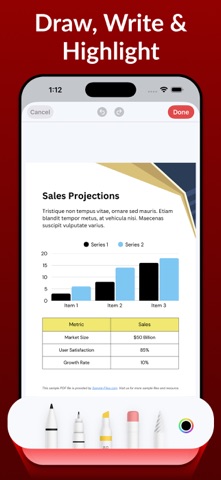
• Edit existing PDF files with ease
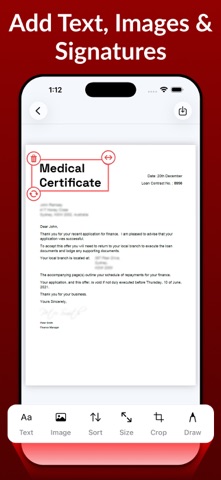
• Add text, images, drawings, and annotations
• Resize pages to multiple paper sizes
• Crop pages and adjust layout
• Change page orientation
• Add signatures to PDFs
• Apply advanced image filters for better clarity
## Create PDFs Instantly
• Convert images to PDF
• Create PDFs from text files
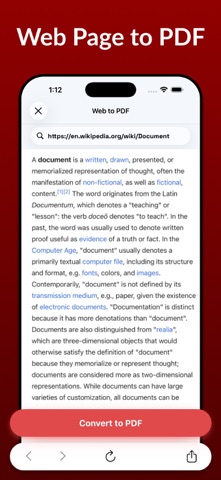
• Web page to PDF conversion
• Smart document scanning
• OCR Text Recognition from images & documents
• Extract text from scanned documents
• ID card scanning with auto-enhancement
• Receipt Scanner with PDF export
• Scan QR & Barcodes to PDF
## Convert & Export
• Convert PDF to JPG
• Import existing PDF files
• Print PDFs directly from the app
## Organize & Optimize
• Merge multiple PDFs into one
• Split PDFs into smaller files
• Compress PDF files to reduce size
• Lock PDFs with password protection
• Unlock secured PDFs when permitted
## Secure & Reliable
Your documents matter. Keep sensitive files protected with password-secured PDFs and manage everything safely on your device.
## Upgrade to Pro and unlock
• Unlimited PDF editing & creation
• Advanced scanning, OCR & compression tools
• Unlimited file imports & exports
• Secure PDF locking & unlocking
## Made for Everyday Use
Perfect for students, professionals, business documents, contracts, forms, invoices, study material, scanned paperwork, and OCR text extraction. Create and manage PDFs anytime, anywhere.
Start with free features and upgrade anytime to unlock the full PDF experience.
## Subscription Information
If you subscribe to a “Pro” plan, payment will be charged to your iTunes account at confirmation of purchase.
Any unused portion of a free trial (if offered) will be forfeited when you purchase a subscription.
Subscriptions automatically renew unless auto-renew is turned off at least 24 hours before the end of the current period.
You can manage subscriptions and turn off auto-renewal in your Account Settings.
Cancellations are not allowed during an active subscription period.
For support or questions, please contact us at [miraclefifth@gmail.com](mailto:miraclefifth@gmail.com)
Privacy Policy – https://pdf-studio-scan-edit-pro.blogspot.com/2026/01/privacy-policy.html
Terms of Use – https://pdf-studio-scan-edit-pro.blogspot.com/2026/01/terms-of-use.html
EULA – https://pdf-studio-scan-edit-pro.blogspot.com/2026/01/eula.html
If you enjoy using this PDF Maker app, please take a moment to rate us and share your feedback — it helps us improve and add more powerful features for you.
Safety and technology
Found in the app by AppBrain- Price
- Free
- App size
- 33.0 MB
- Content rating
- Everyone
Technologies used by PDF Maker: Scan & Edit
Releases
Updates seen on the App Store- Version
- 1.7
- Launched
- January 2026
No changelog data
Alternatives
Similar apps and more from Jay LakhaniAlternatives to PDF Maker: Scan & Edit



More from Jay Lakhani




Rankings
App Store top chartsApp Store Rankings for PDF Maker: Scan & Edit
About the app and developer
About PDF Maker: Scan & Edit
PDF Maker: Scan & Edit is a business app developed by Jay Lakhani.
What is the rating of PDF Maker: Scan & Edit?
PDF Maker: Scan & Edit is rated 4.81 out of 5 stars, based on 48 ratings.
Is PDF Maker: Scan & Edit free?
PDF Maker: Scan & Edit is free. The app size is 32.98 MB. The latest version available is 1.7. The last update was on July 28, 2026.
What are the requirements for PDF Maker: Scan & Edit?
The app has a content rating of Everyone. The app has been available on the App Store since January 2026.
Developer information for Jay Lakhani
Address: