

PDF Master: Editor & Scanner
PDF Master: Editor & Scanner is made and published by shellmob. AppBrain is an independent app data site and isn't affiliated with shellmob. The app name, icon, screenshots and description belong to shellmob and are shown as published on the App Store.
AppBrain's verdict
- Rating on App Store
- 5.00
- 3 ratings
- Last updated
- March 17, 2026
It doesn't have enough ratings yet to judge what users think.
Rankings
App Store top chartsApp Store Rankings for PDF Master: Editor & Scanner
Competitors
Similar apps and more from shellmobAlternatives to PDF Master: Editor & Scanner







More from shellmob




Releases
Updates seen on the App Store- Version
- 2.1.0
- Launched
- January 2022
No changelog data
User feedback
Ratings and reviews on the App StoreComments on PDF Master: Editor & Scanner for iOS
We don't have enough comments to show example comments. Please check back later.
Technology
Found in the app by AppBrain- Price
- Free
- App size
- 49.5 MB
- Content rating
- Everyone
Technologies used by PDF Master: Editor & Scanner
About the app and developer
About PDF Master: Editor & Scanner
PDF Master: Editor & Scanner is a productivity app developed by shellmob.
User Ratings
PDF Master: Editor & Scanner is rated 5.00 out of 5 stars. The rating is based on 3 ratings.
App Information
PDF Master: Editor & Scanner is freely available from the App Store. The app size is 49.53 MB. The latest version available is 2.1.0. The last update was on March 17, 2026.
Technical Requirements
The app has a content rating of Everyone. The app has been available on the App Store since January 2022.
Developer information for shellmob
Address:
Store listing
By shellmob, from the App Store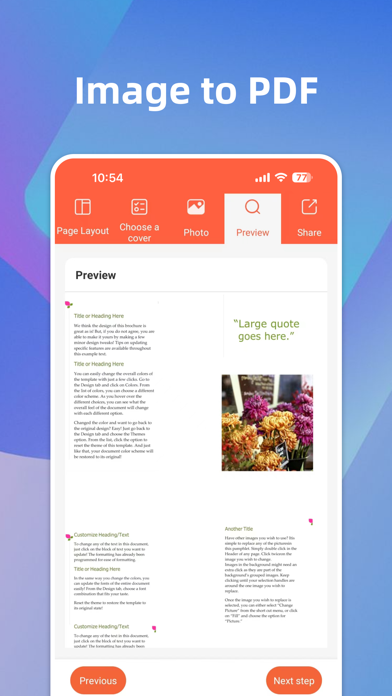

Description by shellmob Written by the developer, not by AppBrain. Click to read.
Struggling with complex PDF tasks? PDF Document Assistant is a professional-grade utility designed for iPhone and iPad users. It combines editing, converting, scanning, reading, and signing into one powerful app, helping you handle any PDF challenge with ease. Whether for work, study, or daily life, say goodbye to complicated workflows and enjoy a faster, smarter experience!
Key Features:
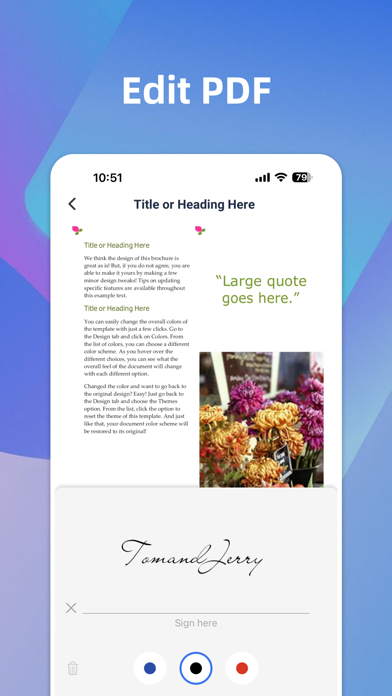
【Professional PDF Editor】 Modify PDF content effortlessly. Use a full suite of annotation tools including text, images, highlights, underlines, and shapes. Quickly add handwritten or electronic signatures to sign contracts on the go. Manage pages by deleting, adding, or reordering them to perfect your document structure.
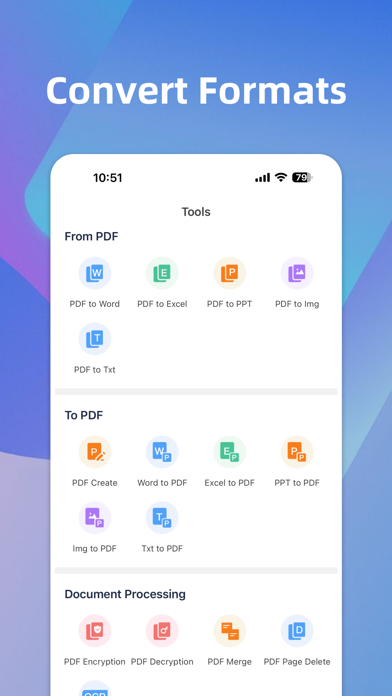
【Powerful PDF Converter】 Our high-performance engine supports precise conversion between PDF and Word, Excel, PPT, Images, and TXT. You can also turn any document or photo into a PDF with a single tap. We ensure your layouts remain intact and professional without any formatting errors.
【HD Mobile Scanner】 Turn your phone into a professional scanner! Capture contracts, receipts, books, or IDs and instantly generate high-definition PDFs. Features include automatic edge detection, image optimization, and OCR text recognition to extract text from images easily.
【Image to PDF Maker】 Quickly merge multiple photos into a single PDF document. Perfect for saving and sharing collections of photos, screenshots, or scanned pages with customizable layouts.
【Smooth Reader & File Manager】 Enjoy a fluid reading experience with support for importing files from WeChat, QQ, and local storage. Features include zoom, rotation, and Dark Mode for comfortable viewing. Stay organized with an intelligent file management system using tags and folders.
Why Choose PDF Master?
All-in-One Efficiency: Everything you need for PDFs in one place—no more switching between multiple apps.
Intuitive Design: A clean, user-friendly interface that anyone can master in seconds.
Precision & Stability: High-quality conversion and scanning technology that preserves every detail.
Secure & Private: We prioritize your document privacy, ensuring your data stays safe.
Download PDF Master today and transform the way you work with documents!
Subscription Information:
Payment will be charged to your iTunes Account at confirmation of purchase.
Subscription automatically renews unless auto-renew is turned off at least 24 hours before the end of the current period.
Account will be charged for renewal within 24 hours prior to the end of the current period.
Subscriptions may be managed by the user and auto-renewal may be turned off by going to the user's Account Settings after purchase.
Privacy & Terms:
Privacy Policy: http://www.palmmob.cn/yinsi/pdfiosyinsi.html
Terms of Use: http://www.palmmob.cn/yinsi/pdfyonghu.html