

PDF Photo & Document Converter
PDF Photo & Document Converter is made and published by Solid Apps LLC. AppBrain is an independent app data site and isn't affiliated with Solid Apps LLC. The app name, icon, screenshots and description belong to Solid Apps LLC and are shown as published on the App Store.
AppBrain's verdict
- Rating on App Store
- 4.32
- 57 ratings
- Last updated
- October 15, 2026
It doesn't have enough ratings yet to judge what users think.
Rankings
App Store top chartsApp Store Rankings for PDF Photo & Document Converter
Competitors
Similar apps and more from Solid Apps LLCAlternatives to PDF Photo & Document Converter


More from Solid Apps LLC


Releases
Updates seen on the App Store- Version
- 1.8.1
- Launched
- March 2026
No changelog data
User feedback
Ratings and reviews on the App StoreComments on PDF Photo & Document Converter for iOS
We don't have enough comments to show example comments. Please check back later.
Technology
Found in the app by AppBrain- Price
- Free
- App size
- 48.2 MB
- Content rating
- Medium
Technologies used by PDF Photo & Document Converter
About the app and developer
About PDF Photo & Document Converter
PDF Photo & Document Converter is an utilities app developed by Solid Apps LLC.
User Ratings
PDF Photo & Document Converter is rated 4.32 out of 5 stars. The rating is based on 57 ratings.
App Information
PDF Photo & Document Converter is freely available from the App Store. The app size is 48.17 MB. The latest version available is 1.8.1. The last update was on October 15, 2026.
Technical Requirements
The app has a content rating of Medium Maturity. The app has been available on the App Store since March 2026.
Developer information for Solid Apps LLC
Address:
Store listing
By Solid Apps LLC, from the App Store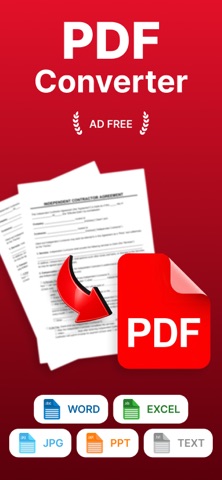


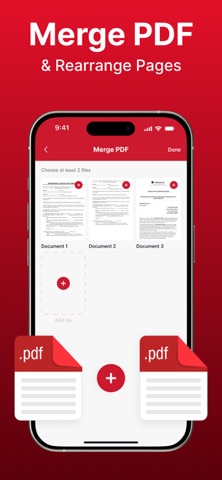


Description by Solid Apps LLC Written by the developer, not by AppBrain. Click to read.
Use your camera to scan receipts, notes, contracts, forms, or any paper document with smart automatic edge detection that quickly finds the document and creates a clean, high-quality scan. Advanced image processing helps improve readability and ensures your documents look sharp and professional.
Apply filters and adjustments to enhance your scans and make text easier to read. Whether you're saving personal records, work documents, or study materials, your PDFs will always look neat and well organized.
Keep your files structured and easy to access with convenient folders and simple document management tools. Quickly find what you need, keep important files in one place, and stay organized without effort.
Designed for speed and simplicity, this app helps you digitize paperwork, reduce clutter, and keep your documents accessible wherever you go. It's the perfect companion for students, professionals, and anyone who wants a simple and effective way to manage documents on their device.
For Terms of Use, please visit:
https://sites.google.com/view/pdfconverterscannereditor/terms-conditions
For Privacy Policy, please visit:
https://sites.google.com/view/pdfconverterscannereditor/privacy-policy