AppBrain
AppBrain
  • Apps
  • Apps being viewed right now Trending apps today Most popular apps All-time most installed apps Top rated apps iPhone and iPad apps
  • Intelligence ▾
    Intelligence overview → Track any Android app or your whole market
    Track & analyze
    Keyword Tracker & OptimizerTrack & improve Play rankings App Performance ReportOne-off PDF for any app StatisticsFree Android & Play market stats
    Promote your app
    Featured Apps App Links
  • Intelligence
  • Pricing
  • Dashboard
  • Sign up
  • Log in
App Store Apps > Utilities > PDF Reader - Edit And Storage
App profile & analytics · Utilities · Data updated 2026-10-06
PDF Reader - Edit And Storage icon

PDF Reader - Edit And Storage

by ABV Mobile · Free · Version 2.2.0
Availability On the App Store since June 2014 ↗
Rating on App Store
3.97/5
93 ratings
Rating
3.97
93 reviews
Best rank
–
not in the top lists
Last updated
March 11, 2026
2.2.0
AppBrain's verdict Established

It doesn't have enough ratings yet to judge what users think.

PDF Reader - Edit And Storage is made and published by ABV Mobile. AppBrain is an independent app data site and isn't affiliated with ABV Mobile. The app name, icon, screenshots and description belong to ABV Mobile and are shown as published on the App Store.

About PDF Reader - Edit And Storage

PDF Reader - Edit And Storage is an utilities app developed by ABV Mobile.

What is the rating of PDF Reader - Edit And Storage?

PDF Reader - Edit And Storage is rated 3.97 out of 5 stars, based on 93 ratings.

Is PDF Reader - Edit And Storage free?

PDF Reader - Edit And Storage is free. The app size is 52.33 MB. The latest version available is 2.2.0. The last update was on March 11, 2026.

What are the requirements for PDF Reader - Edit And Storage?

The app has a content rating of Everyone. The app has been available on the App Store since June 2014.

Description by ABV Mobile (from the App Store)
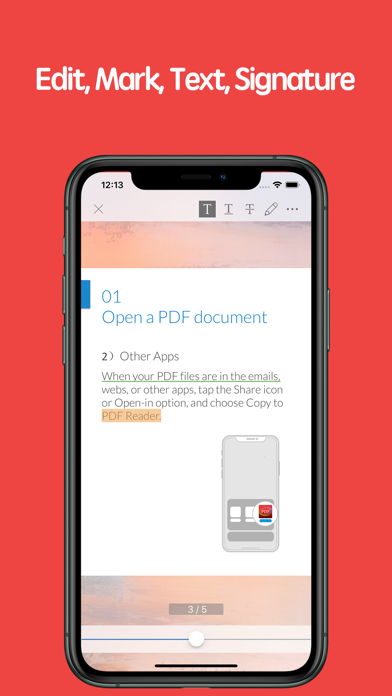
PDF Reader is an easy-to-use software that can quickly view, edit, search, annotate, share or print PDF content ,including forms and multimedia to meet your daily work needs.

【Main functions】
• View
• Text search
• Annotations
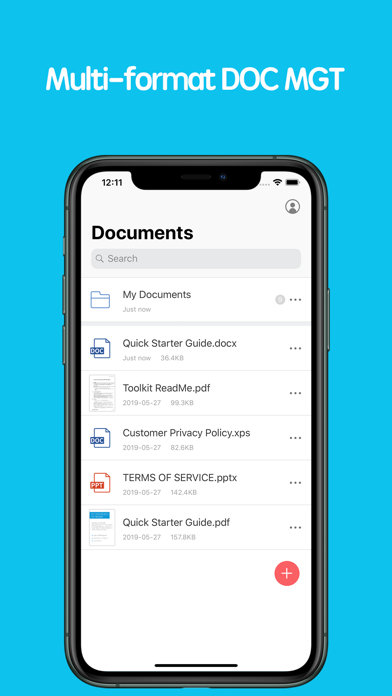
• Document Management
• Support multiple document formats
• Share
• Print

【Starter guide】
1. Open the PDF document
1) Open from other applications
Find the PDF document on emails, webs or other application, tap the Share icon or Open-in option, and choose Copy to PDF Reader, select "PDF Reader". The document will be opened in the PDF Reader .
2) Within the APP
You can open the PDF documents that you viewed or edited recently within the APP .

2. Process the documents
Open the PDF documents and choose the tools at the top right to process.

3. Complete processing
Share files to your friends with email, Facebook, Twitter, Airdrop. Or, print it.

【PDF Reader VIP member subscription instructions】
We offer subscription plans as followed, the price will change depending on the currency

1-month subscription
1-year subscription

Payment will be charged to iTunes Account at confirmation of purchase. Subscriptions automatically renew unless auto-renew is turned off at least 24-hours before the end of the current period. Account will be charged for renewal within 24-hours prior to the end of the current period, and identify the cost of the renewal. Subscriptions may be managed by the user and auto renewal may be turned off by going to the user's Account Settings after purchase. No cancellation of the current subscription is allowed during active subscription period. Any unused portion of a free trial period will be forfeited when the user purchases a subscription to that publication, where applicable.

Terms of service: https://kkyun.com/html/service.html
Privacy policy: https://kkyun.com/html/privacy.html

【Feedback】
Please contact us: service@kkyun.com
Show more Show less

Screenshots

PDF Reader - Edit And Storage Screenshot 1 of 4
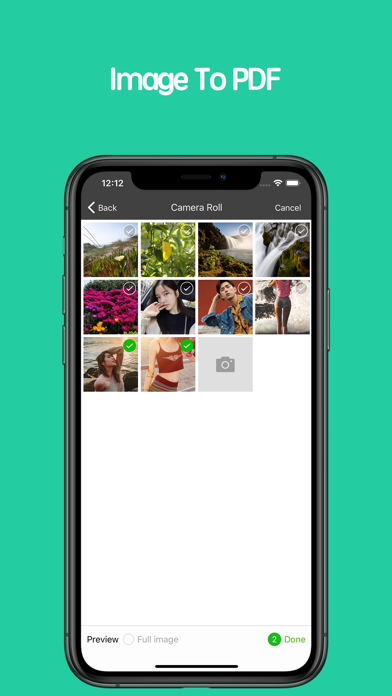
PDF Reader - Edit And Storage Screenshot 2 of 4
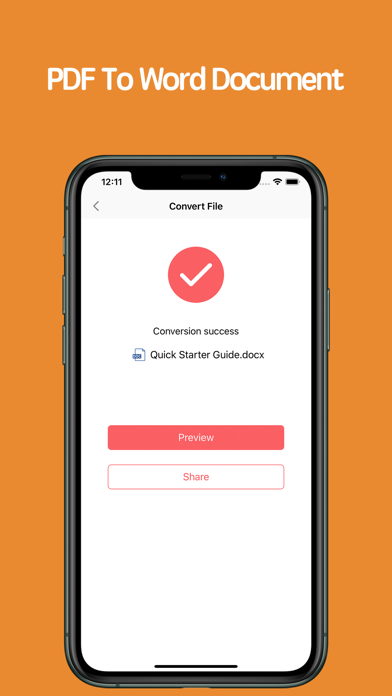
PDF Reader - Edit And Storage Screenshot 3 of 4
PDF Reader - Edit And Storage Screenshot 4 of 4
Screenshots by ABV Mobile, from the the App Store listing
Official page on the App Store

Alternatives to PDF Reader - Edit And Storage

PDF Editor: Filler,Stamp,Sign icon PDF Editor: Filler,Stamp,Sign
pixel force private limited
0.0
Free
PDF Reader-simple icon PDF Reader-simple
Aishvarya Sadasivam
0.0
Free
XPS Converter, XPS to PDF icon XPS Converter, XPS to PDF
Alberto Gonzalez
2.3
Free
3 ratings
PDF Reader: Editor & Converter icon PDF Reader: Editor & Converter
Laxay Gajera
4.4
Free
18 ratings
Simple Pdf-reader icon Simple Pdf-reader
zaai developer
3.2
Free
6 ratings
PDF Reader - Editor & Viewer icon PDF Reader - Editor & Viewer
Kdan Mobile Software LTD
4.5
Free
3.7K ratings
PDF Editor - Read & Edit PDF icon PDF Editor - Read & Edit PDF
ZipoApps
4.3
Free
189 ratings
Simple Spreadsheet:view & edit icon Simple Spreadsheet:view & edit
WEN WU LI
4.6
Free
6.9K ratings

More from ABV Mobile

Call Flash - Color Your Phone icon Call Flash - Color Your Phone
ABV Mobile
4.4
Free
247 ratings
KK Number Helper icon KK Number Helper
ABV Mobile
4.9
Free
128 ratings
66铃声-手机铃声直接设置 icon 66铃声-手机铃声直接设置
ABV Mobile
4.3
Free
20 ratings
ParrotNote-AI Note Taker icon ParrotNote-AI Note Taker
ABV Mobile
5.0
Free
1 ratings
Gamlive icon Gamlive
ABV Mobile
5.0
Free
1 ratings
SpeakNotes-AI Notes & Meeting icon SpeakNotes-AI Notes & Meeting
ABV Mobile
0.0
Free
LightNote-AI Note Taker icon LightNote-AI Note Taker
ABV Mobile
0.0
Free
OwlNote-AI Meeting Notes icon OwlNote-AI Meeting Notes
ABV Mobile
0.0
Free

Changelog of PDF Reader - Edit And Storage

No changelog data

Developer information for ABV Mobile

ABV Mobile

Address:

Share PDF Reader - Edit And Storage

Comments on PDF Reader - Edit And Storage for iOS

We don't have enough comments to show example comments. Please check back later.

App Store Rankings for PDF Reader - Edit And Storage

This app is not ranked

Technologies used by PDF Reader - Edit And Storage

Price drops on Google Play Apps other people are watching Top new apps Popular Utilities Apps Today's trending apps
PDF Editor: Filler,Stamp,Sign icon PDF Editor: Filler,Stamp,Sign
PDF Reader-simple icon PDF Reader-simple
XPS Converter, XPS to PDF icon XPS Converter, XPS to PDF
PDF Reader: Editor & Converter icon PDF Reader: Editor & Converter
Simple Pdf-reader icon Simple Pdf-reader
PDF Reader - Editor & Viewer icon PDF Reader - Editor & Viewer
PDF Editor - Read & Edit PDF icon PDF Editor - Read & Edit PDF
Simple Spreadsheet:view & edit icon Simple Spreadsheet:view & edit
Overview Alternatives Reviews Rankings Technology
AppBrain Intelligence premium content

Subscribe now to get full and unlimited access to AppBrain Intelligence. You'll have access to:

  • App Intelligence dashboard (performance timeline, competitor comparison, country rankings, insight cards)
  • Detailed ranking data per app
  • Full timeline per developer
  • Device market shares data per country
  • Unlimited keyword tracking
1 Month

$75/mo
(billed every month)

SAVE 0%
Subscribe
3 Months

$65/mo
($195 billed every 3 months)

SAVE 13%
Subscribe
1 Year

$57.50/mo
($690 billed every year)

SAVE 23%
Subscribe
Each subscription will automatically renew 3 days before the expiration date for the same time period. Subscriptions can be cancelled at any time before the renewal.

AppBrain is an app data site, we track rankings, ratings, installs for all apps and games on Google Play and the App Store. AppBrain doesn't host app files or APKs, all install links go directly to the official store. All trademarks are owned by their respective owners.

More apps

  • Top Android apps being viewed
  • NewEyes — AI, with Eyes
  • alphaXiv
  • WIYAK: Taxi Kuwait & Delivery

App statistics

  • Android statistics
  • Google Play Developer stats
  • Trending Android Apps
  • Trending iOS apps
  • Top popular Apps
  • Buy the best Android phone
  • Buy & sell app businesses

About AppBrain

  • Contact
  • Privacy
  • Documentation
  • DMCA takedowns
  • Articles
  • Blog
  • Monetization tips: Understanding your eCPM
© 2010-2026 - AppBrain