
PDF Scanner App - Scan PDF Doc
PDF Scanner App - Scan PDF Doc is made and published by PDF Scanner Editor PDF Converter Expert. AppBrain is an independent app data site and isn't affiliated with PDF Scanner Editor PDF Converter Expert. The app name, icon, screenshots and description belong to PDF Scanner Editor PDF Converter Expert and are shown as published on the App Store.
AppBrain's verdict
Loved by users- Rating on App Store
- 4.84
- 217 ratings
- Last updated
- October 26, 2023
Users love it: 4.8 stars from 217 ratings.
Rankings
App Store top chartsApp Store Rankings for PDF Scanner App - Scan PDF Doc
Competitors
Similar apps and more from PDF Scanner Editor PDF Converter ExpertAlternatives to PDF Scanner App - Scan PDF Doc







More from PDF Scanner Editor PDF Converter Expert


Releases
Updates seen on the App Store- Version
- 1.2
- Launched
- October 2023
No changelog data
User feedback
Ratings and reviews on the App StoreComments on PDF Scanner App - Scan PDF Doc for iOS
We don't have enough comments to show example comments. Please check back later.
Technology
Found in the app by AppBrain- Price
- Free
- App size
- 30.0 MB
- Content rating
- Everyone
Technologies used by PDF Scanner App - Scan PDF Doc
About the app and developer
About PDF Scanner App - Scan PDF Doc
PDF Scanner App - Scan PDF Doc is a business app developed by PDF Scanner Editor PDF Converter Expert.
User Ratings
PDF Scanner App - Scan PDF Doc is rated 4.84 out of 5 stars. The rating is based on 220 ratings.
App Information
PDF Scanner App - Scan PDF Doc is freely available from the App Store. The app size is 29.97 MB. The latest version available is 1.2. The last update was on October 26, 2023.
Technical Requirements
The app has a content rating of Everyone. The app has been available on the App Store since October 2023.
Developer information for PDF Scanner Editor PDF Converter Expert
Frequently asked questions about PDF Scanner App - Scan PDF Doc
Is PDF Scanner App - Scan PDF Doc free?
Yes. PDF Scanner App - Scan PDF Doc is free on the App Store.
Is PDF Scanner App - Scan PDF Doc still available?
Yes. PDF Scanner App - Scan PDF Doc is on the App Store, and the last update we saw was on October 26, 2023.
How large is PDF Scanner App - Scan PDF Doc?
PDF Scanner App - Scan PDF Doc is 29.97 MB.
Is PDF Scanner App - Scan PDF Doc suitable for children?
App Store rates the content of PDF Scanner App - Scan PDF Doc as suitable for everyone.
How do people rate PDF Scanner App - Scan PDF Doc?
PDF Scanner App - Scan PDF Doc scores 4.84 out of 5 stars, from 217 ratings on the App Store.
Who made PDF Scanner App - Scan PDF Doc?
PDF Scanner App - Scan PDF Doc was developed by PDF Scanner Editor PDF Converter Expert. It is listed in the business category on the App Store.
What are the best alternatives to PDF Scanner App - Scan PDF Doc?
People looking at PDF Scanner App - Scan PDF Doc also look at these business apps: Cryptosignals.app, 4xsignals.app, ATPBot - AI Trading & Invest, Who’s Available: Provider Pro, FAX from iPhone・Send doc・Faxer.
Store listing
By PDF Scanner Editor PDF Converter Expert, from the App Store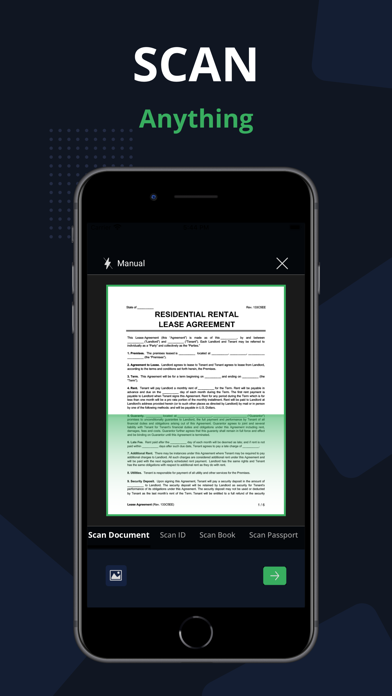


Description by PDF Scanner Editor PDF Converter Expert Written by the developer, not by AppBrain. Click to read.
With this app you can easily Scan app on your phone, you can effortlessly save time and energy by scanning swiftly whenever needed. The PDF Document are directly stored on your iPhone in either image or PDF format, courtesy of the free PDF scanner and high-definition camera scanner pro app for PDF scans.
- Scan PDF
Turn your iPhone or iPad into a powerful document scanner and PDF converter with the PDF Scanner App. Whether you need to scan PDF, digitize receipts, documents, business cards, whiteboards, IDs, books, or photos, our app has you covered. Easily transform images into PDFs in an instant.
- Scan ID & Passport
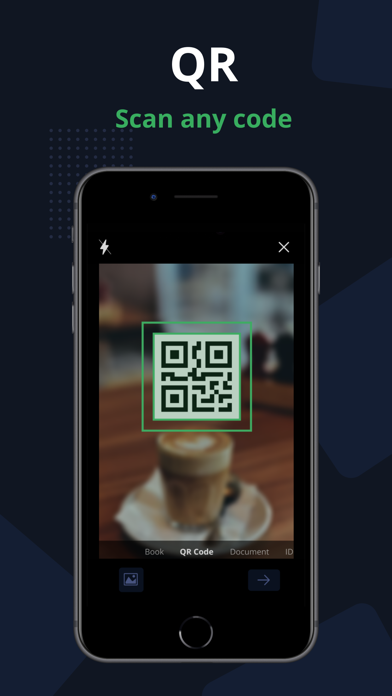
Effortlessly scan your ID cards and passports, then easily share them with others. This PDF Document Scanner App easily scans ID cards, passports, driver's licenses, visas, and various identity documents within seconds. It then stores the Scanned document within the device, utilizing the capabilities of both an ID scanner and a document scanner.
- Complete your paperwork from anywhere with ease
Use this PDF Document Scanner App to include an electronic signature using PDF sign tools. An intuitive PDF Editor App allows you to mark and edit fields, adding everything you need effortlessly.
- Scan Book with our PDF Scanner App
Use our free Document Scanner app to easily scan books, novels, magazines, and convert them to PDF format with the help of a Camera Scanner App. Save your scanned documents directly to your iPhone and iPad device in either image or PDF format using the Doc Scanner app.
Key Features of the PDF Scanner App - Free Document Scanner Pro & Scan PDF:
• Automatically detects document edges and corrects perspective of PDF Document.
• Enhance scan quality both automatically and manually.
• Free document and photo scanning with this camera scanner app.
• Extract text from images using OCR, making it searchable, editable, and shareable.
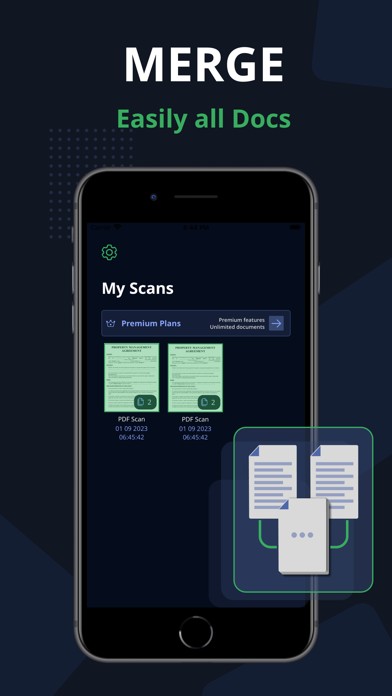
• Scan multiple pages and convert them to a multi-page PDF using the PDF document scanner app.
• Scan and print PDF documents using the free doc scanner app.
• Efficiently manage your files for better document organization.
• Convert selected images from your Image Gallery into PDF documents.
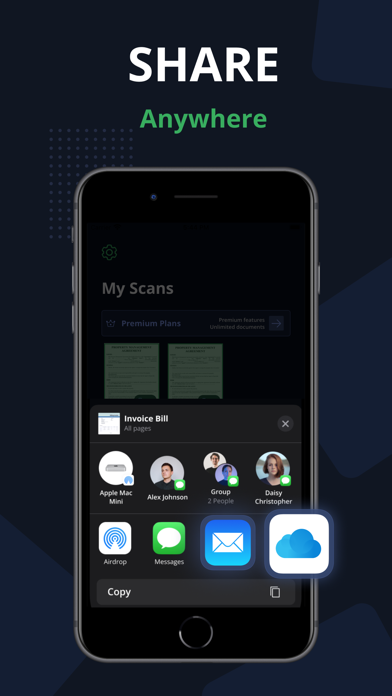
Scan, edit, sign, and effortlessly share any document in either PDF or JPEG format. Our scanner functions seamlessly without requiring an internet connection, storing all scans directly on your device.
Take your productivity to the next level with e-sign or sign PDF Document and OCR capabilities. Add your signature to scanned documents with just a few taps in Scanner Pro. Utilize text recognition to convert any scan into editable text.
Information about the auto-renewal of subscription for PDF Scanner Pro - Document Scanner App.
-Subscribe to unlock Pro access to all features, with charges applied upon purchase confirmation.
-Subscriptions automatically renew 24 hours prior to the expiration date. You can manage your subscriptions in the account settings within the App Store.
-Users have the option to manage subscriptions and disable auto-renewal by accessing their Account Settings after making a purchase.
-If a user purchases a subscription after a free trial period, any remaining unused portion of the trial will be forfeited.
Privacy Policy: https://www.techstic.org/privacy-pdf-scanner
Terms of Use: https://www.techstic.org/tos-pdf-scanner