PDF Scanner Document - CamScan is an overall app developed by Artep Media Development SRL.
Download Statistics
User Ratings
PDF Scanner Document - CamScan is rated 3.67 out of 5 stars. The rating is based on 3 ratings.
App Information
PDF Scanner Document - CamScan is FREE to download. The APK download size is 45.44 MB. The latest version available is 1.0.31. The last update was on January 9, 2026.
Technical Requirements
The app has a content rating of Everyone. The app has been available on Google Play July 2020.
Description
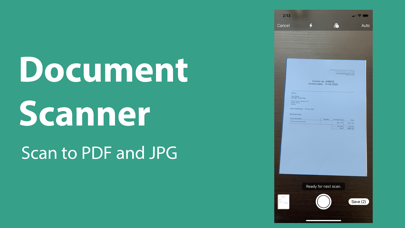
CamScan is an instant document scanner for iOS. Use your iOS device as a scanner. Scan anything you need including receipts, documents, paper notes, book and store your scans as multipage PDF or JPEG files.
Amazing functionality, countless features! CamScan is designed with an aim to address the major issues prevailing in every adult’s or teenager’s life. Whether you are a student who does not want to pay a hefty amount for a book or an adult looking for ways to store important receipts, documents and images with just a tap, the camScan app will offer the PDF scanner functionality you have always been searching for. Simply position the document in the scanner frame, wait for a few seconds and you are all set to convert, share and save important files for future needs.
In our application, you can easily turn any picture into text, our unique OCR function recogn
APPLICATION FEATURES:
- Scan to high-quality PDF or JPEG- Export documents in PDF, JPG, WORD, TXT - Color editor and built-in document editor - Automatic text recognition with OCR in multiple languages - Automatically detect a document in the camera and help in finding a document in the camera coverage area - Advanced image processing with color enhancement and correction, noise removal, automatic perspective correction and much more - Choose between low, medium and high scan quality - Multi-page scanning - scan as many pages as you want
Document Editor:
- Electronic signature of any document by adding your signature to scans in the application - Cut, copy or paste pages
File manager:
- Full-featured file manager with folders, drag and drop documents - Protect your documents by locking folders and scanning with a password - Sort documents by name, date or size - Choose between table and collection view modes
Tools for sharing documents:
- Share your scans by email - Easily print your scans from any Wi-Fi printer - Share and upload scanned documents to cloud services such as Dropbox or Google Drive. - Export scans to our Fax app and send faxes worldwide. - Save scans to photos
All scanned documents are stored locally on your device, they are not available to us, nor to third parties. You can easily share documents using the export option.
Each subscription will automatically renew 3 days before the expiration date for
the same time period. Subscriptions can be cancelled at any time before the renewal.