

PDF Scanner - Easy Scan PDF
PDF Scanner - Easy Scan PDF is made and published by Tsz Chung Chau. AppBrain is an independent app data site and isn't affiliated with Tsz Chung Chau. The app name, icon, screenshots and description belong to Tsz Chung Chau and are shown as published on the App Store.
AppBrain's verdict
- Best rank
- #10
- Top Paid, Russia
- Last updated
- August 25, 2025
Rankings
App Store top charts- Highest rank
- #10
- Chart
- Top Paid
- Productivity
- Country
- Russia
App Store Rankings for PDF Scanner - Easy Scan PDF
Top rankings
| Rank | Country | Category | List |
|---|---|---|---|
| 10 | Russia | Productivity | Top Paid |
Ranking history in Russia
Competitors
Similar apps and more from Tsz Chung ChauMore from Tsz Chung Chau


Releases
Updates seen on the App Store- Version
- 1.0.1
- Launched
- August 2025
No changelog data
User feedback
Ratings and reviews on the App StoreComments on PDF Scanner - Easy Scan PDF for iOS
We don't have enough comments to show example comments. Please check back later.
Technology
Found in the app by AppBrain- Price
- $0.29
- App size
- 23.8 MB
- Content rating
- Everyone
Technologies used by PDF Scanner - Easy Scan PDF
About the app and developer
About PDF Scanner - Easy Scan PDF
PDF Scanner - Easy Scan PDF is a productivity app developed by Tsz Chung Chau.
User Ratings
The app has no ratings yet.
App Information
PDF Scanner - Easy Scan PDF costs $0.29. The app size is 23.75 MB. The latest version available is 1.0.1. The last update was on August 25, 2025.
Technical Requirements
The app has a content rating of Everyone. The app has been available on the App Store since August 2025.
Developer information for Tsz Chung Chau
Address:
Store listing
By Tsz Chung Chau, from the App Store




Description by Tsz Chung Chau Written by the developer, not by AppBrain. Click to read.
Why Choose PDF Scanner?
"Perfect for quick scans on the go!" – Tiana
"Simple, Fast, and Lightweight – love it!" – Vince
"No subscription fee, Superb!" - Antonio
Key Features:
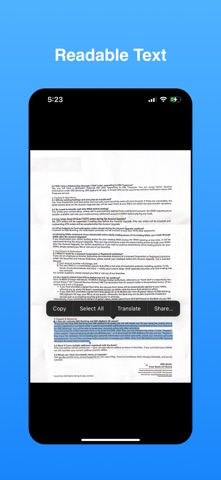
Smart Scanning: Use your camera to scan documents or photos. Auto-detect edges and enhance clarity with options for basic color, black and white, or grayscale output. Supports multi-page scans with fast processing.
Easy Export: Save scanned documents as PDFs directly to your phone’s storage. No complicated steps – just scan and go!
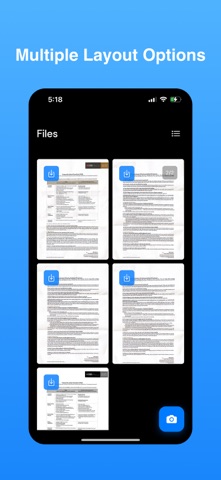
Merge Pages: Combine multiple scans or documents into a single PDF effortlessly, ideal for reports or contracts.
User-Friendly: Designed as a lightweight, easy-to-use app with a clean interface. Perfect for students, professionals, and travelers.
User Scenarios:
Business: Scan contracts or invoices and merge them into one PDF for records with speed.
Students: Digitize notes or handouts and combine pages for study with ease.
Travelers: Store tickets or passports as a single PDF on your device quickly.
Home Use: Archive bills or personal papers easily in one file.