PDF Scanner:File Scanner App is made and published by
Wuhan Yousigan Technology Co., Ltd.
AppBrain is an independent app data site and isn't affiliated with Wuhan Yousigan Technology Co., Ltd.
The app name, icon, screenshots and description belong to Wuhan Yousigan Technology Co., Ltd and are shown as
published on the App Store.
About PDF Scanner:File Scanner App
PDF Scanner:File Scanner App is a productivity app developed by Wuhan Yousigan Technology Co., Ltd.
User Ratings
PDF Scanner:File Scanner App is rated 4.46 out of 5 stars. The rating is based on 54 ratings.
App Information
PDF Scanner:File Scanner App is freely available from the App Store. The app size is 74.58 MB. The latest version available is 6.9.32. The last update was on October 20, 2026.
Technical Requirements
The app has a content rating of Everyone. The app has been available on the App Store since August 2017.
Description by Wuhan Yousigan Technology Co., Ltd(from the App Store)
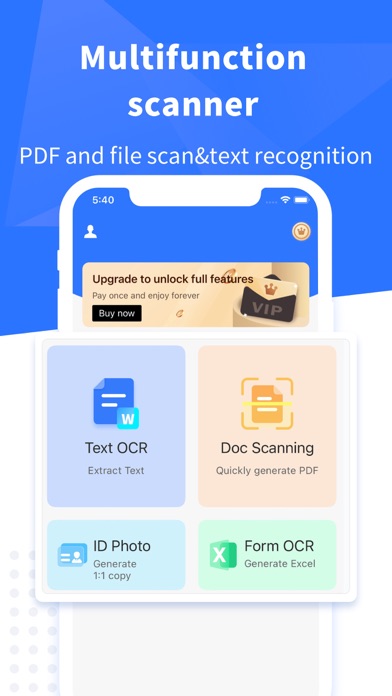
PDF Scanner can turn your device into a powerful portable scanner to help you improve the efficiency of work and daily life. Download this scanner app for free to scan files (OCR) or IDs, edit, translate, save, and copy the recognized content, and share them in PDF, JPG, Word or TXT formats.
This tiny multi-function free scanner app is essentials for students, teachers, accountants, realtors, managers, lawyers, or anyone working in a small corporation
---Features---
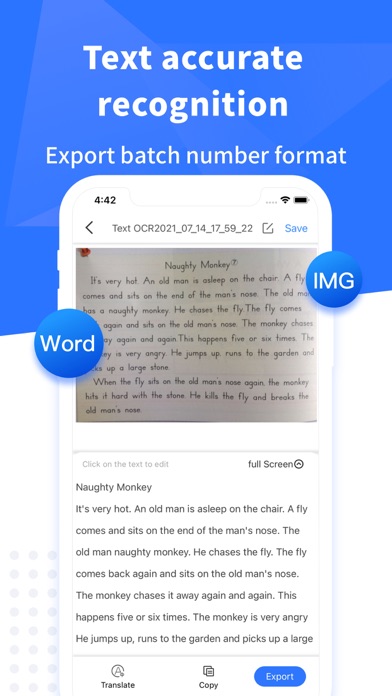
【 Text OCR 】 - Scan and recognize various documents, pictures, books, business cards, etc. and extract the desired text, edit, copy and share the recognized content
- Support batch scanning and handwriting recognition, and export files in multiple formats after extracting the text accurately
- Support multi-language recognition and translate into any language you need, such as English, Japanese, French, German, Russian, Portuguese, Spanish, Italian, etc
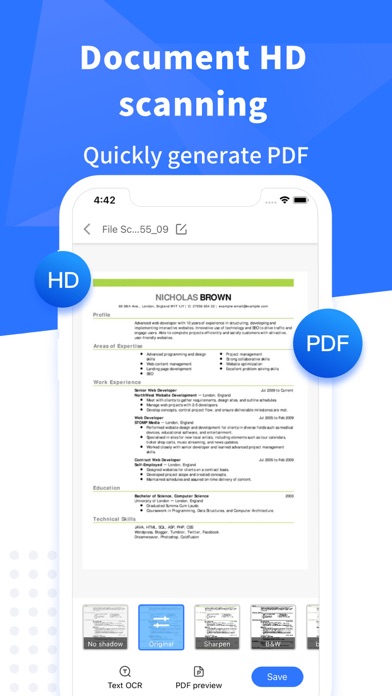
【 File Scanning 】 - Scan high-definition documents and save the scanned results as multi-page PDF or JPG files. - Easily scan multiple pages and into one document - Adjust the brightness and chromaticity of scanned documents - Put your electronic signature or watermark on documents
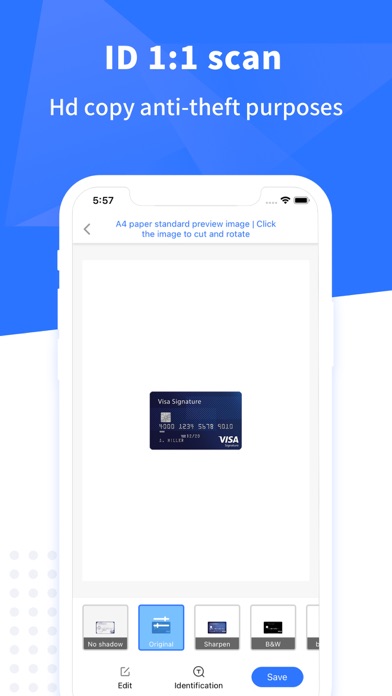
【 IDs scanning 】 - Support the identification and scanning of various documents such as ID cards, bank cards, passports, etc., and generate electronic copies of 1:1
【 Form OCR 】 - Scan tables and forms quickly, precise positioning of table data, intelligent analysis of table text, generate files which can be edited and saved as tables or pictures
---Recommendations--- * Please take a photo to ensure you can get a clear scan * Ensure sufficient light and try to avoid jitter * Try to be within the entire scanning area
---Automatic renew subscriptions--- You will have unlimited access to our recognition service and other services during active subscription period. - The subscriptions are $2.99/week, $5.99/month and$12.49/year. - Subscription automatically renews unless auto-renew is turned off at least 24-hours before the end of the current period. - Subscriptions can be managed by the user and auto-renew can be turned off by going to the user's Account Settings after purchase. - Payment will be charged to iTunes Account at confirmation of purchase. - Account will be charged for subscription within 24-hours prior to the current period at the cost of the chosen package. - No cancellation of the current subscription is allowed during active subscription period
Privacy Policy: https://www.camoryapps.com/miaoli/privacy_policy/scanner_en.html Terms Of Services: https://www.camoryapps.com/miaoli/service/scanner_en.html
Each subscription will automatically renew 3 days before the expiration date for
the same time period. Subscriptions can be cancelled at any time before the renewal.