

PDF Scanner: Photo to Document
PDF Scanner: Photo to Document is made and published by GREWON TECHNOLOGIES PRIVATE LIMITED. AppBrain is an independent app data site and isn't affiliated with GREWON TECHNOLOGIES PRIVATE LIMITED. The app name, icon, screenshots and description belong to GREWON TECHNOLOGIES PRIVATE LIMITED and are shown as published on the App Store.
AppBrain's verdict
- Rating on App Store
- 5.00
- 3 ratings
- Last updated
- July 31, 2026
It doesn't have enough ratings yet to judge what users think.
Rankings
App Store top chartsApp Store Rankings for PDF Scanner: Photo to Document
Competitors
Similar apps and more from GREWON TECHNOLOGIES PRIVATE LIMITEDAlternatives to PDF Scanner: Photo to Document






More from GREWON TECHNOLOGIES PRIVATE LIMITED





Releases
Updates seen on the App Store- Version
- 4.6
- Launched
- July 2023
No changelog data
User feedback
Ratings and reviews on the App StoreComments on PDF Scanner: Photo to Document for iOS
We don't have enough comments to show example comments. Please check back later.
Technology
Found in the app by AppBrain- Price
- Free
- App size
- 118.6 MB
- Content rating
- Everyone
Technologies used by PDF Scanner: Photo to Document
About the app and developer
About PDF Scanner: Photo to Document
PDF Scanner: Photo to Document is a business app developed by GREWON TECHNOLOGIES PRIVATE LIMITED.
What is the rating of PDF Scanner: Photo to Document?
PDF Scanner: Photo to Document is rated 5.00 out of 5 stars, based on 3 ratings.
Is PDF Scanner: Photo to Document free?
PDF Scanner: Photo to Document is free. The app size is 118.55 MB. The latest version available is 4.6. The last update was on July 31, 2026.
What are the requirements for PDF Scanner: Photo to Document?
The app has a content rating of Everyone. The app has been available on the App Store since July 2023.
Developer information for GREWON TECHNOLOGIES PRIVATE LIMITED
GREWON TECHNOLOGIES PRIVATE LIMITED
Address:
Frequently asked questions about PDF Scanner: Photo to Document
Is PDF Scanner: Photo to Document free?
Yes. PDF Scanner: Photo to Document is free on the App Store.
Is PDF Scanner: Photo to Document still available?
Yes. PDF Scanner: Photo to Document is on the App Store, and the last update we saw was on July 31, 2026.
How large is PDF Scanner: Photo to Document?
PDF Scanner: Photo to Document is 118.55 MB.
Is PDF Scanner: Photo to Document suitable for children?
App Store rates the content of PDF Scanner: Photo to Document as suitable for everyone.
How do people rate PDF Scanner: Photo to Document?
PDF Scanner: Photo to Document scores 5.00 out of 5 stars, from 3 ratings on the App Store.
Who made PDF Scanner: Photo to Document?
PDF Scanner: Photo to Document was developed by GREWON TECHNOLOGIES PRIVATE LIMITED. It is listed in the business category on the App Store.
What are the best alternatives to PDF Scanner: Photo to Document?
People looking at PDF Scanner: Photo to Document also look at these business apps: ScanMe - Document scanner, Scanner App - PDF Docs Scan, Lite PDF Scanner : Peconi, Tim Scanner - Advanced, Fast, CamNote: Text & Document Scan.
Store listing
By GREWON TECHNOLOGIES PRIVATE LIMITED, from the App Store



Description by GREWON TECHNOLOGIES PRIVATE LIMITED Written by the developer, not by AppBrain. Click to read.
Key Features:
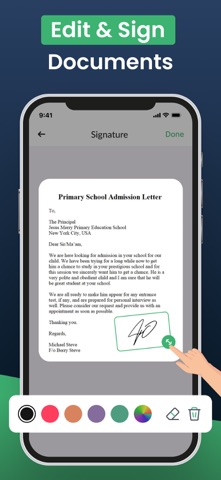
• Convert Photos & Images to PDFTurn JPEG, JPG, and PNG files into clean, professional PDF documents.
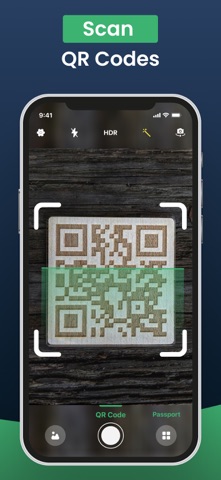
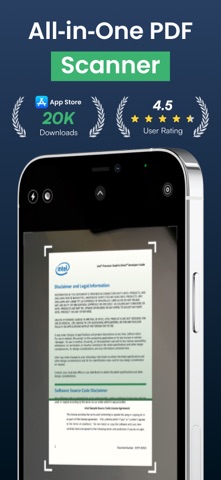
• Scan with Camera or Upload from GallerySnap paper documents or choose from your photo library.
• Auto Crop & Smart FiltersEdge detection, black & white modes, and more for enhanced clarity.
• Merge Multiple FilesCombine several images into one seamless PDF.
• Quick Save & ShareSend PDFs via email, cloud, or AirDrop right from your phone.
• Offline & SecureYour data stays private—no internet or server uploads required.
Whether you’re a student scanning notes, a professional sending contracts, or anyone needing to convert a photo to PDF—this app helps you get it done quickly and effortlessly. No more bulky scanners or desktop tools. Carry a smart document converter in your pocket and stay productive on the go.
Download PDF Scanner: Photo to Document now and turn your images into professional, shareable PDFs in one tap.
Subscribe to get Pro access to all features. You will be charged after the purchase confirmation.
Subscriptions auto-renew 24 hours before the expiration date. You can manage your subscriptions in Account Settings on the App Store.
Privacy Policy: https://sites.google.com/view/go-scanner/privacy-policy
Terms & Conditions: https://sites.google.com/view/go-scanner/terms-conditions