

PDF Scanner Pro .
PDF Scanner Pro . is made and published by Abdullah Al Mamun. AppBrain is an independent app data site and isn't affiliated with Abdullah Al Mamun. The app name, icon, screenshots and description belong to Abdullah Al Mamun and are shown as published on the App Store.
AppBrain's verdict
- Rating on App Store
- 4.58
- 12 ratings
- Last updated
- March 29, 2026
- Size
- 27.4 MB
It doesn't have enough ratings yet to judge what users think.
User feedback
Ratings and reviews on the App StoreComments on PDF Scanner Pro . for iOS
We don't have enough comments to show example comments. Please check back later.
Store listing
By Abdullah Al Mamun, from the App Store
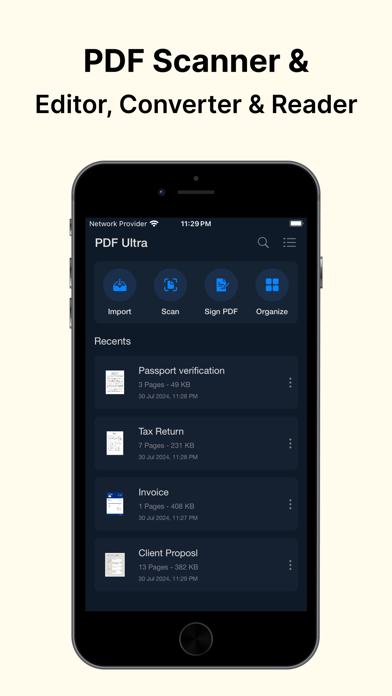



Description by Abdullah Al Mamun Written by the developer, not by AppBrain. Click to read.
No fancy tools to make you confuse.
SCAN DOCUMENTS TO PDF:
- Instantly scan documents, receipts, notes, and more using your device's camera.
- Our advanced image processing ensures clarity and accuracy every time.
- Improve the appearance of documents by applying necessary filters.
- Resize documents by crop & rotate tools.
EDIT DOCUMENTS WITH EASE:
- Modify documents with precision.
- Highlight texts, add annotations, underline and strikethrough, all in any color of your choice.
- Add shapes like circle, rectangle to make highlights more visible.
- Use Apple Pencil with iPad Pro to improve your precision
- Remove unwanted drawings or annotations by smart eraser tool in your hand.
DOCUMENT IMPORT FACILITIES:
- PDF Ultra is not limited to scanning only.
- You can import documents from Photos, Files, iCloud.
- You can also import from installed cloud storages like Google Drive, One Drive, Drop Box etc.
- Is the imported document password protected? Don’t worry. PDF Ultra is smart enough to detect protection, will prompt to enter the password to unlock the document.
SIGN DOCUMENTS:
- Adding signature was never so easy.
- Add a custom and precise signature in any position on any page of your document.
- Create and add signatures using our smart and smooth signature board. No limitations on color, size and shape.
- You can also add a signature by importing pre-edited one from your Photos.
- Or by taking a photo instantly with your phone's camera.
- Add the same signature to all document pages. The signatures you add will be remembered.
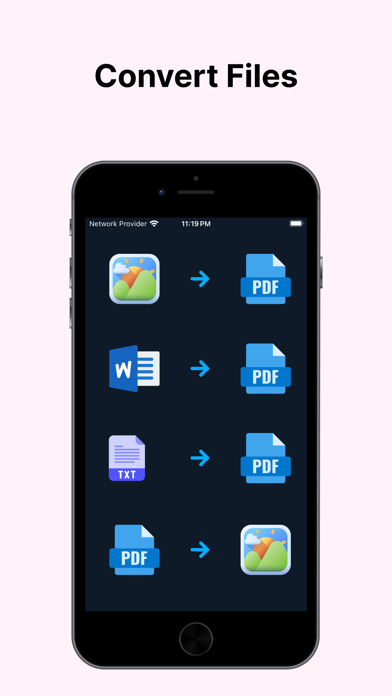
CONVERT FILES:
- Import various types of files onto PDF Ultra app and it will convert the files to PDF instantly.
- Types of Pictures we support: PNG, JPEG, HEIC, TIFF.
- Types of Text and Word files we support: MS Word DOC, MS Word DOCX, TXT.
- You can also convert your saved PDF files into images/pictures using the share option.
- You do not need any internet connection to convert files.
ORGANIZE DOCUMENT PAGES:
- Is the order of your created or imported document pages incorrect? The page organiser is here to rescue!
- You can re-arrange pages using simple & smooth drag-and-drop.
- Delete existing pages.
- Add new pages.
MERGE DOCUMENTS:
- Merge multiple PDFs into a single PDF file.
- Shuffle the placement of files using simple drag-and-drop.
SEND & SHARE:
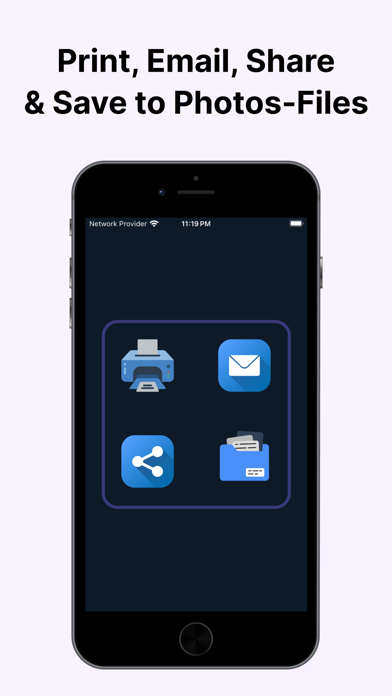
- Directly email and print PDFs from yourPDF Ultra app with just a few finger taps.
- Share PDFs to your friends via WhatsApp, Messenger, Airdrop, etc. It's not limited to PDFs only, you can also share as pictures.
- You can save your documents to your Files & iCloud as PDF and to Photos as pictures.
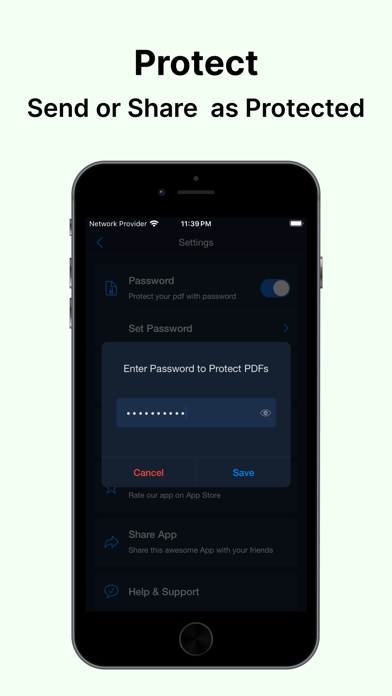
- While sending, sharing or saving your can secure your documents by adding a password from Settings.
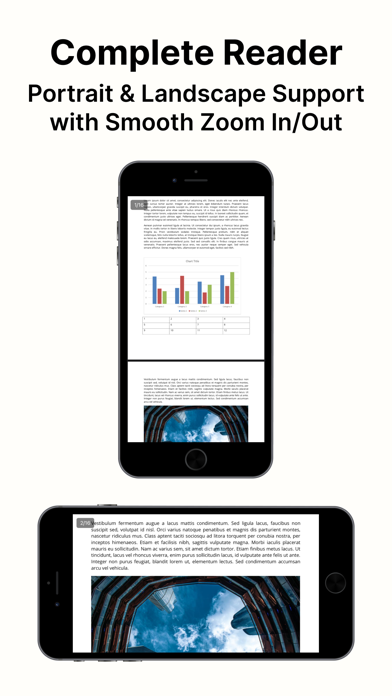
ULTIMATE READER:
- A complete PDF reader app you will definitely love.
- Portrait and landscape support while reading.
- If your device is in landscape mode, it will automatically rotate your document to landscape for a better, large scale view.
DOCUMENTS LOCATION:
- All documents are stored locally on your device.
- Documents are not available to us, nor to any third parties.
- You are the only person in charge of your documents.
WE NEVER ADD WATERMARKS TO YOUR DOCUMENTS.
NO ANNOYING ADS ARE THERE AT ALL.
PDF Ultra is designed for professionals, students, and anyone who deals with scanning & PDF documents daily. Enhance productivity and streamline your workflow with our powerful features and user-friendly interface.
Terms of Use: https://easycraftsoft.com/pdfultra/terms
Privacy Policy: https://easycraftsoft.com/pdfultra/privacy
Whether you have a question or feedback, please reach us at https://easycraftsoft.com/#contact
Safety and technology
Found in the app by AppBrain- Price
- Free
- App size
- 27.4 MB
- Content rating
- Everyone
Technologies used by PDF Scanner Pro .
Releases
Updates seen on the App Store- Version
- 1.1.0
- Launched
- June 2024
No changelog data
Alternatives
Similar apps and more from Abdullah Al MamunAlternatives to PDF Scanner Pro .



 Speechy text to speech reader

More from Abdullah Al Mamun

Rankings
App Store top chartsApp Store Rankings for PDF Scanner Pro .
About the app and developer
About PDF Scanner Pro .
PDF Scanner Pro . is a productivity app developed by Abdullah Al Mamun.
What is the rating of PDF Scanner Pro .?
PDF Scanner Pro . is rated 4.58 out of 5 stars, based on 12 ratings.
Is PDF Scanner Pro . free?
PDF Scanner Pro . is free. The app size is 27.39 MB. The latest version available is 1.1.0. The last update was on March 29, 2026.
What are the requirements for PDF Scanner Pro .?
The app has a content rating of Everyone. The app has been available on the App Store since June 2024.
Developer information for Abdullah Al Mamun
Address: