





AppBrain's verdict
- Rating on App Store
- 4.88
- 17 ratings
- Last updated
- June 25, 2023
- Size
- 34.0 MB
It doesn't have enough ratings yet to judge what users think.
User feedback
Ratings and reviews on the App StoreComments on PDF Scanner: Scan Cam Document for iOS
We don't have enough comments to show example comments. Please check back later.
Store listing
By Dev-In, s.r.o., from the App StoreDescription by Dev-In, s.r.o. Written by the developer, not by AppBrain. Click to read.
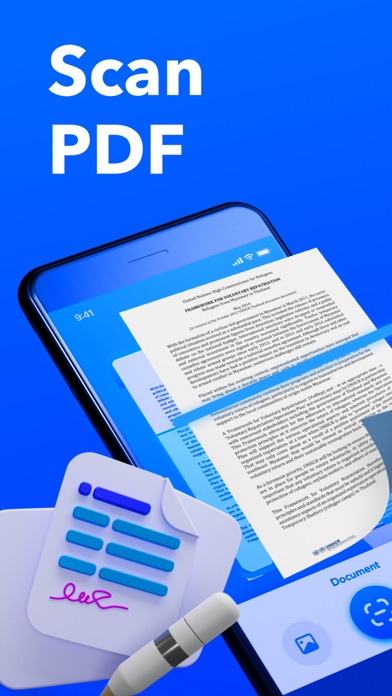
1. Advanced Scanning Capabilities:
- Effortlessly transcribe both printed and handwritten text with precision and accuracy.
- Benefit from our intelligent paper detection feature, ensuring seamless scanning of documents.
- Correct defects and angles for flawless results that meet professional standards.
- Save time with our efficient Batch Mode, allowing you to scan multiple documents rapidly.
- Choose from a variety of scanning options, including documents, IDs, or images for text extraction.
2. Powerful PDF Tools:
- Experience a comprehensive suite of PDF management tools at your fingertips.
- Seamlessly merge multiple documents into a single cohesive file.
- Add new pages to existing PDFs with ease, ensuring comprehensive document organization.
- Split large PDFs into smaller, more manageable files for enhanced convenience.
- Print your documents directly from the app for a streamlined workflow.
- Immerse yourself in our intuitive PDF reader, offering a seamless reading experience.
- Sign PDF documents digitally, eliminating the need for physical signatures.
- Annotate and mark up PDFs effortlessly to highlight important information.
- Compress PDF files to reduce their size, ensuring compatibility with email providers' limits.
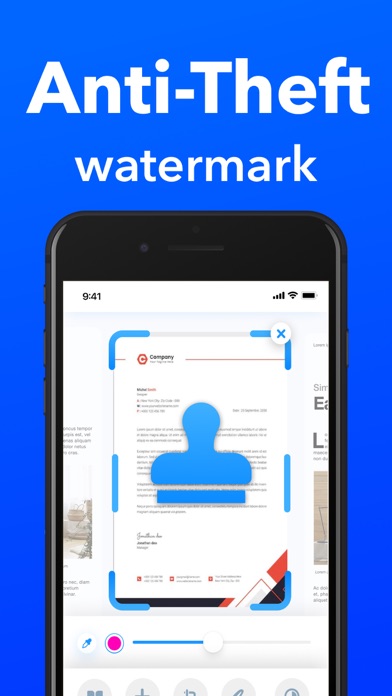
- Protect your documents with anti-theft watermarks, safeguarding against unauthorized use.
- Utilize embedded file-management capabilities for efficient organization and retrieval.
- Enhance the security of sensitive documents by encrypting them with personalized passwords on demand.
3. Intelligent ID Scan:
- Experience the convenience of automated data extraction from identification documents.
- Instantly view and copy the extracted results for swift and accurate information retrieval.
4. OCR - Image to Text:
- Unlock the power of optical character recognition (OCR) technology to convert images into editable text.
- Easily recognize and transcribe text from images, providing you with versatile options for searching, editing, and sharing the extracted content.
Take advantage of our app's subscription options to unlock the full potential of our features:
- 1-week subscription with a 3-day trial period for $4.99
- 3-month subscription with a 3-day trial period for $14.99
- 1-year subscription with a 3-day trial period for $29.99
Please note that your subscription will automatically renew 24 hours prior to the end of the term, and the payment will be charged to your iTunes account. To manage your subscriptions, including turning off auto-renewal, simply access your iTunes account settings. Please note that refunds will not be provided for any unused portion of the subscription term.
Immerse yourself in a seamless and efficient document management experience.
Privacy Policy: https://cutt.ly/1VowJmw
EULA: https://cutt.ly/cVowOuM
Contact: mollycarroll56@gmail.com
Safety and technology
Found in the app by AppBrain- Price
- Free
- App size
- 34.0 MB
- Content rating
- Everyone
Technologies used by PDF Scanner: Scan Cam Document
Releases
Updates seen on the App Store- Version
- 1.0.6
- Launched
- September 2022
No changelog data
Alternatives
Similar apps and more from Dev-In, s.r.o.Alternatives to PDF Scanner: Scan Cam Document



More from Dev-In, s.r.o.


Rankings
App Store top chartsApp Store Rankings for PDF Scanner: Scan Cam Document
About the app and developer
About PDF Scanner: Scan Cam Document
PDF Scanner: Scan Cam Document is a productivity app developed by Dev-In, s.r.o.
User Ratings
PDF Scanner: Scan Cam Document is rated 4.88 out of 5 stars. The rating is based on 17 ratings.
App Information
PDF Scanner: Scan Cam Document is freely available from the App Store. The app size is 34.00 MB. The latest version available is 1.0.6. The last update was on June 25, 2023.
Technical Requirements
The app has a content rating of Everyone. The app has been available on the App Store since September 2022.
PDF Scanner: Scan Cam Document is made and published by Dev-In, s.r.o. AppBrain is an independent app data site and isn't affiliated with Dev-In, s.r.o. The app name, icon, screenshots and description belong to Dev-In, s.r.o. and are shown as published on the App Store.
Developer information for Dev-In, s.r.o.
Address: