PDF Signer: Sign, Stamp, Edit is made and published by
秋杰 田.
AppBrain is an independent app data site and isn't affiliated with 秋杰 田.
The app name, icon, screenshots and description belong to 秋杰 田 and are shown as
published on the App Store.
About PDF Signer: Sign, Stamp, Edit
PDF Signer: Sign, Stamp, Edit is a productivity app developed by 秋杰 田.
User Ratings
The app has no ratings yet.
App Information
PDF Signer: Sign, Stamp, Edit is freely available from the App Store. The app size is 56.33 MB. The latest version available is 1.5. The last update was on June 6, 2026.
Technical Requirements
The app has a content rating of Everyone. The app has been available on the App Store since April 2026.
Description by 秋杰 田(from the App Store)
PDF Signer is an offline-first PDF toolkit for iPhone and iPad. Sign, stamp, edit, convert, protect, and export PDFs with a workflow that stays fast and privacy-friendly.
Whether you need to sign a contract, add a seal, merge files, split pages, or secure a document before sharing, the app is designed to help you finish the job locally on your device whenever possible.
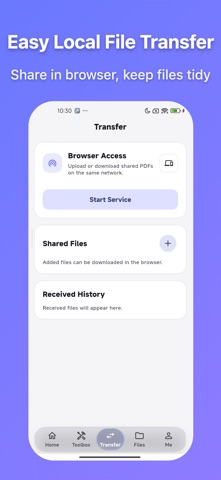
Key features • Handwritten signatures and imported image signatures • Custom seals, image seals, and across-page seals • PDF editing: merge, split, extract, reorder, delete, rotate, and crop pages • Watermarks, page numbers, and redaction • Image to PDF and PDF to image • Password protection, password removal, and permissions control • Recent files and local network transfer
Why users choose PDF Signer • Offline-first processing for everyday PDF work • Reusable signature and seal assets for faster repeat tasks • Reliable export results for contracts, approvals, markup, and archiving • Clean bilingual UI with dark mode support
The app offers free core usage and a one-time lifetime membership unlock.
Each subscription will automatically renew 3 days before the expiration date for
the same time period. Subscriptions can be cancelled at any time before the renewal.