PDF Snap–Compress PDF is an overall app developed by 晓洪 梁.
Download Statistics
User Ratings
The app has no ratings yet.
App Information
PDF Snap–Compress PDF costs $0.99 to download. The APK download size is 2.59 MB. The latest version available is 1.5.3. The last update was on May 25, 2026.
Technical Requirements
The app has a content rating of Everyone. The app has been available on Google Play March 2025.
Description
Offline PDF Tools for iPhone · PDF Snap
PDF Snap is a lightweight PDF utility designed for iPhone. It helps you handle receipts, contracts, scanned documents, screenshots, study materials, and everyday office files directly on your device.
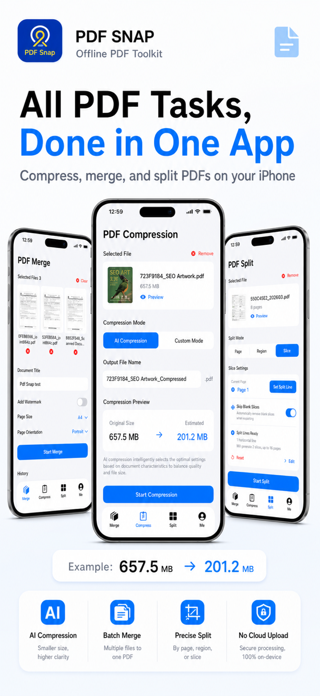
No internet is required for core PDF tasks. Convert images to PDF, merge files, compress PDFs, split pages, crop content, and slice a page with guide lines, all locally on your iPhone. Your files are not uploaded to a server, making PDF Snap a safer choice for personal and work documents.
Main Features
1. Image to PDF & File Merge Select multiple photos or PDF files from Photos or Files, then merge them into one PDF. Support common page sizes and orientations for receipts, screenshots, class notes, contracts, scanned pages, and attachments. Add a title or text watermark to make files easier to organize, share, and archive.
2. Offline PDF Compression Choose from clarity-first, balanced, or stronger compression options. Preview the estimated file size before compressing, so you can balance readability and file size. Useful before sending PDFs by email, chat apps, cloud drives, or upload forms.
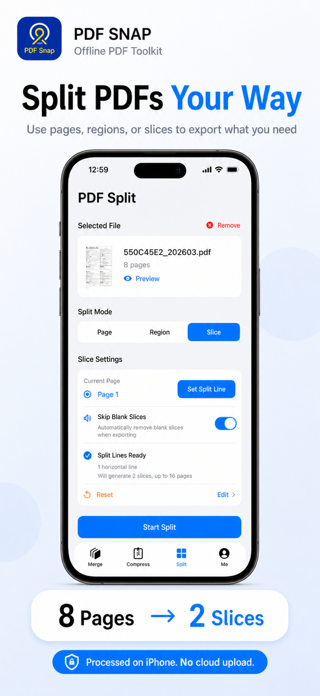
3. PDF Split, Crop & Line Slice Split PDFs by page range and quickly extract the pages you need. Crop pages freely to remove white margins, edges, or unwanted content. New Line Slice: when one PDF page contains multiple receipts, forms, screenshots, or tables, drag split lines to turn it into separate PDF pages.
4. Preview, Save & Share Preview the result after processing to check page order, clarity, and file size. Save generated PDFs locally or share them to Mail, Messages, cloud drives, printers, and other apps.
Common Use Cases
- Turn multiple photos into one PDF - Merge several PDFs into a single document - Compress large PDFs before sending or uploading - Extract selected pages from a long PDF - Crop blank margins or irrelevant content from scanned files - Split one page with multiple receipts or screenshots into separate pages - Process private documents when you do not want to upload files online
Why Choose PDF Snap?
Fully offline: Core PDF processing happens locally on your device. Privacy-friendly: Suitable for contracts, receipts, ID scans, and work documents. Simple and focused: Common PDF tasks are available in one practical app. Lightweight and useful: Built for frequent mobile PDF workflows, not a complex office suite. More control: Preview and compare results before sharing or saving.
Download PDF Snap and make PDF merging, compression, splitting, and organization easier on your iPhone.
Each subscription will automatically renew 3 days before the expiration date for
the same time period. Subscriptions can be cancelled at any time before the renewal.