

PDF to Docx Converter App
PDF to Docx Converter App is made and published by Al Riaz Ltd. AppBrain is an independent app data site and isn't affiliated with Al Riaz Ltd. The app name, icon, screenshots and description belong to Al Riaz Ltd and are shown as published on the App Store.
AppBrain's verdict
- Rating on App Store
- 4.41
- 32 ratings
- Last updated
- September 23, 2026
It doesn't have enough ratings yet to judge what users think.
Rankings
App Store top chartsApp Store Rankings for PDF to Docx Converter App
Competitors
Similar apps and more from Al Riaz Ltd



Releases
Updates seen on the App Store- Version
- 1.0.7
- Launched
- December 2025
No changelog data
User feedback
Ratings and reviews on the App StoreComments on PDF to Docx Converter App for iOS
We don't have enough comments to show example comments. Please check back later.
Technology
Found in the app by AppBrain- Price
- Free
- App size
- 66.4 MB
- Content rating
- Everyone
Technologies used by PDF to Docx Converter App
About the app and developer
About PDF to Docx Converter App
PDF to Docx Converter App is a productivity app developed by Al Riaz Ltd.
What is the rating of PDF to Docx Converter App?
PDF to Docx Converter App is rated 4.41 out of 5 stars, based on 32 ratings.
Is PDF to Docx Converter App free?
PDF to Docx Converter App is free. The app size is 66.40 MB. The latest version available is 1.0.7. The last update was on September 23, 2026.
What are the requirements for PDF to Docx Converter App?
The app has a content rating of Everyone. The app has been available on the App Store since December 2025.
Developer information for Al Riaz Ltd
Address:
Store listing
By Al Riaz Ltd, from the App Store


Description by Al Riaz Ltd Written by the developer, not by AppBrain. Click to read.
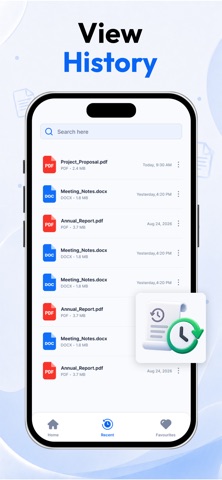
The app makes PDF to Word conversion quick and stress-free. Select any PDF from your device, tap one button, and get a fully editable Word file within seconds while keeping the original text, formatting, and layout intact. No more typing everything again manually.
PDF to Word Conversion
Convert any PDF file into a Word (.docx) file with high accuracy. Headings, paragraphs, images, and tables stay correctly formatted. You can edit, update, or reuse your documents instantly, whether they are reports, proposals, class notes, or scanned forms.
Image to Word Conversion (OCR)
If you have a photo of a document or a scanned page, the built-in OCR technology extracts the text with precision. Convert printed materials, handwritten notes, receipts, or scanned pages into editable Word files easily.
Fast and Simple
The converter processes both small and large files quickly. There are no complicated steps. Upload, convert, and start editing immediately.
Multiple Language Support
The app supports various languages including English, Arabic, Urdu, French, Spanish, and more, making it useful for users worldwide.
Easy to Use Interface
A clean and simple interface allows anyone to use the app. All tools are easy to access, and the process is straightforward.
How It Works:
Open the app.
Select a PDF file or image.
Tap the Convert button.
Wait a few seconds.
Download or open your editable Word file.
Perfect For:
Students converting notes or study materials.
Professionals handling business documents or contracts.
Teachers converting scanned pages.
Anyone needing quick document conversion.
Safe and Secure
Your documents are processed safely, ensuring your information remains private.
Key Features:
Convert PDF files to editable Word (.docx)
Convert images to Word using OCR
Preserve layout and formatting
Fast and accurate conversion
Multi-language support
Simple and clean interface
Secure file processing
Download the PDF to Word Converter App and make your document work easier, faster, and smarter.
Privacy Policy:
https://alriazlimited.com/privacy-policy-al-riaz-ltd
Terms and Conditions:
https://alriazlimited.com/terms-and-conditions