

PDF To Word: PDF Editor
PDF To Word: PDF Editor is made and published by Parsottambhai Dhameliya. AppBrain is an independent app data site and isn't affiliated with Parsottambhai Dhameliya. The app name, icon, screenshots and description belong to Parsottambhai Dhameliya and are shown as published on the App Store.
AppBrain's verdict
Loved by users- Rating on App Store
- 4.61
- 104 ratings
- Last updated
- August 8, 2026
- Size
- 33.4 MB
Users love it: 4.6 stars from 104 ratings.
User feedback
Ratings and reviews on the App StoreComments on PDF To Word: PDF Editor for iOS
We don't have enough comments to show example comments. Please check back later.
Store listing
By Parsottambhai Dhameliya, from the App Store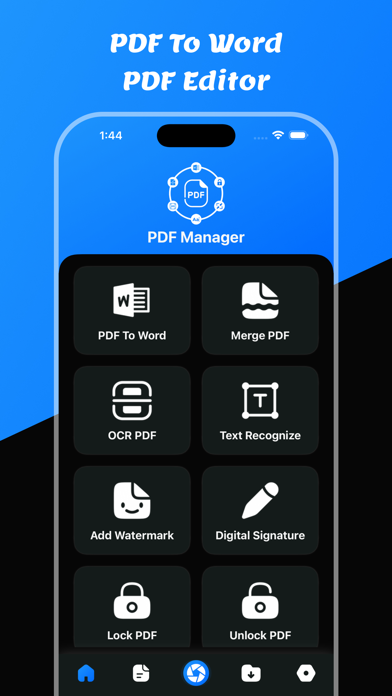


Description by Parsottambhai Dhameliya Written by the developer, not by AppBrain. Click to read.
PDF To Word: PDF Editor – Convert, Edit, Compress & Manage PDF Files
Looking for a powerful PDF converter and complete PDF editor in one app?
PDF To Word: PDF Editor is your all-in-one solution to convert PDF to Word, compress PDF files, merge documents, extract text with OCR, unlock PDF, and manage all your files easily.
Whether you need a fast PDF to Word converter, a reliable PDF compressor, or a smart OCR PDF scanner, this app gives you professional tools in a simple, easy-to-use interface.
Convert PDF to Word – Fast & Accurate
Easily convert PDF to Word documents while keeping original formatting, fonts, and layout. Edit your Word file after conversion and share it instantly.
- PDF to Word converter
- Maintain document formatting
- View converted Word files
- Save Word documents
- Share Word files anytime
Perfect for contracts, resumes, reports, assignments, invoices, and office documents.
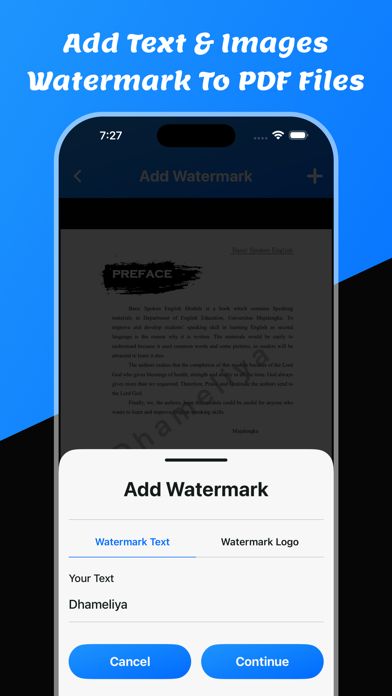
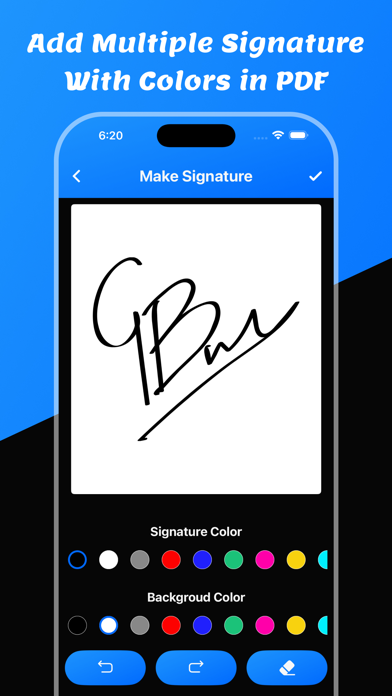
Complete PDF Editor Toolkit
Get all essential PDF tools in one powerful app:
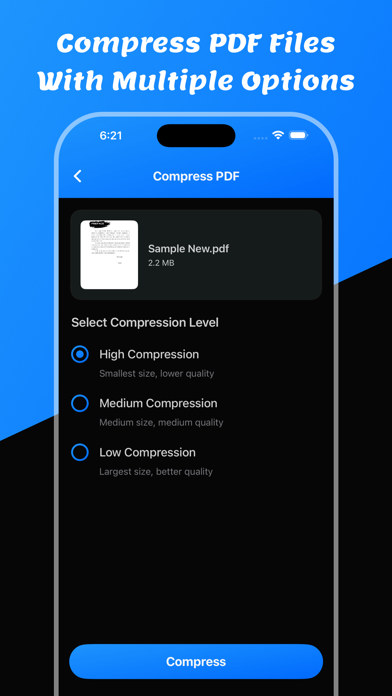
- Compress PDF files to reduce file size
- Merge PDF files into one document
- Remove PDF pages easily
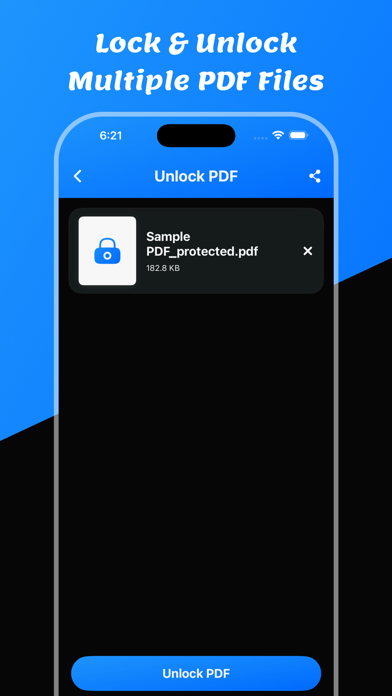
- Unlock PDF files instantly
- Convert PDF to images (JPG/PNG)
- Convert images to PDF
- Extract text with PDF to Text converter
- OCR PDF – recognize text from scanned documents
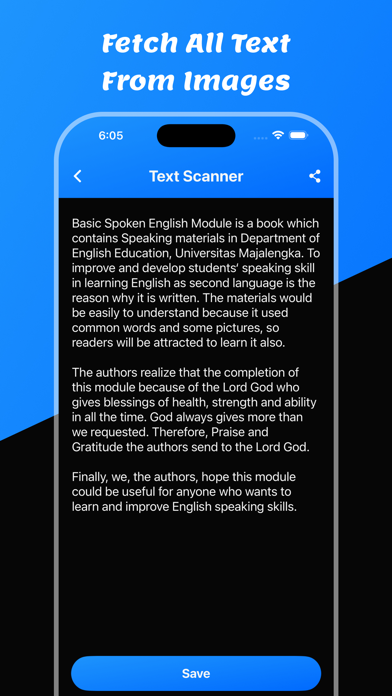
- Text recognition for images
Edit, organize, and manage your PDF documents without needing multiple apps.
OCR PDF & Text Recognition
Need to extract text from scanned documents or images? Our advanced OCR PDF technology allows you to:
- Scan and recognize text accurately
- Convert scanned PDF to editable text
- Copy and share recognized text
- Turn images into searchable PDF
Ideal for students, professionals, business users, and office work.
Smart File Manager
Keep all your files organized in one secure place:
- Save PDF, Word, Text, and Image files
- Access saved documents anytime
- Delete unwanted files
- Share documents quickly
- Simple and clean file management
Manage your digital documents efficiently and securely.
Why Choose PDF To Word: PDF Editor?
- All-in-one PDF converter and PDF editor
- Fast PDF to Word conversion
- High-quality OCR text recognition
- Secure PDF file management
- Lightweight and powerful performance
- Easy-to-use interface
- Designed for productivity
This app is perfect for:
- Students converting study materials
- Professionals editing contracts and reports
- Office users managing business documents
- Anyone needing PDF tools on the go
Users can convert any pdf file to a word file.
It is easy to use to convert word files.
Users can share converted word files.
Users can save converted word files in the word files section.
Users can convert pdf to word files using pdf to word converter
Users can compress pdf files using PDF To Word: PDF Editor app
Users can merge pdf documents using this app.
Users can convert pdf to text converter with OCR.
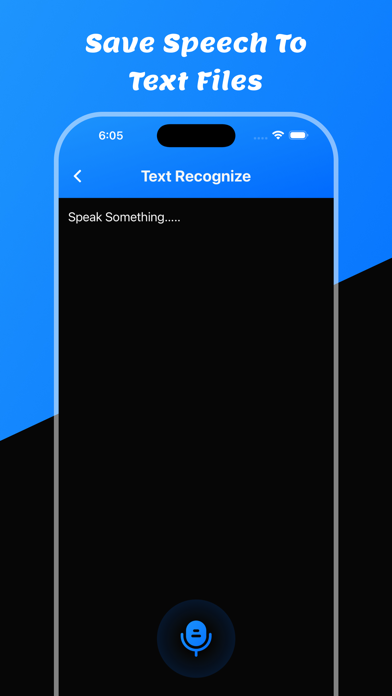
Users can recognize text using text recognize.
Users can remove pdf pages.
Users can unlock pdf using unlock option.
Users can convert pdf to images using this app.
Users can make pdf using images to pdf files.
Users can save all PDF, Word, Text, and all images in the saved files section.
Features:
- Easy to convert pdf to word
- View Converted Word File
- Save the Converted word file
- Share Converted word file
- Show Saved all word files
- Delete & Share saved word files - PDF To Word
- Compress PDF Files
- Merge PDF Files
- PDF To Text - Text Recognize
- OCR PDF
- PDF Page Remove
- Unlock PDF Files - PDF To Images - Images To PDF File
Download and enjoy the PDF To Word: PDF Editor app
Privacy Policy: https://glistensolution.com/Apps/App_Privacy.html
Terms of use: https://glistensolution.com/Apps/App_TOS.html
Safety and technology
Found in the app by AppBrain- Price
- Free
- App size
- 33.4 MB
- Content rating
- Everyone
Technologies used by PDF To Word: PDF Editor
Releases
Updates seen on the App Store- Version
- 4.7
- Launched
- October 2022
No changelog data
Alternatives
Similar apps and more from Parsottambhai DhameliyaAlternatives to PDF To Word: PDF Editor





More from Parsottambhai Dhameliya


Rankings
App Store top chartsApp Store Rankings for PDF To Word: PDF Editor
About the app and developer
About PDF To Word: PDF Editor
PDF To Word: PDF Editor is an utilities app developed by Parsottambhai Dhameliya.
User Ratings
PDF To Word: PDF Editor is rated 4.61 out of 5 stars. The rating is based on 100 ratings.
App Information
PDF To Word: PDF Editor is freely available from the App Store. The app size is 33.36 MB. The latest version available is 4.7. The last update was on August 8, 2026.
Technical Requirements
The app has a content rating of Everyone. The app has been available on the App Store since October 2022.
Developer information for Parsottambhai Dhameliya
Address:
Frequently asked questions about PDF To Word: PDF Editor
Is PDF To Word: PDF Editor free?
Yes. PDF To Word: PDF Editor is free on the App Store.
Is PDF To Word: PDF Editor still available?
Yes. PDF To Word: PDF Editor is on the App Store, and the last update we saw was on August 8, 2026.
How large is PDF To Word: PDF Editor?
PDF To Word: PDF Editor is 33.36 MB.
Is PDF To Word: PDF Editor suitable for children?
App Store rates the content of PDF To Word: PDF Editor as suitable for everyone.
How do people rate PDF To Word: PDF Editor?
PDF To Word: PDF Editor scores 4.61 out of 5 stars, from 104 ratings on the App Store.
Who made PDF To Word: PDF Editor?
PDF To Word: PDF Editor was developed by Parsottambhai Dhameliya. It is listed in the utilities category on the App Store.
What are the best alternatives to PDF To Word: PDF Editor?
People looking at PDF To Word: PDF Editor also look at these utilities apps: PDF Converter; Image to PDF, Images To PDF : Photo Editor, Bessu Share, Convert Expert-PDF to WORD, PDF Converter: Word convert.