

PDF to Word Pro by Flyingbee
PDF to Word Pro by Flyingbee is made and published by Flyingbee Software Co., Ltd. AppBrain is an independent app data site and isn't affiliated with Flyingbee Software Co., Ltd. The app name, icon, screenshots and description belong to Flyingbee Software Co., Ltd. and are shown as published on the App Store.
AppBrain's verdict
- Last updated
- August 14, 2026
- Size
- 40.8 MB
User feedback
Ratings and reviews on the App StoreComments on PDF to Word Pro by Flyingbee for iOS
We don't have enough comments to show example comments. Please check back later.
Store listing
By Flyingbee Software Co., Ltd., from the App Store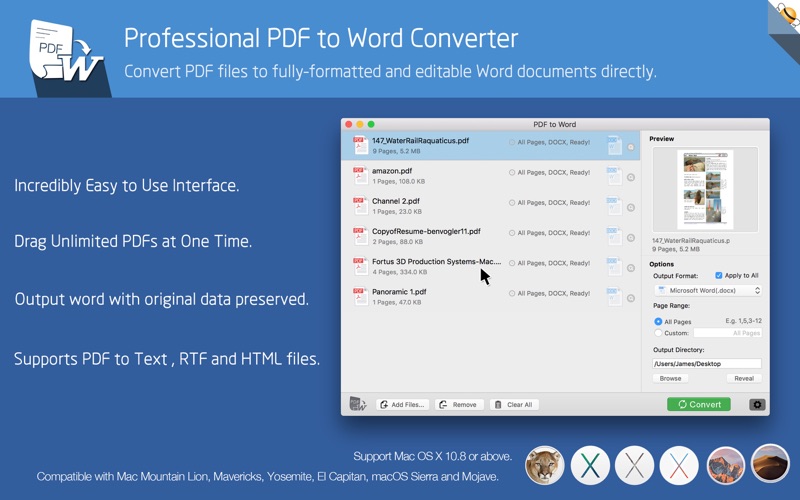

Description by Flyingbee Software Co., Ltd. Written by the developer, not by AppBrain. Click to read.
=== Offline conversion, No Internet Required, No need to Upload, No Boring Waiting, Privacy-safe, Process 100% on your Mac. ===
Flyingbee PDF to Word Pro exports PDF files to fully-formatted and editable office word documents with exactly preserved original texts, images, layouts, hyperlinks, tables, and bezier graphics.
Added OCR text recognition. For scanned documents, please choose the ocr language that matches the document, as this can significantly improve recognition accuracy.
Main Features:
+ Incredibly easy-to-use.
+ Professional PDF Converter.
+ Add unlimited PDFs at one time.
+ Convert PDF files to fully-formatted and editable Word (.docx) documents directly.
+ Conversion 100% process locally.
+ Export PDF to Word (.docx), Text (.txt), RTF (.rtf) and HTML (.html) files.
+ Upgrade to unlock all output formats, such as Microsoft Office(Word, Excel, PPT), common formats like JPEG images, and PDF editing tools.
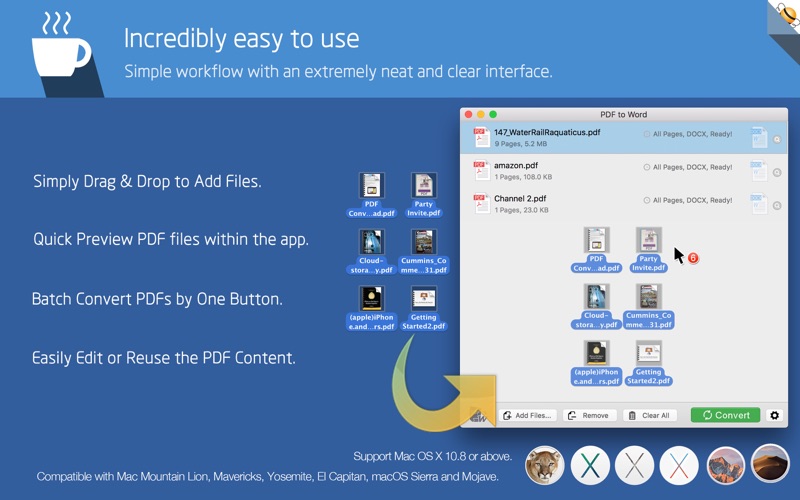
> Incredibly easy to use
Simple workflow with an extremely neat and clear interface.
• User-friendly & convenient interface.
• Convenient import PDFs With drag & drop operation.
• Preview a batch of PDF files within the app.
• Batch convert PDFs by one button.
• Easily edit or reuse the PDF content.
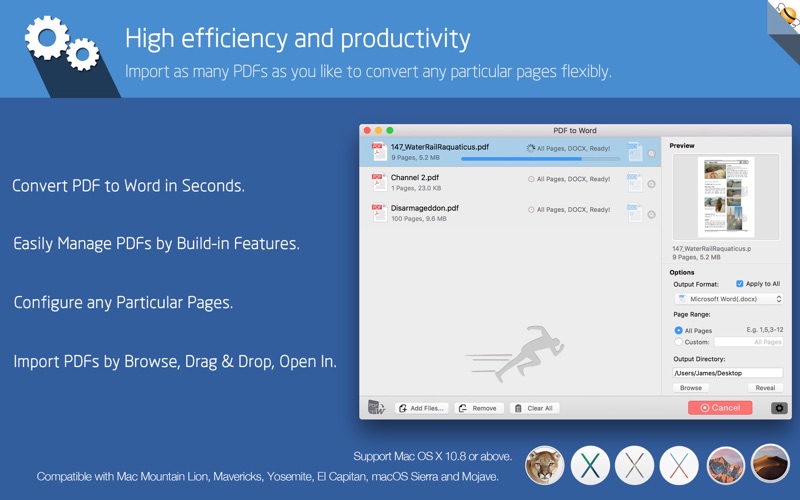
> High efficiency and productivity
Import as many PDFs as you like for converting any particular pages flexibly.
• 3 Ways to add PDFs by browse, drag & drop, and open in.
• Easily manage PDFs by build-in insert, rearrange, delete and open feature.
• Configure any particular pages (e.g. 1,2-16,35 or all pages) to meet your needs.
• 100% fast speed to process PDF file locally.
> Perfect accuracy and layout, formatting retention
All the elements including text, image, format and more will be preserved in Word documents.
• Preserve original texts, images, layouts, hyperlinks, tables, and graphics exactly.
• Preserve stroking or filing vector graphics, including lines, arrows, rectangles, and pen bezier paths.
• Convert encrypted PDFs with copying and printing restrictions.
• Convert Adobe PDF in Multi-languages and Version from 1.0-1.7
• Output PDF files to Office 2007 Version (.docx), which can be opened by 2007 and the latest Office apps.
> And More…
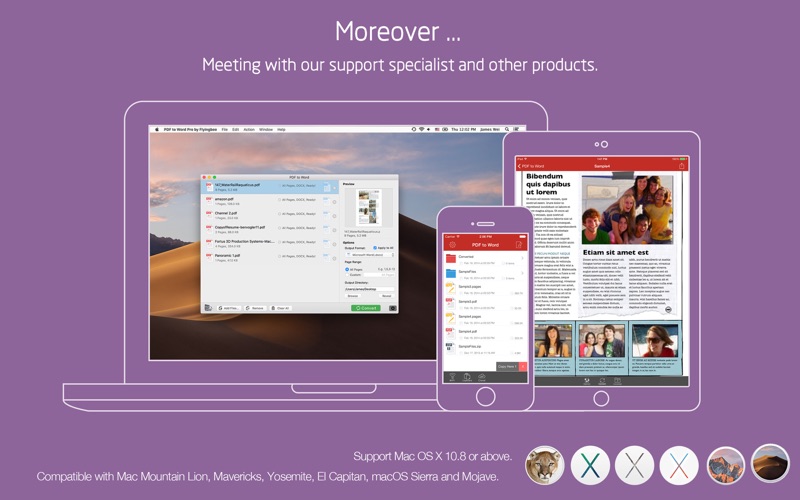
Meeting with our support specialist and other products.
• 100% Free updates.
• Quickly E-mail and Skype support response.
• Fully compatible with Mac OS X 10.13 - macOS 26.x or later.
• Checkout PDF to Word for iPhone and iPad and Mac devices.
We are continuously developing this app, please feel free to contact us with all your questions, suggestions or problems. We will reply ASAP.
Safety and technology
Found in the app by AppBrain- Price
- $19.99
- App size
- 40.8 MB
- Content rating
- Everyone
Technologies used by PDF to Word Pro by Flyingbee
Releases
Updates seen on the App Store- Version
- 10.3.7
- Launched
- May 2014
No changelog data
Alternatives
Similar apps and more from Flyingbee Software Co., Ltd.More from Flyingbee Software Co., Ltd.




Rankings
App Store top chartsApp Store Rankings for PDF to Word Pro by Flyingbee
About the app and developer
About PDF to Word Pro by Flyingbee
PDF to Word Pro by Flyingbee is a business app developed by Flyingbee Software Co., Ltd.
What is the rating of PDF to Word Pro by Flyingbee?
PDF to Word Pro by Flyingbee has no ratings yet.
Is PDF to Word Pro by Flyingbee free?
PDF to Word Pro by Flyingbee costs $19.99. The app size is 40.78 MB. The latest version available is 10.3.7. The last update was on August 14, 2026.
What are the requirements for PDF to Word Pro by Flyingbee?
The app has a content rating of Everyone. The app has been available on the App Store since May 2014.
Developer information for Flyingbee Software Co., Ltd.
Address:
Frequently asked questions about PDF to Word Pro by Flyingbee
Is PDF to Word Pro by Flyingbee free?
No. PDF to Word Pro by Flyingbee costs $19.99 on the App Store.
Is PDF to Word Pro by Flyingbee still available?
Yes. PDF to Word Pro by Flyingbee is on the App Store, and the last update we saw was on August 14, 2026.
How large is PDF to Word Pro by Flyingbee?
PDF to Word Pro by Flyingbee is 40.78 MB.
Is PDF to Word Pro by Flyingbee suitable for children?
App Store rates the content of PDF to Word Pro by Flyingbee as suitable for everyone.
Who made PDF to Word Pro by Flyingbee?
PDF to Word Pro by Flyingbee was developed by Flyingbee Software Co., Ltd. It is listed in the business category on the App Store.