

PDF Tools: Read & Edit
PDF Tools: Read & Edit is made and published by Shilong Lu. AppBrain is an independent app data site and isn't affiliated with Shilong Lu. The app name, icon, screenshots and description belong to Shilong Lu and are shown as published on the App Store.
AppBrain's verdict
- Rating on App Store
- 5.00
- 8 ratings
- Last updated
- September 22, 2025
- Size
- 95.9 MB
It doesn't have enough ratings yet to judge what users think.
User feedback
Ratings and reviews on the App StoreComments on PDF Tools: Read & Edit for iOS
We don't have enough comments to show example comments. Please check back later.
Store listing
By Shilong Lu, from the App Store
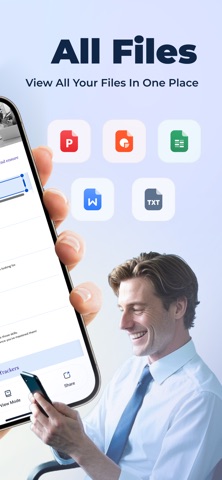

Description by Shilong Lu Written by the developer, not by AppBrain. Click to read.
Core functions:
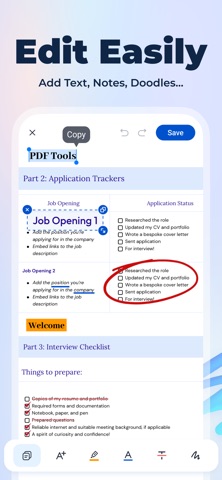
All-round editing - highlight/doodle/add text, modify PDF like editing Word
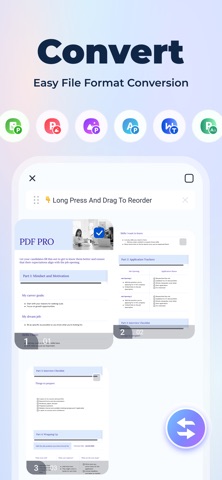
Format conversion - convert PDF to Word/Excel/PPT/picture, 100% retain the original format
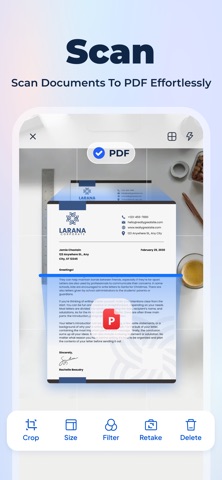
OCR recognition - scan paper documents → searchable PDF/text
File management - merge/split/compress/encrypt PDF, delete blank pages in one click
Electronic signature - handwritten signature or upload signature image, business contract is done in seconds
Why choose us?
No login required - open and use, no privacy concerns
Local processing - sensitive files are not uploaded to the cloud, safer
High performance - large files open in seconds, hundreds of pages of documents edited smoothly
Applicable scenarios
Students: Scan textbooks/notes to text, review more efficiently
Workers: Sign contracts and change plans at any time, worry-free mobile office
Home users: Merge travel guides, compress document scans
Download now to experience professional-level PDF processing!
Subscription Terms:
1. Payment will be charged to your iThunes account at confirmation of purchase.
2. You can manage your subscription and turn off auto-renewal in your account settings after purchase.
3. Subscription will automatically renew if auto-renew is disabled at least 24 hours before the end of the current period.
Privacy Policy: https://h5.pdfpro.xyz/privacy_policy.html
Terms of Service: https://h5.pdfpro.xyz/user-agreement.html
Safety and technology
Found in the app by AppBrain- Price
- Free
- App size
- 95.9 MB
- Content rating
- Everyone
Technologies used by PDF Tools: Read & Edit
Releases
Updates seen on the App Store- Version
- 1.0.13
- Launched
- May 2025
No changelog data
Alternatives
Similar apps and more from Shilong LuAlternatives to PDF Tools: Read & Edit


More from Shilong Lu


Rankings
App Store top chartsApp Store Rankings for PDF Tools: Read & Edit
About the app and developer
About PDF Tools: Read & Edit
PDF Tools: Read & Edit is an utilities app developed by Shilong Lu.
What is the rating of PDF Tools: Read & Edit?
PDF Tools: Read & Edit is rated 5.00 out of 5 stars, based on 8 ratings.
Is PDF Tools: Read & Edit free?
PDF Tools: Read & Edit is free. The app size is 95.93 MB. The latest version available is 1.0.13. The last update was on September 22, 2025.
What are the requirements for PDF Tools: Read & Edit?
The app has a content rating of Everyone. The app has been available on the App Store since May 2025.
Developer information for Shilong Lu
Address:
Frequently asked questions about PDF Tools: Read & Edit
Is PDF Tools: Read & Edit free?
Yes. PDF Tools: Read & Edit is free on the App Store.
Is PDF Tools: Read & Edit still available?
Yes. PDF Tools: Read & Edit is on the App Store, and the last update we saw was on September 22, 2025.
How large is PDF Tools: Read & Edit?
PDF Tools: Read & Edit is 95.93 MB.
Is PDF Tools: Read & Edit suitable for children?
App Store rates the content of PDF Tools: Read & Edit as suitable for everyone.
How do people rate PDF Tools: Read & Edit?
PDF Tools: Read & Edit scores 5.00 out of 5 stars, from 8 ratings on the App Store.
Who made PDF Tools: Read & Edit?
PDF Tools: Read & Edit was developed by Shilong Lu. It is listed in the utilities category on the App Store.
What are the best alternatives to PDF Tools: Read & Edit?
People looking at PDF Tools: Read & Edit also look at these utilities apps: AI Clean Flow, Privacy Fortress: Secure, Safe, AI Album Cleaner Pro, DefendMe - AI Guard, Storage Clean: Free Up Space.