

PDFTool Lab is made and published by ASAPP STUDIO. AppBrain is an independent app data site and isn't affiliated with ASAPP STUDIO. The app name, icon, screenshots and description belong to ASAPP STUDIO and are shown as published on the App Store.
AppBrain's verdict
- Last updated
- September 18, 2026
Rankings
App Store top chartsApp Store Rankings for PDFTool Lab
Competitors
Similar apps and more from ASAPP STUDIOMore from ASAPP STUDIO


Releases
Updates seen on the App Store- Version
- 1.0.5
- Launched
- January 2026
No changelog data
User feedback
Ratings and reviews on the App StoreComments on PDFTool Lab for iOS
We don't have enough comments to show example comments. Please check back later.
Technology
Found in the app by AppBrain- Price
- Free
- App size
- 66.6 MB
- Content rating
- Everyone
Technologies used by PDFTool Lab
About the app and developer
About PDFTool Lab
PDFTool Lab is an utilities app developed by ASAPP STUDIO.
User Ratings
The app has no ratings yet.
App Information
PDFTool Lab is freely available from the App Store. The app size is 66.58 MB. The latest version available is 1.0.5. The last update was on September 18, 2026.
Technical Requirements
The app has a content rating of Everyone. The app has been available on the App Store since January 2026.
Developer information for ASAPP STUDIO
Address:
Frequently asked questions about PDFTool Lab
Is PDFTool Lab free?
Yes. PDFTool Lab is free on the App Store.
Is PDFTool Lab still available?
Yes. PDFTool Lab is on the App Store, and the last update we saw was on September 18, 2026.
How large is PDFTool Lab?
PDFTool Lab is 66.58 MB.
Is PDFTool Lab suitable for children?
App Store rates the content of PDFTool Lab as suitable for everyone.
Who made PDFTool Lab?
PDFTool Lab was developed by ASAPP STUDIO. It is listed in the utilities category on the App Store.
Store listing
By ASAPP STUDIO, from the App Store


Description by ASAPP STUDIO Written by the developer, not by AppBrain. Click to read.
Key Features:
Scan & Import PDFs:
Scan multiple pages at once using your device camera.
Scan ID cards with front and back on a single PDF page.
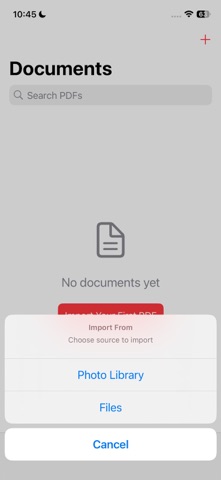
Import images or existing PDF files to create new PDFs.
PDF Protection:
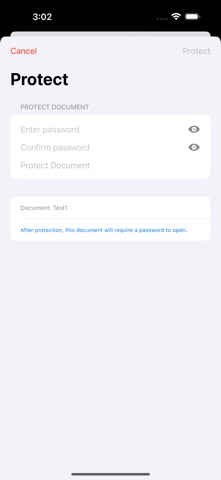
Protect any PDF with a password.
Open password-protected PDFs securely.
Lock sensitive documents from unauthorized access.
PDF Editing Tools:
Rename PDFs or files for easy organization.
Delete single or multiple documents at once.
Add watermark to your PDFs to secure or brand your documents.
Split PDFs into individual pages or sections.
Compress PDFs to reduce file size without losing quality.
Share & Manage:
Share PDFs directly via email, AirDrop, or other apps.
Organize your documents efficiently with folders and sorting options.
Why PDFTool Lab?
Simple, intuitive interface with powerful features.
Perfect for students, professionals, and anyone who handles documents.
Save time and stay organized with advanced PDF management.
Take your document management to the next level. Download PDFTool Lab now and scan, edit, protect, and share PDFs all in one app.