

Peakon is made and published by Workday. AppBrain is an independent app data site and isn't affiliated with Workday. The app name, icon, screenshots and description belong to Workday and are shown as published on the App Store.
AppBrain's verdict
EstablishedLoved by users- Rating on App Store
- 4.65
- 700 ratings
- Last updated
- October 22, 2025
Users love it: 4.7 stars from 700 ratings.
Rankings
App Store top chartsApp Store Rankings for Peakon
Competitors
Similar apps and more from WorkdayAlternatives to Peakon





More from Workday




Releases
Updates seen on the App Store- Version
- 5.5.0
- Launched
- September 2015
No changelog data
User feedback
Ratings and reviews on the App StoreComments on Peakon for iOS
We don't have enough comments to show example comments. Please check back later.
Technology
Found in the app by AppBrain- Price
- Free
- App size
- 77.8 MB
- Content rating
- Everyone
Technologies used by Peakon
About the app and developer
About Peakon
Peakon is a business app developed by Workday.
User Ratings
Peakon is rated 4.65 out of 5 stars. The rating is based on 700 ratings.
App Information
Peakon is freely available from the App Store. The app size is 77.83 MB. The latest version available is 5.5.0. The last update was on October 22, 2025.
Technical Requirements
The app has a content rating of Everyone. The app has been available on the App Store since September 2015.
Developer information for Workday
Address:
Store listing
By Workday, from the App Store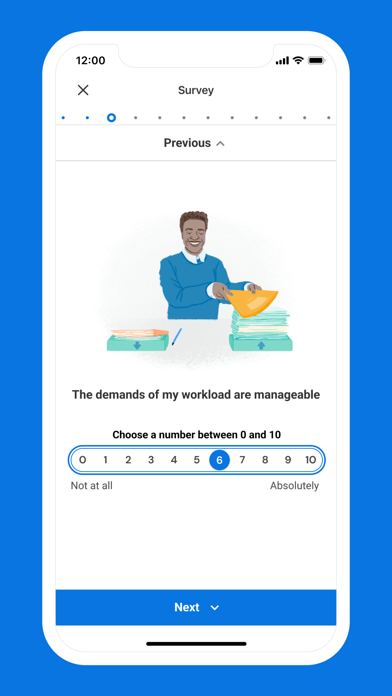
Description by Workday Written by the developer, not by AppBrain. Click to read.
Our mobile app makes it easy for employees to give feedback, see their own survey insights, and their manager’s focus areas. If you’re a manager, you can get easy access to the most important insights about their team. People leaders can acknowledge employee feedback and collaborate with colleagues to create a plan of action. Keep track of your team’s engagement, even when you’re away from your desk.
As a manager, you can take action wherever you are:
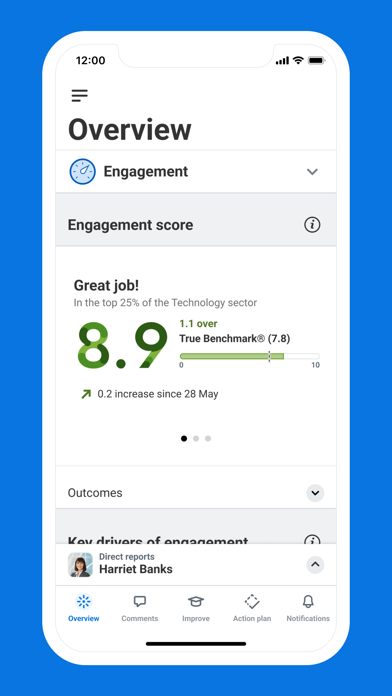
Get a snapshot of your team’s engagement
View your team’s current engagement score, survey and participation rates. Track how it’s changed over time and investigate the split between promoters, passives and detractors.
Identify strengths and priorities
Monitor which aspects of engagement are going well, dig deeper into those that need attention, and measure your team’s scores against custom benchmarks.
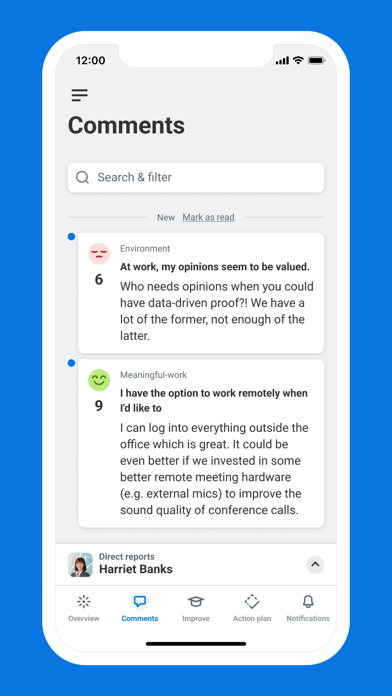
Acknowledge and respond to confidential employee feedback
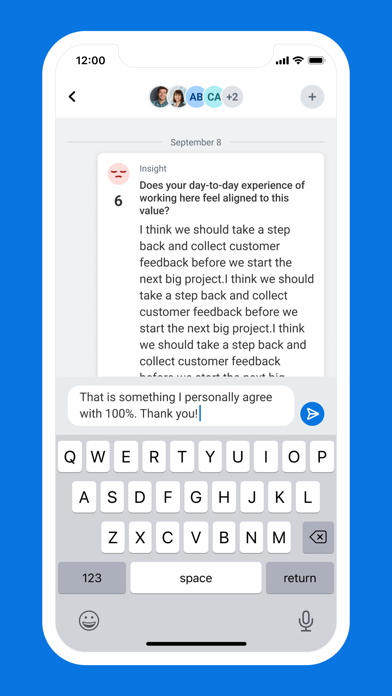
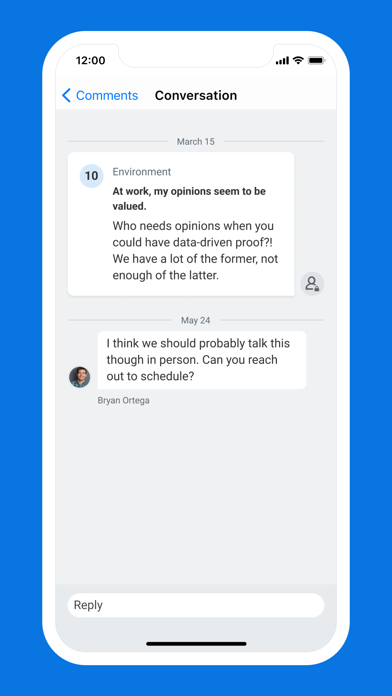
Have confidential two-way conversations that facilitate more open and honest feedback between managers and employees. Let them know you’ve heard their feedback by leaving comment acknowledgements, and filter employee comments by type, score and previous interactions.
Collaborate with people advisors and senior leaders
Use internal notes to ask for support from HR, bring important issues to the attention of senior leaders, and share useful information with other managers.
Develop new leadership skills with contextual learning
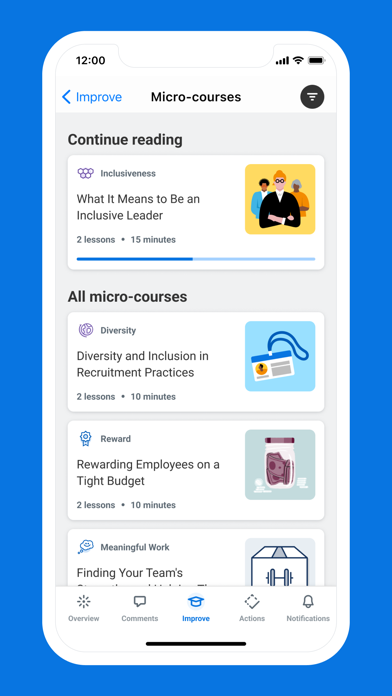
Take micro-courses which provide bite-sized leadership lessons based on the current priorities of your team. Afterwards, put your skills into practice, and see how they improve engagement.
Take collaborative action and improve engagement
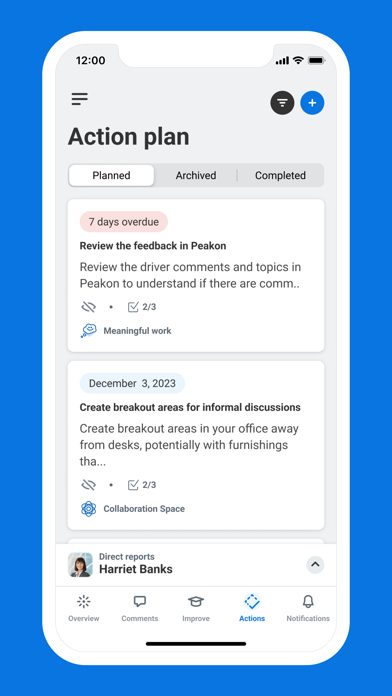
Create a plan of action, based on your suggested actions to improve scores. These are continuously updated based on your current team priorities so you know where to start, what to keep track of, and when it’s time to switch focus.
As an employee, our simple interface allows you to:
Access your engagement surveys
Fill out your engagement surveys and be notified when the next one is available.
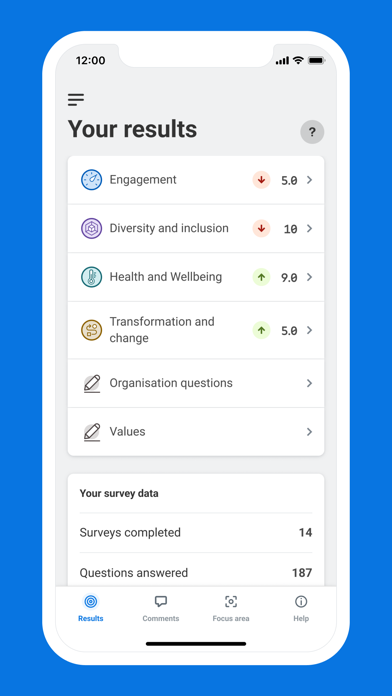
Get insights about how engaged you are
On your personal dashboard, you can see the latest insights from your surveys and how your levels of engagement at work have changed over time. The app also shows you which areas your team’s scores indicate need the most improvement, and what actions are being taken to improve them.